
Maximizing Client Insights: Track PDF Engagement and Protect Business Reports
Stay in control of your business reports and market research while tracking exactly how clients engage with your PDFs.
I still remember the frustration of sending a carefully crafted market research report to a prospective client, only to wonder: did they read it? Did they skip the pricing section? Worse, could it have been forwarded to competitors without my knowledge? For anyone distributing confidential reports, sales proposals, or proprietary materials, this uncertainty is all too common. You want your work to be secure, but you also need insight into how clients are interacting with it. That’s where PDF Analytics for Sales by VeryPDF DRM Protector changes the game.
Many businesses face similar challenges. A marketing team might spend weeks compiling a competitive analysis, only to have it shared outside the company. Sales managers struggle with blind spots, unsure whether a prospect has truly engaged with a proposal. Even internally, documents can be accidentally forwarded or copied, compromising sensitive information. And then there’s the digital threat: unauthorized conversions of PDFs to Word, Excel, or images, which can bypass traditional security measures. Losing control of your content not only threatens your competitive edge but also erodes trust with clients and partners.
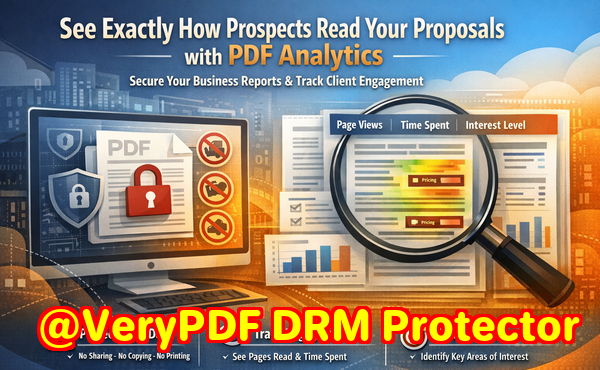
This is where PDF Analytics for Sales by VeryPDF DRM Protector offers a practical solution. By combining advanced DRM protections with detailed analytics, it ensures your documents are both secure and actionable. You can restrict access to authorized users only, control printing and copying permissions, and prevent forwarding or removal of DRM protections. Every interaction with your PDF is tracked: which pages were viewed, how long each page was read, and the total reading duration. This data turns guesswork into clear insights, helping sales teams prioritise prospects and marketing teams understand engagement patterns.
For example, imagine sending a pricing proposal to a prospective client. With PDF Analytics, you can see exactly how much time they spent on each section. If they linger on the pricing page, that’s a strong signal of purchase intent. If they skim past critical details, your sales team can intervene quickly with clarification or follow-up. One of our clients recently avoided a potential leak when a confidential competitor analysis report was opened by someone outside the authorised distribution list. The system automatically blocked access, preventing a possible breach while logging the attempted access for review.
Here’s how PDF Analytics for Sales can be applied in real-world scenarios:
-
Protect confidential market research: Restrict access to the latest competitive intelligence reports to specific departments or clients. Track who reads which sections and for how long.
-
Secure business proposals: Control forwarding, printing, and copying permissions, ensuring your pricing strategies and offers remain confidential.
-
Enhance sales engagement: Identify prospects showing high interest in certain sections of your proposal, allowing your sales team to tailor follow-ups more effectively.
-
Prevent document piracy: Stop PDFs from being converted to other formats or distributed without authorization, maintaining full control over your intellectual property.
-
Gain actionable insights: Analyse reading patterns across your client base, understanding which content resonates most and refining your materials accordingly.
Let me share a personal story. Recently, I sent a confidential market research report to a key client in the tech industry. Within the first hour, PDF Analytics showed that the client spent significant time on the competitive comparison tables. Knowing this, I followed up with targeted commentary, answering questions before they even asked, which strengthened our relationship and sped up the decision-making process. In another case, a proposal sent to a multi-departmental client revealed that one department had attempted to forward it outside their company. The DRM protections automatically blocked the attempt, safeguarding sensitive pricing data and alerting our team to intervene.
Implementing PDF Analytics is straightforward:
-
Upload your document to VeryPDF DRM Protector.
-
Set user permissions: specify who can access the document, and what actions (print, copy, forward) are allowed.
-
Enable analytics tracking to capture page views, reading duration, and engagement levels.
-
Distribute the document to clients or internal teams securely.
-
Monitor engagement in real time and adjust follow-up strategies based on insights.
The benefits are clear. You maintain control over sensitive information, prevent unauthorized access, and gain visibility into client interactions that can directly influence sales outcomes. With actionable analytics, your team can prioritise high-interest leads, refine proposals, and ultimately close deals more efficiently.
I highly recommend this to anyone distributing confidential business documents and wanting insight into client behavior. Try it now and protect your business reports: https://drm.verypdf.com. Start your free trial today, secure your market research, and track PDF engagement.
FAQs
How can I limit access to confidential business documents?
You can restrict access to specific users or departments using VeryPDF DRM Protector, ensuring only authorised individuals can view your PDFs.
Can I prevent others from copying, printing, or converting my reports?
Yes. DRM controls allow you to disable printing, copying, forwarding, and conversion to Word, Excel, or images.
How do I track which pages my clients are reading and how long they spend?
PDF Analytics tracks every page viewed, the time spent per page, and the total reading duration, giving you detailed insights into engagement.
Does DRM technology prevent unauthorized sharing of PDFs?
Absolutely. Only authorised users can open the PDF, and DRM protections prevent forwarding, printing, copying, or removal of restrictions.
How easy is it to distribute protected business reports to clients or colleagues?
Distribution is simple: upload the PDF, set permissions, and send the secured file. Analytics will automatically track engagement for every recipient.
Can I use PDF Analytics to improve sales follow-ups?
Yes. By seeing which sections clients focus on, your sales team can prioritise leads, address concerns early, and tailor communications more effectively.
Does it work for both internal and external documents?
Yes. You can protect internal reports or client-facing documents, maintaining control and tracking engagement across any audience.
Tags / Keywords
protect business reports, secure market research, prevent PDF piracy, stop unauthorized access, track PDF engagement, protect confidential data, monitor PDF reading, secure sales proposals, prevent document leaks, actionable sales insights