
Protecting DWG Files and Business Reports from Unauthorized Access and Leaks
Last quarter, I sent an architectural DWG file to a key client, only to find out weeks later it had been opened on an unauthorized device and circulated among competitors. The repercussions were immediate: lost bidding opportunities, compromised intellectual property, and a serious hit to client trust. This scenario is more common than businesses realizeespecially for companies handling market research, proprietary designs, or confidential business reports. Without proper protection, every document shared externally becomes a potential revenue and reputation risk.
Many businesses underestimate the stakes. Imagine sending a detailed market analysis to a client, only to learn it has been copied, forwarded, or converted into editable formats like Word or Excel. The financial loss is tangible, the competitive disadvantage severe, and rebuilding trust with clients can take months. These risks are precisely why controlling access to sensitive fileslike DWG, PDF, or strategic reportsis no longer optional.
The problem intensifies when team members work remotely or documents must be shared with external partners. Without robust DRM protection, files can be downloaded, printed, or even altered and redistributed. For organizations relying on precise intellectual property management, this creates exposure that can’t easily be reversed.
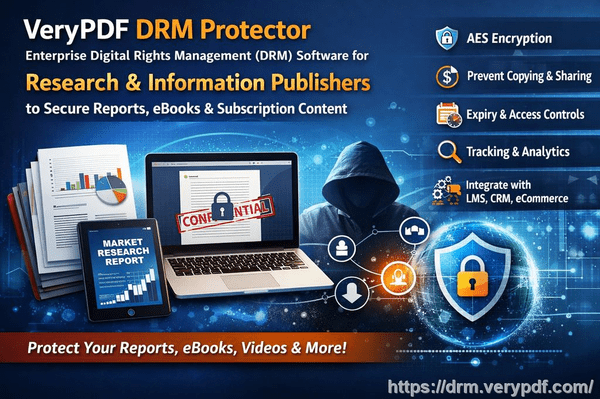
VeryPDF DRM Protector addresses these real-world business challenges. By enabling granular access control, it ensures that only authorized users can open sensitive documents, whether they’re DWG files or critical PDFs. Here’s how it helps in tangible business terms:
Restrict access to authorized users or teams: You decide who can open a file and on which devices. Even if a document is forwarded, unauthorized parties won’t be able to open it.
Prevent printing, copying, or conversion: Files stay exactly where you want them. No one can copy text, save images, or export your DWG or PDF into Word, Excel, or other editable formats.
Track usage and maintain control: You can monitor who accesses documents, when, and from which device, giving you visibility and accountability over sensitive information.
Consider a real case: A market research firm needed to distribute quarterly reports to multiple clients. Before implementing DRM protection, one report ended up on a competitor’s database, costing several high-value contracts. After adopting VeryPDF DRM Protector, each report was securely distributed, and unauthorized forwarding attempts were blocked. Not only were the documents safe, but the firm also saved time managing client-specific access manually.
Another example involves an engineering firm sharing DWG files with subcontractors. They previously faced a situation where drawings were opened outside approved devices, leading to intellectual property leaks and potential patent disputes. With DRM Protector, they could specify which users and devices could access each DWG file, preventing misuse entirely. The firm avoided costly litigation and maintained client confidence in their design security.
Implementing these protections is straightforward:
-
Upload your DWG or PDF file to the DRM platform.
-
Assign user or team permissions based on departments, clients, or project roles.
-
Configure restrictions: disable printing, copying, or conversion.
-
Distribute the protected file securely. Recipients can access it only under the defined rules.
-
Monitor usage in real-time to ensure compliance.
The anti-piracy benefits are equally clear. By preventing unauthorized conversion and copying, DRM Protector stops potential revenue leakage from document resale or misuse. It eliminates the risk of competitors gaining a strategic advantage from leaked reports. For companies handling sensitive market research, strategy documents, or proprietary designs, this means tangible protection against losses that could reach thousandsor even millionsof dollars.
From my experience, the difference is striking. Before using DRM protection, document leaks were a constant source of anxiety. After implementation, the peace of mind is invaluable. You can distribute reports to clients, share design files with contractors, or circulate internal strategy documents without fearing unauthorized exposure. Each document remains under your control, and every access attempt is logged for accountability.
I’ve also noticed that the tool simplifies internal operations. Managing permissions across teams and clients used to be labor-intensive. Now, with VeryPDF DRM Protector, you can set policies once, and they apply automatically. It streamlines workflows, reduces administrative overhead, and ensures that sensitive files never leave approved channels.
The cost-benefit is immediate. Preventing just one data leak can offset the software’s investment many times over. For businesses in competitive markets, the ability to safeguard intellectual property, maintain client trust, and prevent unauthorized redistribution directly protects revenue and reputation.
I highly recommend this to anyone distributing confidential business documents who wants to avoid costly leaks. Whether you’re sharing market research, architectural designs, or strategic reports, DRM protection ensures that your files remain secure, traceable, and under your control.
Try it now and protect your business reports: https://drm.verypdf.com
Start your free trial today and keep your market research secure from leaks or misuse.
Frequently Asked Questions
How can I limit access to confidential business documents to prevent revenue loss?
By using DRM protection, you can assign access only to authorized users and devices, ensuring that sensitive documents are never opened by unauthorized parties.
Can I stop others from copying, printing, or converting my reports into editable formats?
Yes. DRM restrictions prevent printing, copying, and conversion to Word, Excel, or image formats, keeping your intellectual property secure.
How do I track who accessed my business reports and when?
VeryPDF DRM Protector provides real-time usage tracking, logging each access attempt with details about the user and device.
Does DRM technology prevent unauthorized sharing of PDFs outside my organization?
Absolutely. Even if a file is forwarded, it cannot be opened on unauthorized devices, ensuring sensitive content remains protected.
How easy is it to securely distribute protected business reports to clients or colleagues without risk?
It’s straightforward. Upload your document, configure access permissions and restrictions, and distribute. All rules apply automatically.
Can I protect different file types, such as DWG and PDFs, with the same DRM system?
Yes. VeryPDF DRM Protector supports multiple file types, allowing consistent protection across all sensitive documents.
What happens if someone tries to bypass the DRM protection?
Unauthorized access attempts are blocked automatically, ensuring that your documents cannot be opened, printed, copied, or converted outside permitted boundaries.
Keywords: protect business reports, secure market research, prevent PDF piracy, stop unauthorized access, protect confidential PDFs, prevent PDF conversion, secure DWG files, prevent data leaks, protect intellectual property, business document security