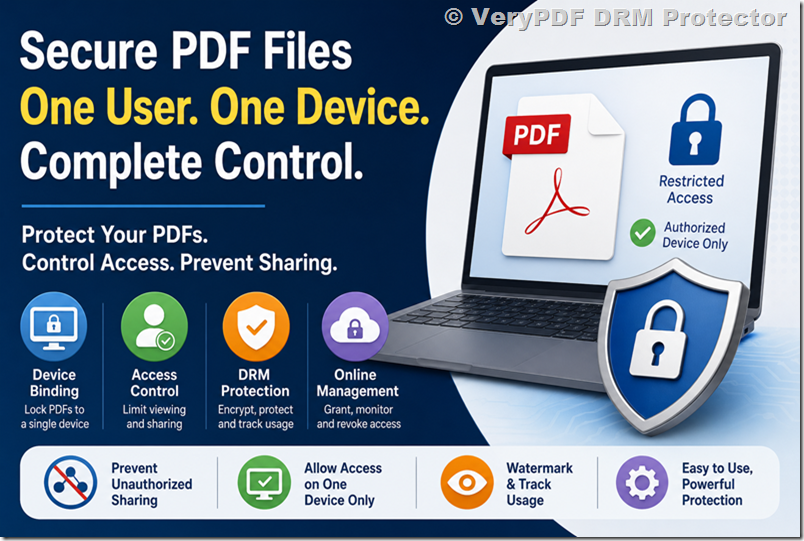
Why VeryPDF DRM-secured virtual data rooms are ideal for confidential inter-department communication in large, compliance-heavy organizations

Why VeryPDF DRM-secured virtual data rooms are ideal for confidential inter-department communication in large, compliance-heavy organizations

When I first joined a large financial institution, I quickly realised just how chaotic confidential inter-department communication could get. Every week, teams would email sensitive financial reports, contracts, and legal documents back and forth. And no matter how careful we were, there was always the lurking fear that a misdirected email or an accidental download could compromise critical information.

Why VeryPDF DRM-secured virtual data rooms are ideal for confidential inter-department communication in large, compliance-heavy organizations

That’s when I stumbled upon VeryPDF DRM Protector a virtual data room solution that completely changed the way we handle sensitive content. The moment I started using it, I realised this wasn’t just another file-sharing tool. This was a secure, professional-grade workspace designed for large organisations that operate under strict compliance requirements.

What makes VeryPDF DRM Protector stand out is its combination of a virtual data room with robust Digital Rights Management (DRM) controls. Think of it like this: the data room is the high-security house, and DRM controls are the safe inside. Even if someone were to gain access to the house, the contents of the safe remain virtually impenetrable. With VeryPDF, documents, spreadsheets, PDFs, and even video files are instantly encrypted, with access and usage tightly controlled. I remember sending a highly sensitive investor report to a cross-department team and being able to set expiry dates, restrict device access, and even prevent printing all within minutes. No other tool we’d used before allowed for that level of control.

One of the features I found particularly useful is the shared link access controls. Before, we’d waste hours trying to explain to colleagues how to securely access files. With VeryPDF, I could send a link, and every time a user accessed it, I got real-time notifications. I knew exactly who was reading the documents, when, and even where. For compliance-heavy environments, this level of transparency is a game-changer. We could track engagement with individual documents and make informed decisions about next steps in projects without worrying about leaks or unauthorised sharing.

Another standout feature is the Secure Web Viewer and Secure Document Viewer. These aren’t just buzzwords they completely changed our collaboration process. The web viewer allowed my team to work directly in their browsers without downloading sensitive files, while the secure document viewer offered a higher level of protection for external consultants or stakeholders. With screenshot and screenshare prevention, printing restrictions, and granular access limits, we could safely share sensitive government and financial documents without sacrificing convenience.

Compared to other virtual data room solutions, VeryPDF is refreshingly intuitive. Many competitors claim high security, but their interfaces are clunky, and setting permissions can be a nightmare. VeryPDF keeps it simple even non-technical users can navigate the platform, upload files, and assign access rights without guidance. I remember setting up a new data room for a cross-border acquisition, and my colleagues were able to join and interact with documents immediately, no training needed. That’s efficiency you can actually feel.

Beyond security and usability, the analytics and notifications system is incredibly insightful. I could monitor document visits, track real-time engagement, and export visitor data for internal audits. This level of visibility is vital for organisations that need to comply with regulations like GDPR or SOX. Being able to see who accessed what, and when, has saved me from countless compliance headaches. And the dynamic watermarking? That’s another feature that immediately gave me peace of mind even if a document was screen-captured, the watermark ensured it was traceable back to the individual recipient.

The product also integrates seamlessly with cloud storage and office apps. You can import files directly from Google Drive, Microsoft 365, or other storage providers, which made onboarding new projects smooth and fast. For larger organisations with multiple departments, this was invaluable. We didn’t need to restructure our existing workflows VeryPDF fit right in, enhancing security without slowing us down.

The use cases are nearly limitless. From mergers and acquisitions, investor relations, and internal audits to project management, confidential HR data sharing, and legal document distribution, VeryPDF DRM Protector supports them all. Our finance team now distributes monthly reporting packs through the platform, legal teams manage contracts without fear of leaks, and our R&D department collaborates on proprietary designs securely across continents. It’s reassuring to know that sensitive documents aren’t just stored safely they’re actively protected with controls that I can manage in real-time.

I also appreciate the flexibility with device and account limits. I can specify exactly how many devices can access a file, enforce expiration dates, and even restrict access based on IP addresses or geographic location. For an organisation with strict compliance requirements, this is not just a nice-to-have it’s essential. I’ve used this to prevent external partners from sharing confidential documentation with unauthorised recipients in other countries, and it works seamlessly.

Now, here’s the kicker: VeryPDF isn’t just about locking files down. It’s about enabling secure collaboration. Teams can comment, request files from others, and even track document engagement, all while maintaining strict security protocols. That balance between protection and usability is rare. I’ve tried multiple solutions promising enterprise-level security, but none of them combined simplicity, granular control, and actionable analytics like VeryPDF.

In short, VeryPDF DRM Protector solves the practical problems that many large organisations face daily: protecting intellectual property, maintaining compliance, and enabling efficient, secure collaboration. I’d highly recommend this to anyone who handles sensitive inter-department communications or works in industries where data privacy and auditability are non-negotiable.

Click here to try it out for yourself: https://drm.verypdf.com/

VeryPDF offers custom development services for organisations with unique technical requirements. Whether you need specialised PDF processing for Linux, macOS, Windows, or server environments, VeryPDF can develop solutions using Python, PHP, C/C++, Windows API, Linux, Mac, iOS, Android, JavaScript, C#, .NET, or HTML5. Services include creating Windows Virtual Printer Drivers capable of generating PDF, EMF, and image formats, capturing and monitoring printer jobs, and monitoring Windows APIs for file access.

VeryPDF also provides expertise in document formats like PDF, PCL, PRN, Postscript, EPS, and Office documents. They offer technologies for barcode recognition, layout analysis, OCR, OCR table recognition, report generation, image conversion, and document management. Cloud solutions, digital signatures, PDF security, DRM protection, and Office document printing are all within their custom development capabilities. For tailored projects, contact VeryPDF via their support center at https://support.verypdf.com/.

Frequently Asked Questions

How secure is a VeryPDF DRM-protected virtual data room?

VeryPDF DRM Protector uses file-level encryption, dynamic watermarking, access control, and DRM settings to ensure that only authorised users can view or interact with sensitive content.

Can I control who accesses specific files and for how long?

Yes. You can set device limits, account limits, expiration dates, IP restrictions, and even block certain countries to control file access.

Do users need to download software to view files?

It depends on the protection level. The Secure Web Viewer allows browser-based access, while the Secure Document Viewer offers higher security and requires a client download.

Is it possible to track user activity in the data room?

Absolutely. VeryPDF provides detailed analytics, including real-time engagement notifications, document visitor exports, and aggregate visit dashboards.

Can VeryPDF integrate with existing cloud storage or office systems?

Yes. You can import files from Google Drive, Microsoft 365, and over 6000+ apps via Zapier, with support for email plugins and API integrations for advanced workflows.

Tags or keywords:

Virtual data room

DRM-secured documents

Secure document sharing

Confidential inter-department communication

Compliance-heavy organisations

Digital rights management

Secure collaboration platform

Document access control

How VeryPDFs anti-screenshot technology provides unmatched protection for sensitive presentations, financial reports, and training videos

How VeryPDF’s anti-screenshot technology provides unmatched protection for sensitive presentations, financial reports, and training videos

Every week, I handle documents that contain highly sensitive informationfinancial reports, confidential presentations, and internal training videos.

One time, I shared a PDF with a colleague only to find it circulating outside our team.

The frustration hit hard. I needed a way to share critical files securely without worrying about unauthorized copying, screenshots, or accidental leaks.

How VeryPDFs anti-screenshot technology provides unmatched protection for sensitive presentations, financial reports, and training videos

That’s when I discovered VeryPDF DRM Protector, a virtual data room solution that completely changed how I manage and share sensitive content.

It isn’t just another file-sharing toolit’s a fortress for digital files, designed specifically for professionals who need ironclad protection while collaborating online.

Why VeryPDF DRM Protector stands out

When I first explored VeryPDF, what grabbed my attention was its anti-screenshot technology.

It’s one thing to lock a PDF with a password; it’s another to prevent someone from literally taking a screenshot of your document or sharing it in a video call.

VeryPDF’s solution does exactly that.

It enforces DRM controls at both the file and system level.

I started by uploading a confidential financial report to the platform.

Within minutes, I could define who could access it, on how many devices, for how long, and with full control over printing, copying, and screen sharing.

Even if a user attempted to share the file, dynamic watermarks and screenshot prevention ensured that any unauthorized capture would be traceable or blocked outright.

The platform offers two viewing options:

  • Secure Web Viewer: Ideal for fast collaboration without needing users to download software.

    I use it for team presentations or sharing training materials.

    It shows only a portion of the content at a time, reducing exposure in open office environments.

    Recipients can’t copy, edit, or download the files.

  • Secure Document Viewer: A heavier-duty option for high-risk materials.

    I rely on this for legal and financial documents.

    It enforces multi-layer DRM, prevents screenshots, blocks printing, and limits access to authorized devices.

    Even after sharing, I can revoke permissions or adjust access, which has saved me from multiple potential leaks.

Personal experience with VeryPDF DRM Protector

One of the most striking moments was during a training video rollout.

I wanted to share a proprietary method for internal staff, but the content was highly sensitive.

With VeryPDF DRM Protector, I uploaded the video, applied screen capture protection, and shared it with a select group.

Not only could I track who viewed it, but I also received real-time notifications when someone tried to forward or download it.

This kind of insight is invaluable for auditing and ensures accountability across the board.

I also appreciate how user-friendly it is.

Even team members who aren’t tech-savvy can access protected documents without struggling with passwords or installation issues.

The platform integrates smoothly with Google and Microsoft accounts and even allows for API-driven automation.

Compared to traditional secure data rooms I’ve used before, VeryPDF feels far more intuitive while providing advanced security that others often lack.

Core advantages that make this a must-have

  • Absolute control over shared files: You decide exactly who can see what, when, and on which devices.

  • Dynamic watermarking: Every document or video has traceable watermarks that deter sharing.

  • Real-time engagement analytics: I can monitor how documents are being accessed and acted upon.

  • Offline access control: Files remain protected even outside the cloud environment.

  • Flexible integration options: Works across Windows, Mac, iOS, and Android, plus cloud-based workflows.

These features aren’t just tech specsthey’ve directly impacted my workflow.

I no longer have sleepless nights worrying about sensitive presentations leaking or financial reports ending up in the wrong hands.

Sharing training materials internally has become safer and simpler, with no compromise on user experience.

Use cases that benefit most from this technology

  • Financial institutions: Investment banks, private equity firms, and auditors can share confidential reports without risk.

  • Corporate training: HR and operations teams can distribute proprietary training videos securely.

  • Legal firms: Law offices can safely share contracts, court filings, and confidential case files.

  • Government and defense: Departments managing sensitive data can enforce strict access policies.

  • Startups and SMEs: Teams dealing with intellectual property or strategic planning can protect their competitive advantage.

In short, any scenario involving sensitive or confidential files can benefit from the anti-screenshot and DRM capabilities of VeryPDF DRM Protector.

Why I’d recommend VeryPDF DRM Protector

If you handle confidential documents, financial reports, or sensitive presentations, this tool is a game-changer.

It’s more than just a secure data roomit’s a full-featured solution that prevents unauthorized access, enforces DRM, and keeps digital assets completely under your control.

The ease of use, combined with powerful security controls, makes it a must-have for any professional who shares sensitive information online.

Click here to try it out for yourself: https://drm.verypdf.com/

Custom Development Services by VeryPDF

VeryPDF provides custom development services tailored to your exact requirements.

Whether you need advanced PDF processing solutions for Windows, Linux, or macOS, or custom utilities built with Python, PHP, C/C++, Windows API, Linux, Mac, iOS, Android, JavaScript, C#, .NET, and HTML5, VeryPDF has the expertise to deliver.

We also develop Windows Virtual Printer Drivers that generate PDFs, EMFs, and image formats, and tools to monitor or intercept print jobs from any Windows printer.

Other services include system-wide and application-specific hooks, barcode recognition and generation, OCR and OCR table recognition, document and report generation, image and document conversion tools, secure cloud solutions, DRM protection, PDF and Office printing solutions, and more.

If you have specific technical requirements, contact VeryPDF via our support center at https://support.verypdf.com/ to discuss your project.

Frequently Asked Questions

1. Can VeryPDF DRM Protector prevent screenshots on all devices?

Yes. The Secure Document Viewer enforces screenshot protection across Windows, Mac, iOS, and Android devices.

2. Is it possible to revoke document access after sharing?

Absolutely. You can instantly revoke access or adjust permissions even after files are shared.

3. Does the platform support offline access?

Yes. Offline access is supported with the same DRM protections applied to files.

4. Can I track who views my documents in real time?

Yes. VeryPDF provides real-time engagement notifications, location alerts, and detailed analytics.

5. What file types are supported by VeryPDF DRM Protector?

All standard formats including PDFs, Word documents, Excel files, images, audio, and video files are supported.

Tags or keywords

DRM protection, secure data room, anti-screenshot technology, confidential document sharing, financial report security, virtual data room, training video protection, VeryPDF DRM Protector, document watermarking, secure collaboration

Preventing Data Leaks in Cross-Border Projects Using DRM-Protected Virtual Data Rooms With Country Blocking and IP-Level Access Rules

Preventing Data Leaks in Cross-Border Projects Using DRM-Protected Virtual Data Rooms With Country Blocking and IP-Level Access Rules

Every time I’ve worked on international projects, I’ve felt that familiar knot in my stomach. Sharing sensitive documents across borders can be nerve-wracking. One wrong click, one mismanaged email, and suddenly confidential contracts, financial reports, or intellectual property could end up in the wrong hands. Even with traditional secure cloud storage, I’ve seen colleagues struggle with uncontrolled sharing, accidental downloads, or unauthorized forwarding. That’s when I realised I needed a better solutionone that didn’t just store files but actively protected them. Enter VeryPDF DRM Protector.

Preventing Data Leaks in Cross-Border Projects Using DRM-Protected Virtual Data Rooms With Country Blocking and IP-Level Access Rules

I first came across VeryPDF DRM Protector while searching for a way to safeguard cross-border deals for our finance team. This isn’t just another cloud storage platform. Think of it as a hyper-secure digital workspace where every document, audio file, video, or image is wrapped in a protective layer of digital rights management (DRM). It’s a Virtual Data Room designed to enforce access rules at a granular levelsomething I hadn’t seen anywhere else.

The setup is straightforward. I uploaded sensitive project files into a virtual data room and immediately applied DRM controls. From there, I could determine exactly who sees what, from where, and for how long. But the magic really shows when you dive into the advanced features:

  • Country Blocking and IP-Level Access Rules: This was a lifesaver for projects involving multiple jurisdictions. For instance, when sharing early-stage financial reports with an investor in Europe, I restricted access from regions outside approved countries. No VPN workaround could bypass these rules, giving me peace of mind that only intended recipients could see the documents.

  • Dynamic Watermarking and Real-Time Notifications: Each time a document was accessed, it displayed the user’s name and email as a watermark. I could also receive notifications for reads, forwards, or attempts to access files from unusual locations. This meant I was constantly in the loop, spotting potential issues immediately rather than days later.

  • Granular Permissions and File-Level Encryption: Even within the same data room, different files could have different access rules. I remember a time when we were collaborating with a law firm overseas. Some contracts were sensitive enough to limit viewing to just three team members, while other documents were open to the broader internal team. The file-level encryption ensured that even if someone got hold of the link, they couldn’t bypass the DRM protections.

Compared to other solutions I triedsome that promised security but relied solely on login credentialsVeryPDF’s system feels almost airtight. Standard platforms may prevent casual sharing, but they don’t stop determined users from downloading, forwarding, or screen capturing sensitive content. VeryPDF goes beyond: the Secure Document Viewer prevents screenshots, screen sharing, and even printing, while the Secure Web Viewer allows collaborators to work from their browsers without ever exposing the actual files. The difference in control is night and day.

Another moment that stood out was during a multi-national legal review. Usually, coordinating document access across time zones is a headache. With VeryPDF, I could set access expiry dates individually per user. One collaborator had access for just 48 hours while another had a week. There was no chasing reminders or manually revoking accessit all happened automatically. It felt like the software was thinking two steps ahead of me, letting me focus on the work instead of security logistics.

The tool also integrates seamlessly with existing workflows. Our team could pull in files from local storage, Google Drive, or Office 365. It supports all common file types, from PDFs to multimedia files. And for teams that need detailed insights, the analytics dashboard shows exactly how each document is being engaged with, who accessed what, and when. For me, that visibility was transformativeit turned data room management from a guessing game into a precise operation.

But who benefits the most from this solution? In my experience, investment banks, law firms, life sciences companies, and international project managers will find this indispensable. Anyone who shares confidential documents across borderswhether for M&A, capital raising, regulatory compliance, or sensitive project collaborationcan leverage VeryPDF DRM Protector to maintain control over their assets. Even industries not traditionally tech-heavy, like legal or healthcare, can adopt it thanks to its intuitive interface. Users don’t need to be tech wizards to navigate permissions, watermarks, and access controls.

For use cases, the possibilities are extensive:

  • Cross-Border Legal Transactions: Ensure contracts or filings aren’t leaked outside designated jurisdictions.

  • Mergers and Acquisitions: Safeguard due diligence documents with per-user DRM rules.

  • Finance Teams: Protect sensitive reports, investor communications, and internal forecasts.

  • Creative and Media Projects: Control distribution of scripts, video content, or intellectual property globally.

  • Corporate Compliance: Limit access to HR records, policy documents, or internal audits.

The core advantages are clear. Beyond simple storage, VeryPDF DRM Protector offers ironclad document control, location-based restrictions, and detailed audit trails. The combination of secure web and desktop viewers, dynamic watermarks, IP-level controls, and granular permissions ensures documents are never truly at risk, even after sharing.

Looking back, adopting VeryPDF DRM Protector has dramatically reduced my stress during cross-border collaborations. I no longer worry about unauthorized sharing or accidental leaks. Every document feels protected, every collaborator is accountable, and I can finally focus on the work that matters rather than policing content. I’d highly recommend this to anyone managing sensitive files or projects spanning multiple countries. Click here to try it out for yourself: https://drm.verypdf.com/ and see how it transforms secure collaboration.

VeryPDF also offers custom development services to tailor solutions to your exact needs. Whether you require PDF processing, virtual printer drivers, OCR, barcode recognition, document analytics, or cloud-based DRM controls, VeryPDF can build custom tools for Windows, Mac, Linux, iOS, Android, and server environments. Their expertise covers Python, PHP, C/C++, .NET, JavaScript, HTML5, and more, ensuring integration with existing workflows and unique project requirements. For advanced scenarios like printer job monitoring, API-based automation, or custom security layers, VeryPDF’s development team can craft solutions that align perfectly with your business processes. Reach out via https://support.verypdf.com/ to discuss your project.

FAQs

1. What makes VeryPDF DRM Protector different from standard cloud storage solutions?

Unlike traditional cloud storage, VeryPDF combines virtual data rooms with DRM controls, offering file-level encryption, screenshot prevention, and per-user access rules that standard services cannot provide.

2. Can I restrict document access by country or IP address?

Yes. You can set country-level and IP-based restrictions to prevent access from unauthorized locations, ensuring cross-border data security.

3. Does the tool support real-time notifications and analytics?

Absolutely. You can receive alerts for document access, forwards, and location-based activities. The analytics dashboard provides detailed engagement insights.

4. Can collaborators access files without downloading software?

Yes. The Secure Web Viewer allows users to view documents directly in their browser with DRM protections, without installing additional software.

5. What types of documents can be protected with VeryPDF DRM Protector?

The platform supports all common file types, including PDFs, Office documents, images, audio, and video files, making it versatile for any project.

Tags/Keywords

Virtual Data Room, DRM Protection, Cross-Border Document Security, Secure Data Room, IP-Level Access Control, VeryPDF DRM, Confidential Document Sharing, Document Watermarking, Digital Rights Management

Why VeryPDF DRM Protector is essential for manufacturing companies sharing confidential design revisions and engineering change orders

Why VeryPDF DRM Protector is Essential for Manufacturing Companies Sharing Confidential Design Revisions and Engineering Change Orders

Every time my team needed to share design revisions or engineering change orders with suppliers, I’d hold my breath, hoping sensitive files didn’t leak. In manufacturing, one misplaced document can mean lost intellectual property, delayed production, or even legal trouble. Sharing CAD files, drawings, or technical specifications used to feel like walking a tightrope. Traditional file-sharing systems were either clunky, insecure, or simply didn’t offer control once the file left our hands. That’s when I discovered VeryPDF DRM Protector.

Why VeryPDF DRM Protector is essential for manufacturing companies sharing confidential design revisions and engineering change orders

From the moment I signed up for VeryPDF DRM Protector, it was clear this wasn’t just another file-sharing tool. It’s a virtual data room solution that doesn’t just store your filesit actively protects them. For a manufacturing company dealing with sensitive engineering data, it’s a game-changer. The software creates a secure online workspace where you can upload documents, CAD files, videos, and even images, while retaining full control over who accesses them, how long they can be viewed, and on which devices. Essentially, it turns your confidential content into a digitally guarded fortress.

One of the first things I noticed was the DRM controls. Unlike typical cloud storage, where a shared link could be forwarded to anyone, VeryPDF DRM Protector lets you revoke access at any time, limit device logins, and set expiry dates per user. For example, when we sent out a set of updated schematics to a supplier, I could ensure they only had access for 48 hours on one authorized device. If the file ended up on someone else’s network, it would be unreadable. That peace of mind alone was worth the switch.

The Secure Web Viewer is another feature that stood out. It’s lightweight, browser-based, and prevents unauthorized downloads, edits, or screenshots. I remember running a project review with a remote partner, and while they could see the latest engineering updates, there was no way to grab or leak the files. This is crucial in shared office spaces or when collaborating with external teams. For projects with ultra-sensitive documents, the Secure Document Viewer goes a step furtherpreventing screen sharing, blocking printing, and enforcing access limits even offline.

VeryPDF DRM Protector also excels at tracking and analytics. I can see exactly who viewed what, when, and for how long. For instance, last quarter we had a critical design audit, and being able to generate a full log of document visits across multiple collaborators saved hours of back-and-forth verification. The real-time engagement notifications were especially handyalerting me when someone tried to access files from an unexpected location. Compared to the spreadsheets and emails we used before, this system is a revelation.

Another advantage is simplicity paired with flexibility. Setting up a data room took minutes. Uploading CAD files, PDFs, and revision documents is intuitive, and the platform supports unlimited visitors. Plus, the dynamic watermarking ensures that any content viewed is traceable back to the individual, discouraging leaks without obstructing workflow. I’ve tried other VDR systems, but they often had clunky UIs or limited DRM capabilities. VeryPDF balances powerful security with a clean, user-friendly interface, which matters when your team includes non-technical partners.

The integration options are also a major win. We use Google Workspace and Microsoft accounts, and VeryPDF’s platform allows seamless login integration. Even our internal apps can pull in data securely through their APIs, creating a consistent workflow without compromising security. And because it supports all basic file typesfrom PDFs to CAD drawings to video fileswe no longer have to juggle multiple systems or worry about format restrictions.

I also appreciate the transparent pricing. Unlike some VDR providers who hide fees or lock features behind opaque tiers, VeryPDF clearly outlines what you’re paying for. This transparency made it easy for us to budget and justify the investment. Knowing there were no hidden charges meant our IT and finance teams were on board quickly.

In real-world scenarios, VeryPDF DRM Protector has repeatedly proven its worth. During one high-stakes product revision cycle, we had multiple suppliers across different countries needing access to the latest engineering change orders. Before using VeryPDF, this would have meant emailing PDFs back and forth or using unsecured cloud folders. Now, everyone logs into the secured data room, sees the files they need, and we retain control over every download, view, or share. Even if someone tries to copy or forward a file, the DRM protections prevent misuse, giving us complete traceability and accountability.

The tool also makes collaboration effortless. You can comment on documents, request files from collaborators, and receive instant notifications. One time, a supplier uploaded a corrected component drawing late at night. I received a real-time notification, reviewed it immediately through the secure viewer, and approved the changes without risking exposure to other sensitive files. The efficiency gains here are massive.

For manufacturing companies sharing confidential design revisions and engineering change orders, VeryPDF DRM Protector solves practical problems that previously caused headaches: lost intellectual property, unauthorized sharing, cumbersome workflows, and security anxiety. I’d highly recommend this to any company that deals with sensitive engineering data or IP. Start your free trial now and experience the difference: https://drm.verypdf.com/

VeryPDF also offers custom development services to meet your unique technical needs. Whether it’s specialized PDF processing on Linux, macOS, Windows, or server environments, or developing utilities with Python, PHP, C/C++, Windows API, Linux, Mac, iOS, Android, JavaScript, C#, .NET, and HTML5, VeryPDF has the expertise. Their services include Windows Virtual Printer Drivers capable of generating PDF, EMF, and image formats, as well as monitoring and capturing print jobs across all Windows printers.

They also offer solutions for document formats like PDF, PCL, PRN, Postscript, EPS, and Office files, including OCR, barcode recognition, layout analysis, and table extraction. For advanced needs, VeryPDF develops report and form generators, image conversion tools, cloud-based solutions for digital signatures and document viewing, as well as PDF security and DRM protection. For tailored solutions, contact VeryPDF through their support center: https://support.verypdf.com/

FAQs

1. What types of files can I protect with VeryPDF DRM Protector?

You can secure PDFs, CAD files, images, videos, and virtually all common document types with full DRM controls.

2. Can I set different access levels for multiple users?

Yes, VeryPDF allows granular permissions, including expiry dates, device limits, and revoking access at any time.

3. Is the secure viewer compatible with both online and offline use?

Yes, the Secure Web Viewer works in the browser, while the Secure Document Viewer provides offline DRM protections.

4. How does VeryPDF DRM Protector prevent unauthorized sharing?

It blocks printing, screenshots, screen sharing, copying, and forwarding, with dynamic watermarking and encryption to retain control.

5. Can I track who has accessed my files and when?

Absolutely. Real-time notifications, visit logs, and detailed analytics provide complete visibility into document activity.

Tags/Keywords

VeryPDF DRM Protector, secure data room, virtual data room for manufacturing, confidential document sharing, engineering change orders, CAD file protection, DRM for manufacturing

How energy companies protect power plant documentation, grid diagrams, and operational manuals using VeryPDF DRM-protected VDRs

How energy companies protect power plant documentation, grid diagrams, and operational manuals using VeryPDF DRM-protected VDRs

Energy companies handle an enormous amount of sensitive information every day. I remember one Monday morning, sifting through dozens of operational manuals and grid diagrams, and thinking about how easily a single misfiled document could expose critical infrastructure. The stakes are higheverything from compliance reports to detailed schematics of power plants has to be tightly controlled. That’s when I discovered VeryPDF DRM Protector and its Virtual Data Room (VDR) solution, and it completely changed the way we handle sensitive energy documentation.

How energy companies protect power plant documentation, grid diagrams, and operational manuals using VeryPDF DRM-protected VDRs

For anyone in the energy sectorwhether you’re managing a power plant, maintaining grid networks, or handling regulatory compliancethis software is a game-changer. VeryPDF DRM Protector acts like a digital vault for all your critical documents, ensuring that only authorized personnel can access specific files, and even then, under tightly controlled conditions.

When I first explored VeryPDF, I was blown away by the depth of features. The Virtual Data Room with DRM controls works like a secure house: password protection and authentication act as locks and alarms, while file-level encryption functions like a safe for your most sensitive documents. Even if someone somehow breaches the VDR, they can’t open files without the correct access rights. That level of control is invaluable for energy companies storing grid diagrams, schematics, or operational manuals.

Here’s how I personally benefited from its key features:

Shared Link Access Controls Before using VeryPDF, sending documents via email or standard cloud storage felt like leaving the front door open. With shared link controls, I can restrict who sees each file, set expiry dates, and revoke access instantly. I had a scenario where an external consultant only needed temporary access to plant schematics; with VeryPDF, I set the document to expire after two days and could monitor every access attempt.

Real-Time Engagement and Notifications VeryPDF doesn’t just secure files; it tells you what’s happening with them. I receive instant alerts when someone reads, forwards, or attempts to access a document. This feature became a lifesaver during a regulatory audit. I knew exactly which engineers reviewed the updated operational manuals and when, allowing us to respond quickly to compliance queries.

Secure Web and Document Viewers Not all collaborators are tech-savvy. The web viewer allows team members to view files in a browser without downloading them, reducing the risk of accidental leaks. For files that demand higher security, the secure document viewer enforces screenshot, screen-sharing, and printing restrictions. I once had to share sensitive grid expansion plans with a government contractor, and the viewer ensured no data left the secure environment.

Advanced Watermarking and Location Controls Energy documentation often requires traceability. VeryPDF allows dynamic watermarks and location-based restrictions. During a high-stakes project, I could watermark documents with the viewer’s username and IP address, so any leak could be traced immediately. This level of accountability is unmatched by generic cloud storage.

Compared to other VDRs I’ve used, VeryPDF stands out for its simplicity and usability. Other solutions felt clunky, required multiple downloads, or imposed steep learning curves on team members. VeryPDF is intuitive. I was able to onboard my entire operations team without a single complaint, which isn’t something you can say about every enterprise tool. Its transparent pricing and clear plan structures also make budgeting straightforwardno hidden fees lurking around.

I’ve used VeryPDF across multiple scenarios in our energy company:

  • Sharing power plant operational manuals with external auditors.

  • Collaborating on sensitive grid diagrams with engineering consultants.

  • Distributing compliance reports internally without risk of accidental leaks.

  • Storing critical contracts and vendor agreements with expiration and access controls.

Every one of these cases demonstrated the core advantage: complete control over who accesses what, when, and how. Knowing that even if someone leaves the company or an external partner loses credentials, I can revoke access immediately gives me peace of mind.

In conclusion, managing sensitive energy documentation isn’t just about storageit’s about control, traceability, and security. VeryPDF DRM Protector’s Virtual Data Room solution addresses these needs head-on. If you deal with operational manuals, grid diagrams, or any critical energy documentation, I’d highly recommend this tool. It saved our team hours of manual tracking and gave us confidence that our sensitive documents were genuinely secure. Click here to try it out for yourself: https://drm.verypdf.com/. Start your free trial now and boost your document security.

VeryPDF offers custom development services for energy companies and other sectors that need specialised PDF processing, secure document workflows, or virtual data room integrations. Their expertise spans Windows, macOS, Linux, iOS, Android, and server environments. Whether you need utilities in Python, PHP, C/C++, .NET, or JavaScript, VeryPDF can build custom tools tailored to your unique workflows.

They also provide development for Windows Virtual Printer Drivers, capturing and monitoring print jobs, and intercepting APIs for enhanced security. Beyond PDF, their team can tackle barcode recognition, OCR, table extraction, graphical conversions, and advanced DRM workflows. For tailored solutions that meet specific technical requirements, VeryPDF’s support team can provide detailed guidance: https://support.verypdf.com/.

FAQs

1. Who can benefit most from VeryPDF DRM Protector?

Energy companies, government agencies, law firms, healthcare organisations, and any business handling sensitive documents will find it extremely useful.

2. Can I control document access after sharing?

Yes. VeryPDF allows you to revoke access, set expiry dates, control printing, copying, and screen sharing, even after the file is shared.

3. Are files safe on local devices or only in the cloud?

Files are protected both online and offline. The DRM applies whether the document is accessed in a browser or downloaded to a secure device.

4. Does it support real-time notifications?

Yes. You can receive alerts when documents are accessed, forwarded, or read, along with location and engagement insights.

5. Can we integrate VeryPDF with existing workflows?

Absolutely. VeryPDF supports API integrations, Google and Microsoft identity logins, Zapier, and email plugins for seamless workflow integration.

Tags/Keywords

energy document security, virtual data room, DRM protection, power plant manuals, grid diagram security, VeryPDF VDR, secure document sharing, operational manual protection