When it comes to protecting your PDFs and intellectual property, many people search for free DRM solutions. The question often arises: “Where is the free DRM for PDF?” While free options are available, they are far from adequate in offering the level of protection required for sensitive documents. To truly safeguard your intellectual property and ensure that your PDFs are secure, it’s essential to invest in a robust DRM solution. This is where VeryPDF DRM Protector comes in. Unlike free DRM solutions, VeryPDF DRM Protector offers industry-standard protection that gives you full control over your files.
https://drm.verypdf.com/
The Limitations of Free DRM for PDFs
While free DRM options may sound appealing, they come with significant limitations that can leave your documents vulnerable. Here are some common methods that are used to “protect” PDFs for free:
1. Password Protection
Password protection is one of the most basic ways to protect a PDF. Applications like Adobe Acrobat or MacOS Preview offer the ability to password-protect your PDF files. While this method ensures that only those with the password can open the file, it does not offer granular control over what users can do once they’ve accessed the document. Passwords can be easily shared or cracked, making this method insufficient for protecting valuable intellectual property.
2. Watermarking or “Social DRM”
Watermarking involves embedding visible or invisible watermarks into your PDFs, which can track the file back to the original user. While this discourages unauthorized distribution by making it traceable, watermarking does not prevent users from copying, printing, or sharing the document. Furthermore, watermarking can be easily bypassed or removed by those with the right tools. This method is simply not secure enough to protect sensitive business or educational materials.
3. Free DRM Services
Some free DRM services may restrict permissions such as copying or printing, but their encryption is often weak. These services do not provide the level of security required to protect your content from determined attackers or unauthorized users. Furthermore, free DRM services are often riddled with vulnerabilities, and they don’t offer the flexibility needed to control how and when your documents are accessed or shared.
Who Uses Digital Rights Management (DRM) Software?
Digital Rights Management (DRM) software is essential for preventing unauthorized use and distribution of content. It’s widely used in various industries to protect intellectual property and ensure that sensitive materials remain secure. Here are some key sectors that rely on DRM solutions:
1. eBook Publishers:
eBook publishers use DRM to prevent unauthorized downloads and sharing of their digital content. DRM helps protect against piracy by stopping content from being shared on forums and file-sharing websites. It’s also used to safeguard training manuals and educational books, preventing their intellectual property from being illegally distributed or sold.
2. Finance Industry:
The finance sector is governed by strict data security regulations, making DRM software a critical tool for compliance. Sensitive documents, such as earnings reports and due diligence documents, contain valuable information that could be exploited by malicious actors. By using DRM, financial institutions ensure that their documents are securely shared, keeping them protected from unauthorized access and distribution.
3. Corporations (Information Rights Management – IRM):
In the corporate world, Information Rights Management (IRM) is a type of DRM specifically designed to control access to crucial company documents. This technology is used to restrict access to sensitive information, and it can revoke access when an employee leaves the company, preventing potential data leaks. IRM protects against costly breaches and ensures that important corporate documents are secure and accessible only to authorized individuals.
4. Healthcare Industry:
In healthcare, data security is paramount. When medical records are shared between healthcare providers or externally, DRM ensures that the information remains protected and that the sharing complies with data protection regulations. DRM systems add an extra layer of security to patient records, ensuring that they are shared securely and in compliance with laws and regulations.
The Challenges of DRM Solutions
While DRM solutions offer significant benefits, there are a few challenges that need to be addressed:
1. Cost and Complexity:
For many companies and individuals, the cost of implementing DRM software and the learning curve associated with its use can be deterrents. Although DRM provides significant control over digital documents, these barriers make it difficult for widespread adoption.
2. App Installations:
Some DRM platforms require the installation of additional applications on the user’s computer to access protected content. This can be cumbersome, especially in today’s digital landscape, where cloud-based solutions are preferred. Installing multiple applications just to view a document adds unnecessary complexity and friction for users.
At VeryPDF DRM Protector, we recognized these issues and set out to provide a solution that addresses them. Our platform enables secure document sharing directly through your internet browser, without the need for additional software installations. With VeryPDF DRM Protector, you can share PDFs with full confidence that your documents are protected. Our advanced features include the ability to deactivate PDF links instantly, IP locking, screenshot protection, dynamic watermarks, and more—ensuring complete control over your content.
With our DRM solution, protecting your documents has never been easier or more efficient.~
Preventing Unauthorized Actions with VeryPDF DRM Protector
When sharing sensitive documents, it’s crucial to have strict controls to prevent unauthorized downloads, printing, and copying. Without these restrictions in place, all efforts to protect the document can be easily circumvented, leaving your intellectual property exposed. This is where VeryPDF DRM Protector comes into play. With its powerful access controls, you can ensure that documents are securely viewed without the risk of unauthorized distribution or manipulation.
Preventing Downloads, Printing, and Copying
To make sure that only one viewer accesses your document at a time, it’s essential to restrict certain actions such as downloading, printing, and copying. These actions can undermine the integrity of your document protection strategy, especially when dealing with multi-page documents. Users may attempt to take screenshots, copy portions of the document, or compile multiple pages into a final file.
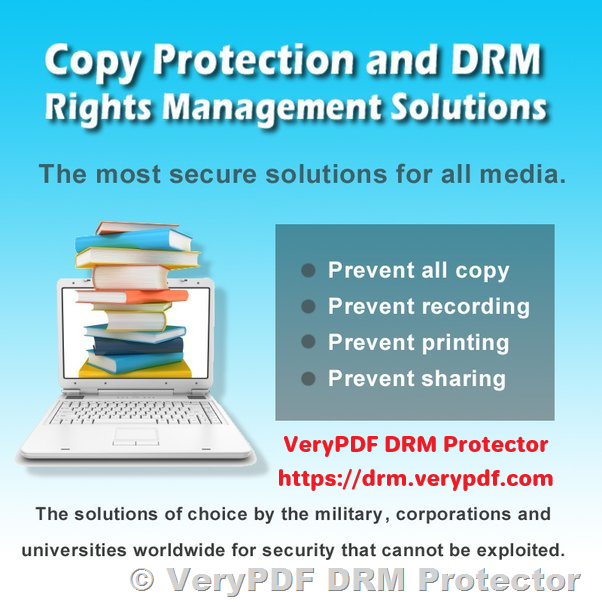
With VeryPDF DRM Protector, you have full control over these permissions. You can set the document viewer to disallow downloads, printing, and copying. This ensures that the document can only be viewed online and prevents users from taking portions of it for unauthorized use. The restrictions are ideal for high-security documents that need to be viewed but not distributed or altered in any way.
IP Lock and Tracking for Enhanced Security
Another effective way to control access to your documents is by locking them to specific IP addresses. By using this feature, you can restrict the document’s accessibility to a predefined set of IP addresses, ensuring that only authorized individuals within your trusted network can view the document. Even if someone manages to obtain the document’s link, they won’t be able to access it from an unauthorized location.
This level of control helps mitigate the risks associated with leaks, as the document cannot be accessed or opened outside of the allowed IP addresses. It’s particularly useful for confidential business reports, legal documents, or any sensitive material that requires strict access control.
Document Metrics for Tracking Access
In addition to restricting access, VeryPDF DRM Protector provides detailed tracking capabilities, giving you a comprehensive view of who is accessing your document. The platform captures important document metrics such as:
- IP location
- Operating system
- Browser
- Referral link
These metrics offer an invaluable insight into the individuals who are viewing your documents. You can quickly see where the document is being accessed from and which devices are being used, providing an additional layer of security and accountability. This level of tracking is essential for ensuring that only authorized users are interacting with your sensitive documents.
Why Choose VeryPDF DRM Protector?
While free DRM solutions may provide basic protection, they simply cannot match the security offered by VeryPDF DRM Protector. Here are the key reasons why investing in a paid DRM solution like VeryPDF is worth it:
1. 256-bit AES Encryption
VeryPDF DRM Protector uses 256-bit AES encryption, which is one of the strongest encryption standards available today. This ensures that your PDFs are fully protected from unauthorized access. Unlike the weak encryption in many free solutions, VeryPDF DRM Protector offers industry-standard encryption to keep your content safe.
2. Advanced Access Controls
One of the major drawbacks of free DRM tools is the lack of control over document permissions. With VeryPDF DRM Protector, you can control exactly what users can do with your PDFs. You can specify whether a user can view, print, copy, or edit the document. This level of control ensures that your intellectual property is used exactly how you intend.
3. Dynamic Watermarking
VeryPDF DRM Protector adds dynamic watermarking to your documents, which discourages unauthorized sharing and helps you track who is accessing your files. You can add visible or invisible watermarks with user-specific details, making it easier to trace leaks and maintain accountability.
4. Cloud Integration
For businesses or educational institutions that need to manage a large volume of documents, VeryPDF DRM Protector offers cloud integration. This makes it easy to store, manage, and distribute protected PDFs while ensuring that access control is maintained at all times. With cloud support, you can share your documents with authorized users while keeping them secure.
5. User Management
VeryPDF DRM Protector includes user management features that allow you to easily control and monitor who can access your documents. You can assign specific permissions to different users and track who has viewed or interacted with your PDFs.
6. Comprehensive Protection for Business & Education
Whether you’re in the business world, education, or publishing, VeryPDF DRM Protector is the ideal solution for protecting your PDFs. Unlike free DRM tools, which are insufficient for professional use, VeryPDF DRM Protector ensures that your documents are fully secure and compliant with industry standards.
Conclusion
While searching for free DRM solutions for PDFs might seem like an attractive option, the reality is that these free tools cannot provide the level of security needed to protect your intellectual property. Password protection and watermarking are easily bypassed, and free DRM services often lack the necessary encryption and access control features. For businesses, educators, and professionals who need to secure their documents properly, VeryPDF DRM Protector offers robust, industry-standard protection.
With features like 256-bit AES encryption, advanced access controls, dynamic watermarking, cloud integration, and user management, VeryPDF DRM Protector ensures that your PDFs are safe from unauthorized access and misuse. The best part? You can try it for free online at https://drm.verypdf.com/ to experience its full range of features before committing to a paid plan.
Invest in the best protection for your PDFs and intellectual property with VeryPDF DRM Protector—the solution you can trust.