 The Problem: Students Sharing PDFs and Unauthorized Content...
How to Safeguard Your Course PDFs: Preventing Unauthorized Sharing and Protecting Revenue Using DRM Controls
As a professor, the thought of my carefully crafted lecture slides or homework assignments being shared without permission always makes me uneasy. I spend hours preparing materials that I'm proud of, only to worry that students might pass them around, convert them to Word files, or even sell them to others. Worst of all, once these documents are out there, there's very little I can do to stop it.
This is a common struggle for many educators. Whether you're teaching online or in a traditional classroom, safeguarding your intellectual property is becoming increasingly important. It's not just about protecting the content—it's about maintaining control, ensuring that students can't modify or misuse the materials, and ultimately, preserving the value of your hard work. Fortunately, there are solutions that can help, and one of the most effective is using DRM (Digital Rights Management) controls.
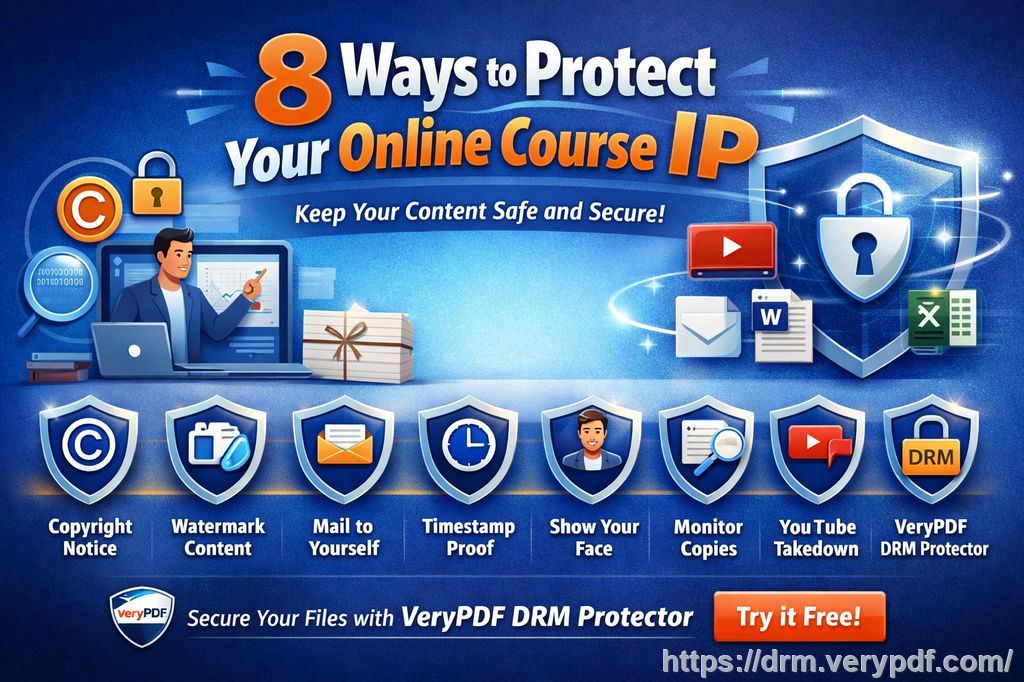
The Problem: Students Sharing PDFs and Unauthorized Content Distribution
Think about it. You've spent weeks creating a detailed course PDF for your students. It's packed with valuable information, lecture notes, and exercises that you want only your enrolled students to have access to. But the moment you upload that PDF to your course platform or send it via email, you lose control.
I've heard stories from fellow professors where students share their lecture slides or homework PDFs with others—sometimes even to students who aren't part of the course. Worse, students sometimes upload these PDFs to file-sharing sites or convert them into editable formats like Word or Excel, making it impossible to track or control what happens to your materials after that. As if that wasn't enough, these documents can also be printed, saved, or even screen-grabbed, leading to even more piracy risks.
So, how do you ensure that your content stays secure? The answer lies in using tools designed to prevent exactly these types of issues—tools like VeryPDF DRM Protector.
What is VeryPDF DRM Protector?
VeryPDF DRM Protector is a comprehensive document protection solution that allows you to control how your PDFs are accessed and used. This tool enables you to protect your PDF files from unauthorized viewing, copying, printing, and even screen sharing.
Using DRM controls, you can lock PDFs to specific devices, prevent them from being shared outside of the classroom, and even set expiry dates for access. No more worrying about students screenshotting your slides or printing them to share with their friends. You'll have complete control over how your materials are distributed, and even better, you can revoke access to these files at any time.
Common Teaching Pain Points and How DRM Protector Can Help
1. Students Sharing PDFs with Unauthorized Users
One of the biggest concerns for teachers is the fear that their content will be shared with people who aren't in the class. With the rise of online learning platforms and file-sharing apps, students now have more ways than ever to distribute content.
Imagine this: You upload a PDF of your lecture slides for your students, but a few days later, you see that the same document is being circulated online, freely available to anyone. This situation is all too common. But with VeryPDF DRM Protector, you can lock the PDF to only allow access to specific devices or enrolled students. You can even set a restriction to limit the number of devices a user can view the document on, reducing the likelihood of unauthorized sharing.
2. Loss of Control Over Paid or Restricted Course Materials
You've created valuable content—perhaps even paid course materials—and you want to keep them exclusive. But the reality is that once a PDF is shared, it can be copied, printed, or converted into another format. This leaves you with no way to control its distribution.
VeryPDF DRM Protector solves this by giving you the ability to:
-
Prevent printing altogether or restrict the number of times a document can be printed.
-
Lock PDFs to specific devices or USB drives, ensuring that only authorized users can access the files.
-
Add dynamic watermarks with personal user information like names and emails, which help deter students from sharing materials.
3. Unauthorized Conversions or Edits
Another major concern is the conversion of your PDF files into other formats. Whether it's someone using OCR software to convert text into an editable document or students trying to remove DRM protections themselves, conversion is a common problem.
With VeryPDF DRM Protector, you can prevent the conversion of your PDFs. Students can't use third-party software to modify your files. Plus, you can apply settings that block screen grabs, screenshots, and even limit access to your PDFs through online meetings or classes, making it impossible for unauthorized users to capture the content.
Benefits of DRM for Online and Offline Content Distribution
Total Control Over Your Content
With VeryPDF DRM Protector, you'll have complete control over your documents. You decide who can access them, when, and how. You can:
-
Set expiry dates based on a number of views, prints, or days since the document was first opened.
-
Control who can view your documents, locking them to specific devices or IP addresses.
-
Even revoke access at any time—even after the document has been distributed.
Protection Against Piracy
Piracy is one of the main reasons educators seek DRM solutions. With online piracy rampant, it's easy for your content to end up in the wrong hands. DRM Protector prevents this by ensuring that your content cannot be easily copied, saved, printed, or shared.
The system's dynamic watermark feature makes it almost impossible for anyone to steal your content without leaving a trail. You can track the document's usage and identify who leaked the information. This added layer of protection not only protects your work but also acts as a deterrent to potential pirates.
Easy Distribution Across Platforms
With DRM Protector, distributing content is simple and secure. You can send your PDFs through email, upload them to your course platform, or even share them on USB sticks—without worrying about unauthorized access.
This solution is also versatile enough for both online and in-person courses. Whether your students are taking your course through a Zoom meeting, or you're handing out physical copies of lecture slides, you'll maintain full control over how your materials are used.
Personal Experience: How DRM Protector Made My Teaching Life Easier
I remember a time when I uploaded a PDF of my lecture slides to my course portal, only to find that it was being shared among students who hadn't even enrolled in the class. I was frustrated and unsure of how to fix the situation. Then I started using VeryPDF DRM Protector.
By locking my lecture slides to specific devices, I was able to ensure that only students who enrolled in the class could access the materials. I could also prevent them from printing or saving the PDFs. The peace of mind it gave me was invaluable, and I was no longer constantly worried about content piracy.
Conclusion: Regain Control of Your Course PDFs Today
In today's digital world, protecting your course materials from piracy and unauthorized distribution is essential. Whether you're teaching in person or online, DRM Protector gives you the tools you need to maintain full control over your PDFs. It protects against screen grabbing, conversion, and unauthorized sharing—ensuring that your hard work stays where it belongs: in the hands of your enrolled students.
I highly recommend this tool to anyone who distributes PDFs to students. It's simple to use, effective, and a great way to protect your content. Start your free trial today and regain control over your PDFs.
[Try it now and protect your course materials: https://drm.verypdf.com]
Frequently Asked Questions
Q1: How can I limit student access to PDFs?
You can lock PDFs to specific devices, set expiry dates, and prevent them from being shared with unauthorized users.
Q2: Can students still read the PDFs without copying, printing, or converting them?
Yes, DRM Protector allows students to view the content, but it blocks any attempts to copy, print, or convert the document to other formats.
Q3: How can I track who accessed the files?
The dynamic watermark feature can display user information, and you can track document usage to identify leaks.
Q4: Does it prevent PDF piracy and unauthorized sharing?
Yes, DRM Protector stops unauthorized sharing by locking documents to specific devices and preventing copying, saving, and printing.
Q5: How easy is it to distribute protected lecture slides and homework?
It's simple. You can distribute your protected PDFs through email, course platforms, or even offline via USB sticks.
Q6: Can I revoke access to my PDFs after distribution?
Yes, you can revoke access at any time, even if the documents have already been shared.
Q7: Does it support offline viewing?
Yes, you can enable offline viewing for your protected PDFs, as long as they're locked to specific devices.
Tags:
protect course PDFs, prevent PDF piracy, stop students sharing homework, secure lecture materials, prevent DRM removal, anti-conversion PDF DRM