
Securely Redact Sensitive Data from PDFs to Prevent Accidental Leaks
Last month, we sent a PDF containing quarterly financial reports to a partner firm. Only afterward did we realize that unredacted employee salaries and client details were still visible. That small oversight put us at risk of a serious compliance violationand it was a wake-up call. Sharing sensitive documents without properly removing confidential data can expose businesses to legal liability, financial penalties, and reputational damage.
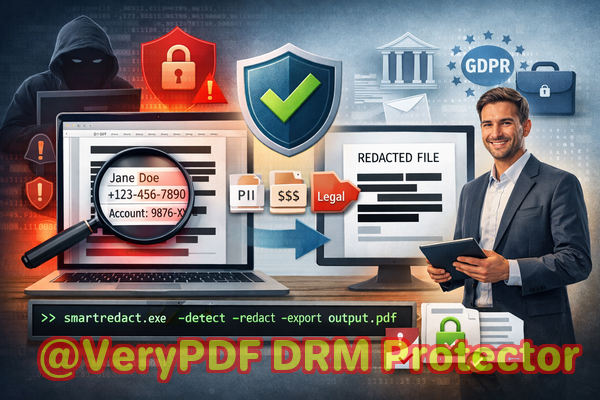
Accidental leaks like this are more common than you might think. Whether it’s contracts, HR records, or financial statements, PDFs often contain hidden personal data that can be extracted even if it appears “blacked out.” Traditional redaction methods or online tools may seem convenient, but they rarely guarantee permanent removal, leaving organizations vulnerable.
This is where AI-powered offline PDF redaction can transform document security. By automatically detecting and permanently removing sensitive information, tools like VeryPDF AI PDF Redaction Tool Command Line allow teams to safely share documents without risking privacy or compliance.
Many businesses underestimate how easily confidential data can be exposed. Here are some common scenarios we’ve seen:
-
Hidden personal and financial data: A legal department might share contracts containing employee names, addresses, or bank account numbers. If this information is not properly redacted, it could be extracted by a competitor, misused, or even published accidentally. Non-compliance with regulations such as GDPR or HIPAA could result in severe fines.
-
Manual redaction errors: Employees often use black highlights or white overlays to cover sensitive content. Unfortunately, these methods only hide the data visuallytext underneath can still be copied, searched, or recovered from the PDF metadata.
-
Unsafe online tools: Some teams upload confidential documents to online PDF redaction platforms. Even if these platforms promise temporary processing, files leave your secure network, creating potential exposure to hackers, breaches, or unintended third-party access.
Faced with these risks, organizations need a reliable solution that ensures sensitive data is permanently removed, not just hidden.
AI-Powered PDF Redaction: How It Solves Real Business Problems
VeryPDF AI PDF Redaction Tool Command Line addresses these challenges head-on, providing a practical and secure way to handle confidential documents. Here’s how it works in real-world business scenarios:
-
Automatic detection of sensitive information: AI scans your PDF to identify personal identifiers such as names, emails, phone numbers, financial data, IDs, and confidential clauses. This reduces human error and ensures no sensitive information is overlooked.
-
Permanent removal, not just masking: Unlike traditional “blackout” methods, the tool permanently erases confidential content. This guarantees that no one can recover or extract the redacted information later.
-
Offline processing for maximum privacy: All redaction happens on your computer. The document never leaves your local environment, eliminating exposure to third-party servers or cloud platforms.
-
Efficiency for teams under time pressure: Automated detection and batch processing allow legal teams, HR departments, and finance managers to handle multiple PDFs at once without manually searching for sensitive data.
Consider a finance team preparing annual reports for multiple stakeholders. Using VeryPDF AI PDF Redaction Tool Command Line, they can:
-
Load PDFs into the tool.
-
Let AI automatically detect sensitive financial figures and employee information.
-
Review suggested redactions.
-
Apply permanent redaction.
-
Export clean PDFs ready to share securely.
This workflow drastically reduces risk while saving time and ensuring compliance.
Concrete Examples of Business Protection
-
Avoiding compliance violations: A European consulting firm once shared project contracts with subcontractors. Using traditional redaction methods, they risked leaking client personal data. After implementing VeryPDF’s offline AI redaction, all PII was permanently removed, keeping the firm compliant with GDPR and avoiding potential fines.
-
Preventing sensitive leaks: A marketing agency switched from free online redaction tools to an offline AI solution. Previously, confidential campaign data could have been exposed to third-party servers. Now, they process everything locally, eliminating that risk entirely.
-
Protecting competitive information: A tech company preparing product launch documents ensures trade secrets are redacted before sharing PDFs with partners. AI identifies proprietary formulas and key internal notes, permanently removing them while keeping public-facing sections intact.
Types of Sensitive Data to Redact
When reviewing documents, here are common categories to consider:
-
Personal identifiable information (PII): Names, social security numbers, addresses, phone numbers, emails.
-
Financial data: Bank accounts, salaries, transaction records, invoices.
-
Business secrets: Proprietary formulas, internal strategies, unreleased product details.
-
Legal or confidential clauses: Contract stipulations, NDA clauses, settlement terms.
By automating the detection of these elements, AI ensures no critical data is accidentally exposed.
Practical Workflow for Secure PDF Sharing
-
Load PDFs: Open the documents you need to share.
-
Scan for sensitive content: AI detects all PII, financial, and confidential information.
-
Review suggested redactions: Confirm which data should be permanently removed.
-
Apply redaction: Erase all sensitive data permanently.
-
Export clean PDFs: Share files with confidence, knowing no confidential information can be recovered.
This step-by-step approach is simple, intuitive, and reduces human error dramatically.
Why Offline AI Redaction Matters for Business Privacy
Many organizations assume that simply masking data or using online services is sufficientbut the consequences of a leak are tangible:
-
Fines for GDPR or HIPAA violations can reach tens of thousands of euros or dollars.
-
Clients and employees may lose trust if confidential data is exposed.
-
Sensitive business intelligence could be obtained by competitors, impacting revenue and strategy.
Offline AI redaction tools like VeryPDF mitigate all of these risks by keeping sensitive information within your secure environment, permanently removing it before sharing documents.
Conclusion: A Simple, Effective Solution for Business Data Safety
I’ve seen firsthand how easy it is for confidential data to slip through even the most careful teams. VeryPDF AI PDF Redaction Tool Command Line has made this process painless. It automatically detects sensitive information, permanently removes it, and keeps all processing offline for maximum security.
I highly recommend this to anyone who needs to share documents safely without risking data leaks or compliance issues. Whether it’s HR records, financial reports, contracts, or legal documents, you can now redact sensitive data with confidence.
Try it now and securely redact your PDFs: https://veryutils.com/smart-redact-server-ai-powered-pdf-redaction-software
Start your free trial today and ensure your sensitive data is permanently removed before sharing.
Frequently Asked Questions
-
How can I permanently remove sensitive data from a PDF instead of just hiding it?
AI-powered redaction tools detect sensitive content and remove it completely from the file structure, not just visually.
-
Can others recover redacted information from my PDF?
With proper offline AI redaction, the sensitive information is fully deleted, making it unrecoverable.
-
Is it safe to use online PDF redaction tools?
Uploading confidential files to online tools exposes data to potential breaches, unauthorized access, or data leaks.
-
Does this tool work completely offline?
Yes, all processing occurs locally on your computer, ensuring 100% privacy.
-
What types of sensitive data can be automatically detected and removed?
Names, emails, phone numbers, social security numbers, financial information, business secrets, and legal clauses.
-
Can I batch process multiple PDFs at once?
Yes, the tool supports batch redaction for multiple documents, saving time for teams handling large volumes.
-
Will AI ever miss sensitive data?
While AI is highly accurate, reviewing suggested redactions before finalizing ensures nothing is overlooked.
-
Does using this tool help with GDPR compliance?
Absolutely. Permanently removing personal data before sharing aligns with GDPR’s data protection requirements.
-
Can I still share a redacted PDF publicly?
Yes, once sensitive content is permanently removed, the PDF is safe for public distribution.
-
Is the tool suitable for legal and financial documents?
Yes, it is designed to handle highly sensitive content, including contracts, financial reports, and HR records.
-
What is the typical workflow for redacting a document?
Load PDF Detect sensitive data Review Apply permanent redaction Export clean PDF.
-
Do I need technical expertise to use it?
No, the tool is user-friendly and designed for business professionals, legal teams, and compliance officers.
Tags / Keywords
redact sensitive data, remove confidential information, PDF redaction tool, protect privacy in PDFs, prevent data leaks, offline PDF redaction, secure document sharing, GDPR compliance, PII removal, AI PDF redaction