
How PDF Tracking Helps Businesses Secure Reports, Stop Unauthorized Sharing, and Boost Engagement
In today’s fast-paced business world, I’ve often found myself stressing over whether my market research reports or sales proposals are actually being reador worse, if they’ve fallen into the wrong hands. There’s nothing more frustrating than sending out a carefully crafted PDF, only to wonder: Did my client even open it? Who else might have access? And could someone be copying, printing, or sharing it without my permission? These are the exact concerns that keep managers, marketers, and business owners up at night. Fortunately, advanced PDF tracking and analytics solutions now give us a way to regain control over confidential documents, monitor engagement, and protect our business intelligence from leaks or unauthorized sharing.
Most businesses underestimate the risks of unprotected PDFs. A few common pain points I’ve encountered repeatedly are:
-
Unauthorized distribution of sensitive reports: Market research or strategic proposals can easily be forwarded to competitors or shared internally beyond the intended audience. This not only compromises confidentiality but can also erode competitive advantage.
-
Loss of control over document content: Without restrictions, anyone can print, copy, or convert PDFs into editable formats like Word or Excel, exposing critical insights to unintended parties.
-
Limited insight into client engagement: Sending a PDF is one thing, but knowing if your prospect actually read itor which sections captured their attentionis another. Lack of engagement data makes it hard to prioritise follow-ups or refine sales strategies.
This is where PDF Analytics for Sales by VeryPDF DRM Protector becomes a game-changer. It’s designed not just to secure your PDFs, but also to give actionable insights into how clients interact with your content.
Here’s how it addresses these issues:
-
Access control: You can restrict PDF access to specific users, departments, or even devices. Only authorized individuals can open the document, and access can be revoked anytime. I once had a situation where a confidential market forecast was accidentally shared outside the company. Using VeryPDF DRM, I immediately blocked access, ensuring no further exposure.
-
Anti-copy, anti-print, and anti-conversion protection: The software prevents printing, copying, forwarding, or attempts to remove DRM restrictions. This stopped a situation where an external consultant tried to save a competitive analysis as a Word file for distribution.
-
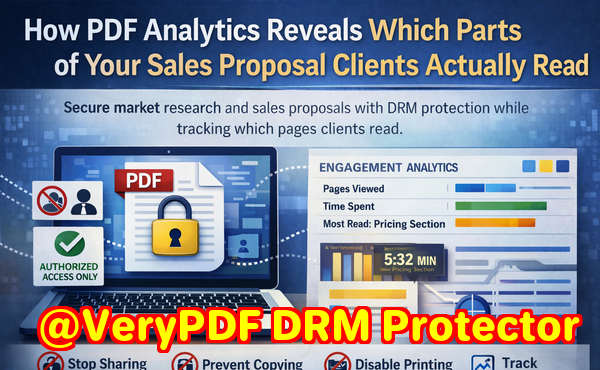
Engagement tracking: With PDF Analytics, you can see which pages clients spent the most time on, total reading duration, and even the exact moments they lingered on key sections. In a sales proposal I tracked recently, noticing a prospect spent extra time on the pricing section allowed me to reach out with targeted follow-up questions, ultimately closing the deal faster.
-
Content protection: Business reports, proprietary research, and strategy documents remain fully secured, while still being easily distributed to intended recipients. This combination of security and insight gives businesses both peace of mind and a practical way to engage clients more effectively.
Real-life scenarios illustrate just how powerful these tools can be:
-
Preventing leaks: One of my colleagues was preparing a quarterly financial report for board members. Using VeryPDF DRM Protector, they restricted the report to specific email addresses and devices. When someone tried to share it externally, the system denied access, preventing a potential information breach.
-
Tracking engagement to refine sales strategy: For a high-stakes client pitch, I distributed a proposal with analytics enabled. PDF Analytics showed that the client spent significant time on the implementation roadmap but skimmed the competitor comparison section. This insight allowed my team to address their concerns proactively, tailoring our follow-up and improving conversion chances.
-
Time-saving intervention: In another case, a sales manager noticed a prospect spent only a few seconds on an executive summary. Instead of waiting for a generic follow-up, they reached out personally to clarify key points, saving time and increasing engagement.
To make it practical, here’s how I typically implement it step by step:
-
Upload your PDF to VeryPDF DRM Protector.
-
Set user permissions decide who can view, print, or edit.
-
Enable tracking and analytics monitor engagement metrics like time spent per page and page visits.
-
Distribute securely send the protected PDF to clients via email or secure links.
-
Monitor engagement review analytics to identify high-interest sections and potential drop-offs.
-
Take action follow up with targeted outreach based on real insights.
The benefits extend beyond just security. It’s about empowering your team with data-driven insights that inform sales strategy, marketing campaigns, and client communications. By knowing exactly how a PDF is consumed, you can allocate resources more effectively, craft more compelling proposals, and even identify when a deal may be at risk before it’s too late.
I can confidently say that using PDF Analytics for Sales has transformed how I manage confidential documents and engage with clients. No longer do I send out PDFs and hope for the best; now I know exactly who is reading, which pages capture attention, and when to intervene strategically. It has prevented unauthorized access, stopped sensitive information from being leaked, and provided clear evidence of client interest to inform follow-ups.
I highly recommend this to anyone distributing confidential business documents and wanting insight into client behavior. Try it now and protect your business reports: https://drm.verypdf.com
Start your free trial today, secure your market research, and track PDF engagement.
FAQ
Q: How can I limit access to confidential business documents?
A: With VeryPDF DRM Protector, you can set permissions for specific users, devices, or departments, ensuring only authorized individuals can open your PDFs. Access can be revoked anytime.
Q: Can I prevent others from copying, printing, or converting my reports?
A: Yes, DRM protection prevents unauthorized copying, printing, forwarding, or converting your PDFs into Word, Excel, or image formats.
Q: How do I track which pages my clients are reading and how long they spend?
A: PDF Analytics provides detailed engagement metrics, including page views, time spent per page, and total reading duration, giving actionable insights into client interest.
Q: Does DRM technology prevent unauthorized sharing of PDFs?
A: Absolutely. DRM ensures PDFs cannot be shared with unauthorized users or devices, and any attempts to bypass security are blocked.
Q: How easy is it to distribute protected business reports to clients or colleagues?
A: Distribution is simple via email or secure links. Recipients can view the document according to the permissions you’ve set, without compromising security.
Q: Can I see which sections of my proposal are most engaging to clients?
A: Yes, PDF Analytics highlights which pages or sections capture the most attention, allowing targeted follow-up and refined sales strategies.
Q: Will my team need technical expertise to use PDF Analytics for Sales?
A: No, it’s designed for business professionals. Uploading, protecting, and tracking PDFs is intuitive and requires minimal training.
Tags or Keywords
protect business reports, secure market research, prevent PDF piracy, stop unauthorized access, track PDF engagement, protect confidential data, monitor PDF reading, secure business proposals, client engagement analytics, prevent document leaks