
Securely Redact Financial Data from PDFs Using AI-Powered Offline Tool
Last month, our finance team shared a batch of PDF invoices with an external auditing partner. We thought everything was fineuntil someone noticed that client account numbers and payment details were still visible. A simple oversight like that could have triggered a major compliance issue, risking GDPR violations and client trust. For any business dealing with sensitive financial or personal data, such mistakes are more than inconvenientthey can have real legal and financial consequences.
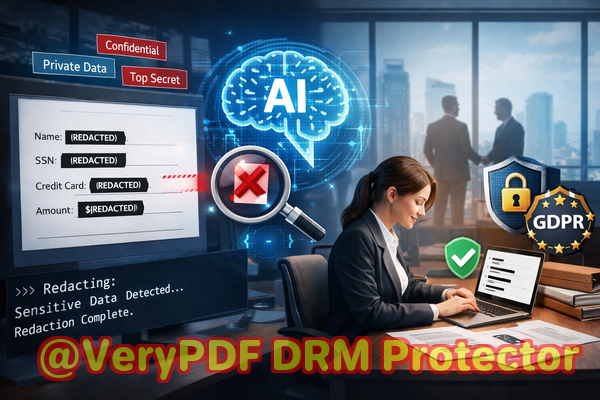
Accidental exposure of sensitive information in PDFs happens more often than most managers realize. In many cases, employees try to manually redact documents by blacking out text in PDFs or using free online tools. While these methods might look effective at first glance, they often fail at fully removing the underlying data. Text can still be copied, recovered, or viewed by someone with basic PDF knowledge. Worse, uploading confidential files to an online redaction service exposes sensitive information to third-party servers, creating new privacy risks.
I recently started using VeryPDF AI PDF Redaction Tool Command Line in my department, and it completely changed the way we handle confidential documents. Instead of relying on error-prone manual methods or risky online tools, we now have a reliable offline solution that permanently removes sensitive data from PDFs. The AI engine automatically detects personal identifiers, financial information, and business-sensitive content, ensuring nothing remains that could be accidentally leaked.
One of the most common pain points businesses face is accidental disclosure of personally identifiable information (PII) or financial data. Names, email addresses, phone numbers, client IDs, or invoice details can appear in internal reports, contracts, or invoices. If these PDFs are shared without proper redaction, the consequences can be severe: fines under GDPR or other privacy regulations, legal action from clients, and reputational damage. Even employees who intend no harm can inadvertently expose confidential data.
Another major risk is relying on visual redaction methods. Many teams “black out” sensitive text with annotation tools, assuming it’s secure. Unfortunately, the text beneath the black boxes often remains in the PDF layer and can be extracted with a few clicks. This hidden data is a silent threat, waiting to be discovered by unintended recipients or competitors.
Using online PDF redaction tools introduces a different type of risk. Uploading documents to cloud services may seem convenient, but it means sensitive information is leaving your secure environment. These services often don’t guarantee complete privacy, and many businesses don’t realize that their confidential files could be stored or cached on external servers. For companies handling financial reports, HR records, or legal agreements, this is simply unacceptable.
VeryPDF AI PDF Redaction Tool Command Line addresses all of these concerns in one solution. Here’s how it works in a real-world scenario:
-
Load your PDF files into the tool.
-
The AI engine scans the document and automatically detects sensitive data, such as:
-
Personal identifiers: names, emails, phone numbers, addresses
-
Financial details: bank accounts, credit card numbers, transaction IDs
-
Business-sensitive content: internal strategies, project budgets, contract clauses
-
Legal clauses that must remain confidential
-
-
Review the suggested redactions to ensure accuracy.
-
Apply permanent redaction. Every detected piece of sensitive data is removednot just hidden.
-
Export a clean PDF that’s safe to share internally or externally.
Because the entire process runs offline, there’s no risk of data leaving your company’s secure environment. Documents never touch a cloud server, and you maintain full control over confidential information. This offline approach is particularly valuable for legal teams, finance departments, and HR managers who regularly handle sensitive records.
I recall one situation where our legal team needed to share dozens of contracts with a consulting firm. Previously, we relied on manual redaction in Adobe Acrobat, spending hours blacking out confidential clauses. With VeryPDF AI PDF Redaction Tool Command Line, the same work was done in minutes, automatically identifying all sensitive data and permanently removing it. The result: zero errors, fully compliant documents, and peace of mind.
Another example comes from our accounting department. During audit preparation, we had hundreds of invoices to share with an external auditor. Manually redacting payment details for each file would have taken days. By switching to the offline AI tool, sensitive transaction information was safely removed, and auditors received the documents without ever seeing client account numbers. This not only ensured compliance but also significantly reduced workload.
Using this tool has changed how we approach document security. Here’s a practical workflow we follow every time we need to share sensitive PDFs:
-
Identify documents that contain sensitive or confidential information.
-
Load them into VeryPDF AI PDF Redaction Tool Command Line.
-
Let the AI scan and detect all potential sensitive data.
-
Review the suggested redactions for accuracy.
-
Apply permanent redaction.
-
Export and share the sanitized PDF.
This simple workflow protects privacy, prevents accidental data leaks, and ensures compliance with GDPR and other privacy regulations. Commonly redacted data includes:
-
Personal Identifiable Information (PII): Names, emails, phone numbers, social security numbers
-
Financial Data: Bank account numbers, invoice amounts, payment IDs, transaction records
-
Business Secrets: Internal strategies, product pricing, project budgets
-
Legal/Confidential Clauses: Contract terms, non-disclosure agreements, employee records
I highly recommend this to anyone who needs to share documents safely without risking data leaks or compliance issues. The peace of mind that comes from knowing sensitive information is permanently removed cannot be overstated.
Try it now and securely redact your PDFs: https://veryutils.com/smart-redact-server-ai-powered-pdf-redaction-software
Start your free trial today and ensure your sensitive data is permanently removed before sharing.
Frequently Asked Questions
1. How can I permanently remove sensitive data from a PDF instead of just hiding it?
VeryPDF AI PDF Redaction Tool Command Line permanently deletes detected sensitive information. Unlike visual redactions, the underlying text and metadata are removed, preventing recovery.
2. Can others recover redacted information from my PDF?
No. Once redacted with the tool, all detected sensitive content is permanently removed. Standard PDF extraction methods cannot recover it.
3. Is it safe to use online PDF redaction tools?
Online tools can expose your files to third-party servers. Confidential financial, legal, or HR data could be stored or cached externally. Offline solutions like VeryPDF ensure full privacy.
4. Does this tool work completely offline?
Yes. All processing occurs on your local machine. Documents never leave your computer, ensuring maximum security and compliance.
5. What types of sensitive data can be automatically detected and removed?
The AI can identify personal identifiers (names, emails, phone numbers), financial data (bank accounts, transaction IDs), business secrets, and legal or confidential clauses.
6. Can I review suggested redactions before applying them?
Yes. The tool allows you to review AI-detected sensitive content to ensure accuracy before permanently removing it.
7. How does this tool help with GDPR compliance?
By permanently removing personal data from PDFs before sharing, the tool prevents accidental exposure, helping your business meet GDPR requirements for data protection.
8. Can I batch redact multiple PDFs at once?
Yes. The command line interface allows batch processing, making it ideal for finance, HR, and legal departments handling large volumes of documents.
9. Does it support all PDF types, including scanned documents?
Yes. The AI engine can process standard PDFs and scanned documents, detecting sensitive data even in image-based files.
10. What is the typical workflow for redacting PDFs?
Load documents Detect sensitive data Review Apply redaction Export clean PDF. This ensures accurate and secure document sharing.
11. How does this tool improve productivity compared to manual redaction?
Manual redaction is time-consuming and error-prone. AI-powered automation reduces the risk of missed sensitive data and dramatically speeds up the redaction process.
12. Can this tool be used for legal, HR, and financial documents alike?
Absolutely. Any document containing sensitive personal, financial, or business information can be safely redacted using this tool.
Keywords/Tags:
redact sensitive data, remove confidential information, PDF redaction tool, protect privacy in PDFs, prevent data leaks, offline PDF redaction, secure document sharing, AI-powered PDF redaction, compliance-friendly PDF redaction, permanent data removal