
Secure Your Business PDFs: Permanently Redact Sensitive Data and Protect Privacy
Last month, our team shared a PDF contract with a partner, only to realize hours later that it still contained unredacted client personal data. Instantly, alarms went off: a potential GDPR violation, a risk of legal exposure, and reputational damage. If you’ve ever faced a similar moment of panic, you know the stakes are realone overlooked field in a PDF can turn into a costly business nightmare.
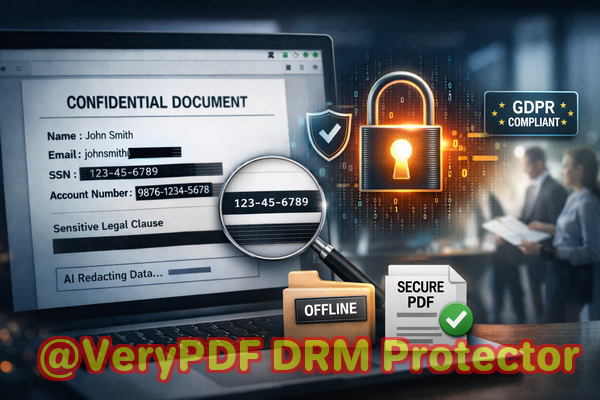
In today’s digital-first workplace, sharing documents is unavoidable. Contracts, financial reports, HR files, and legal agreements routinely move between departments, partners, and clients. But every shared document carries risk: names, emails, phone numbers, employee IDs, financial figures, and other confidential data can inadvertently slip through. The question isn’t just whether sensitive information exists in your filesit’s whether it can be permanently removed before anyone else sees it.
Manual redaction might feel safeblack boxes over text, highlighting “redacted” sectionsbut these methods are often deceiving. Copy-paste functions, OCR software, and even some PDFs allow “hidden” content to be recovered. Worse, employees sometimes turn to free online tools, unknowingly uploading sensitive business information to servers they don’t control. For businesses handling compliance-bound information, this is a ticking time bomb.
This is where VeryPDF AI PDF Redaction Tool Command Line transforms document security. It’s designed not only to hide sensitive data but to permanently remove it, safeguarding your business from accidental exposure and regulatory fines.
The Real Risks Businesses Face
Many organizations underestimate how easily confidential information can leak. Here are some of the most common pain points we encounter:
-
Accidental Exposure of Sensitive Data: HR teams sending payroll PDFs or managers sharing client proposals might overlook email addresses, employee IDs, or financial information embedded in documents. A single slip can lead to GDPR or CCPA violations, incurring fines and reputational damage.
-
Ineffective Manual Redaction: Simply covering text with black boxes or striking out content isn’t enough. Tools like Adobe Acrobat sometimes leave the underlying text intact, meaning that someone with basic technical skills could extract it. The consequences? Confidential clauses exposed to competitors or personal data stolen from public access.
-
Unsafe Online Redaction Tools: Free online redaction websites may seem convenient, but uploading confidential company documents is risky. Once a file leaves your computer, you lose control over who accesses it or how it’s stored. For businesses handling sensitive contracts, financial data, or client records, this is unacceptable.
How VeryPDF AI PDF Redaction Tool Command Line Solves These Problems
Imagine an AI-powered tool that automatically identifies sensitive data, removes it permanently, and does so entirely offline. That’s exactly what VeryPDF offers. Here’s how it addresses each risk:
-
Automatic Detection of Sensitive Information: Using AI, the software can identify names, emails, phone numbers, social security numbers, credit card details, and other personally identifiable information (PII) without manual effort. It reduces human error and ensures nothing gets missed.
-
Permanent Data Removal, Not Just Hiding: Unlike traditional redaction, VeryPDF deletes sensitive content completely. The underlying data is irretrievable, eliminating the risk that someone could recover “hidden” information.
-
Fully Offline Processing: The tool runs entirely on your local system. Documents never leave your computer, ensuring your confidential files remain private and reducing the risk of accidental exposure through cloud services or online tools.
Privacy and Security Benefits in Real Business Terms
Consider these scenarios:
-
A legal team preparing sensitive merger documents avoided a potential GDPR violation because the AI redaction tool automatically detected and removed all personal emails and phone numbers before the documents were shared with external counsel.
-
An HR department switched from free online PDF redaction sites to VeryPDF’s offline solution. The result: complete control over confidential payroll and employee information without worrying about third-party servers retaining copies.
-
A consulting firm regularly shares draft contracts with clients. Using AI-powered redaction, they prevent exposure of financial clauses and trade secrets, maintaining client trust and competitive advantage.
Practical Workflow for Redacting PDFs
Redacting sensitive data doesn’t have to be complicated. Here’s a step-by-step approach:
-
Load Your PDF: Open the document in VeryPDF AI PDF Redaction Tool Command Line.
-
Detect Sensitive Data: Run the AI detection feature to automatically locate personal and confidential information.
-
Review Redactions: Check which data has been flagged. AI reduces errors, but human review ensures accuracy.
-
Apply Redaction: Permanently remove the identified information with a single command.
-
Export Clean PDF: Save your fully redacted document, ready for safe sharing with clients, partners, or employees.
Common Types of Data to Redact
-
Personal Identifiable Information (PII): Names, addresses, phone numbers, emails, social security numbers.
-
Financial Data: Bank accounts, payroll details, invoices, budgets.
-
Business Secrets: Product plans, proprietary processes, R&D information.
-
Legal/Confidential Clauses: Non-disclosure agreements, contract clauses, internal memos.
Real Business Examples
-
A mid-sized marketing firm once sent campaign strategy PDFs to external vendors. Before implementing VeryPDF, draft versions inadvertently included client lists. After switching to AI-powered redaction, every client name and contact was automatically detected and removed, preventing potential leaks.
-
An HR department handling recruitment shared candidate resumes internally. With manual redaction, candidates’ phone numbers were still recoverable in PDFs. AI-based permanent redaction eliminated this exposure entirely, maintaining compliance with data privacy laws.
-
A law office needed to provide redacted contracts to opposing counsel. Using VeryPDF, they applied AI redactions offline, ensuring sensitive clauses and PII were permanently removed while sharing the documents securely.
Key Advantages of AI PDF Redaction for Business Professionals
-
Accuracy: AI detection reduces human error in identifying sensitive content.
-
Efficiency: Redact multiple documents in minutes rather than hours.
-
Security: Offline processing guarantees that files are never uploaded externally.
-
Compliance-Friendly: Easily meets GDPR, CCPA, HIPAA, and other data protection standards.
-
User-Friendly: Works with a simple command line interface, adaptable for teams and automation.
Conclusion
For anyone handling sensitive PDFs, whether contracts, HR records, or client data, the risks of accidental exposure are real and costly. VeryPDF AI PDF Redaction Tool Command Line addresses these risks head-on, automatically identifying and permanently removing sensitive data while keeping your files fully offline and private.
I highly recommend this to anyone who needs to share documents safely without risking data leaks or compliance issues.
Try it now and securely redact your PDFs: https://veryutils.com/smart-redact-server-ai-powered-pdf-redaction-software
Start your free trial today and ensure your sensitive data is permanently removed before sharing.
Frequently Asked Questions
-
How can I permanently remove sensitive data from a PDF instead of just hiding it?
VeryPDF AI PDF Redaction permanently deletes sensitive content from the PDF file, not just visually obscuring it.
-
Can others recover redacted information from my PDF?
No, once redacted with this tool, the data is fully removed and unrecoverable.
-
Is it safe to use online PDF redaction tools?
Online tools carry risks because uploaded files may be stored on external servers. Offline tools like VeryPDF keep your documents secure.
-
Does this tool work completely offline?
Yes, all redaction processes happen locally on your machine.
-
What types of sensitive data can be automatically detected and removed?
Names, emails, phone numbers, addresses, IDs, financial info, business secrets, and other confidential information.
-
Can this help with GDPR compliance?
Absolutely. By permanently removing PII before sharing, it reduces risk of violating data protection regulations.
-
Is the tool suitable for large batches of PDFs?
Yes, command line automation makes it easy to redact multiple documents efficiently.
-
Do I need technical skills to use it?
Basic familiarity with command line tools is helpful, but workflows are straightforward and well-documented.
-
How do I review what will be redacted before applying changes?
The AI detection feature generates a review list, allowing you to confirm or adjust redactions.
-
Will the formatting of my PDF be preserved after redaction?
Yes, the tool maintains original layouts and formatting while permanently removing sensitive content.
-
Can it redact scanned PDFs or images inside PDFs?
Yes, AI OCR technology allows detection and removal of sensitive text within scanned documents.
-
Is it suitable for legal, HR, or financial documents?
Absolutely. It’s designed for any document containing confidential or compliance-sensitive information.
Tags/Keywords
redact sensitive data, remove confidential information, PDF redaction tool, protect privacy in PDFs, prevent data leaks, offline PDF redaction, secure document sharing, AI PDF redaction, GDPR compliance, permanent data removal