
Faster, Smarter, and Safer: How to Permanently Redact Sensitive Data in PDFs
Last month, we shared a PDF contract with a new partner, only to discover later that it still contained unredacted personal data from our client database. Names, emails, and even partial financial information were visible. The risk? A potential GDPR violation, loss of client trust, and the nightmare of explaining a preventable data breach. For many businesses, this is not a hypothetical scenarioit’s an everyday risk that comes with handling sensitive documents.
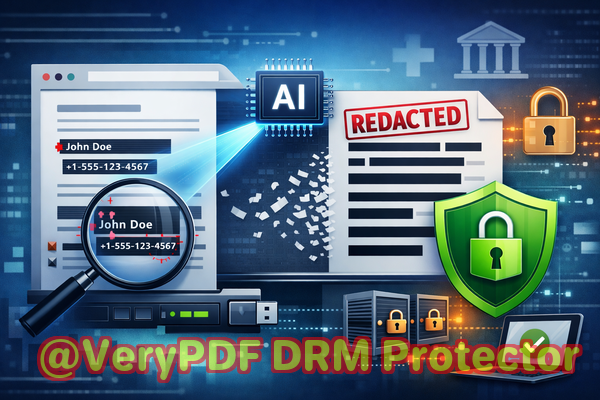
Sensitive information slipping through the cracks can lead to compliance fines, legal exposure, and reputational damage. Manual redaction or relying on free online tools often isn’t enough. That’s where a robust solution like the VeryPDF AI PDF Redaction Tool Command Line makes a tangible difference, permanently removing confidential data before your documents ever leave your computer.
Sharing PDFs might seem simple, but even a single oversight can trigger serious consequences. Here are common pain points many businesses encounter:
Accidental exposure of sensitive data
Imagine sending an HR report, a contract, or a financial summary to a partner or stakeholder, only to realize later that names, phone numbers, social security numbers, or salary details were visible. Manual blacking-out can be deceiving; even if the text appears hidden, digital tools can sometimes recover it.
Manual redaction errors
Highlighting and “blacking out” text might look secure, but if it’s not removed permanently, sensitive information can still be copied or extracted. One small mistakelike missing a hidden layer of textcan lead to a compliance violation or breach of privacy.
Unsecure online tools
Many employees, trying to save time, use free online redaction tools. But uploading sensitive documents to third-party servers exposes your company to additional risks: data stored on unknown servers, potential leaks, and lack of control over document security.
These scenarios illustrate real business risks: regulatory fines, legal exposure, lost trust, and internal accountability headaches.
So how can businesses reliably remove sensitive information from PDFs without the risk of human error or third-party exposure? The solution lies in AI-powered, offline redaction.
VeryPDF AI PDF Redaction Tool Command Line addresses these challenges directly:
-
AI-powered detection: Automatically scans PDFs for personal information such as names, email addresses, phone numbers, social security numbers, and financial data.
-
Permanent removal: Unlike visual blackouts, the data is completely eliminated from the file. No one can recover it using copy-paste or PDF analysis tools.
-
Offline processing: Everything happens on your computer. No data is uploaded to the cloud, guaranteeing 100% privacy.
Here’s a practical example of how this tool protects your business:
A mid-sized consulting firm needed to share quarterly financial reports with external auditors. In the past, HR and finance teams manually redacted sensitive employee data, but mistakes happened frequently. By switching to VeryPDF’s AI PDF Redaction Tool:
-
The PDF was loaded into the tool.
-
AI detected all sensitive data, including names, emails, and internal budget codes.
-
The team reviewed suggested redactions and applied them.
-
A clean PDF was exported, free from any recoverable confidential information.
This workflow eliminated risk, ensured compliance, and saved hours of manual work.
Types of data you should consider redacting:
-
Personally identifiable information (PII): Names, addresses, phone numbers, social security numbers.
-
Financial data: Bank account numbers, salaries, invoices.
-
Business secrets: Proprietary strategies, internal reports, R&D details.
-
Legal or confidential clauses: Non-disclosure agreements, client-sensitive contract terms.
By automating redaction, businesses not only reduce human error but also maintain a consistent standard for all documents.
Another common scenario: An HR department preparing exit documentation for departing employees previously used free online tools. Sensitive employee data was inadvertently uploaded to an unverified server, creating potential exposure. By switching to the offline VeryPDF AI solution, all sensitive content was securely removed on local machines, eliminating accidental external data sharing.
Step-by-step workflow for business professionals:
-
Load your PDF into the VeryPDF AI PDF Redaction Tool Command Line.
-
Select redaction scope: Choose categories like PII, financial data, or business secrets.
-
Review suggested redactions: AI highlights potential confidential content for confirmation.
-
Apply redaction: Permanently remove selected information.
-
Export clean PDF: Share with partners, clients, or auditors with confidence.
This workflow ensures that sensitive content is fully removed before a document leaves your organization.
Key privacy and security benefits:
-
Prevents accidental data leaks that could trigger regulatory fines.
-
Eliminates risks associated with uploading confidential files to unknown servers.
-
Ensures compliance with regulations like GDPR and industry-specific privacy standards.
-
Protects company reputation and client trust by eliminating exposure of sensitive information.
Conclusion
In today’s digital business environment, the cost of leaking sensitive information is too high to risk manual or online redaction. VeryPDF AI PDF Redaction Tool Command Line provides a faster, smarter, and safer way to permanently remove confidential data from PDFs.
I highly recommend this to anyone who needs to share documents safely without risking data leaks or compliance issues. Try it now and securely redact your PDFs: https://veryutils.com/smart-redact-server-ai-powered-pdf-redaction-software
Start your free trial today and ensure your sensitive data is permanently removed before sharing.
Frequently Asked Questions
1. How can I permanently remove sensitive data from a PDF instead of just hiding it?
Use AI-powered redaction tools like VeryPDF’s solution, which removes data from the file entirely, not just visually.
2. Can others recover redacted information from my PDF?
No, when properly redacted with VeryPDF, sensitive content is permanently removed and cannot be recovered.
3. Is it safe to use online PDF redaction tools?
Online tools can expose documents to third-party servers, creating potential privacy risks. Offline solutions are safer.
4. Does this tool work completely offline?
Yes, all processing occurs locally on your computer, ensuring 100% privacy.
5. What types of sensitive data can be automatically detected and removed?
Names, emails, phone numbers, addresses, social security numbers, financial data, legal clauses, and business secrets.
6. How can I ensure compliance with GDPR when sharing documents?
By permanently redacting personal data before sharing, you reduce the risk of GDPR violations and maintain compliance.
7. Can this tool handle large batches of PDFs?
Yes, the command-line interface supports batch processing for multiple documents at once.
8. How accurate is AI detection for sensitive information?
The AI scans for common identifiers such as PII and financial data with high accuracy, and you can review suggested redactions before applying them.
9. Will the formatting of my PDF be preserved after redaction?
Yes, the original layout and formatting remain intact while sensitive information is securely removed.
10. Can I customize which types of data to redact?
Absolutely. You can choose specific categories such as personal, financial, or business-sensitive data.
11. How does this compare to traditional manual redaction?
Manual redaction is prone to errors and can leave recoverable data. VeryPDF’s AI tool eliminates these risks entirely.
Keywords / Tags:
redact sensitive data, remove confidential information, PDF redaction tool, protect privacy in PDFs, prevent data leaks, offline PDF redaction, secure document sharing, AI PDF redaction, GDPR compliance, permanent PDF redaction