
Securely Redact PDFs to Protect Privacy and Prevent Data Leaks
Last month, our HR team shared a set of employment contracts with a new partner, only to realize later that some documents still contained unredacted employee personal datanames, social security numbers, and bank details. The thought of this sensitive information being exposed sent shivers down my spine. Beyond the embarrassment, the company could have faced serious compliance violations and hefty fines under GDPR. For businesses handling confidential information, these are not hypothetical risksthey happen all the time, often silently, and with real financial and reputational consequences.
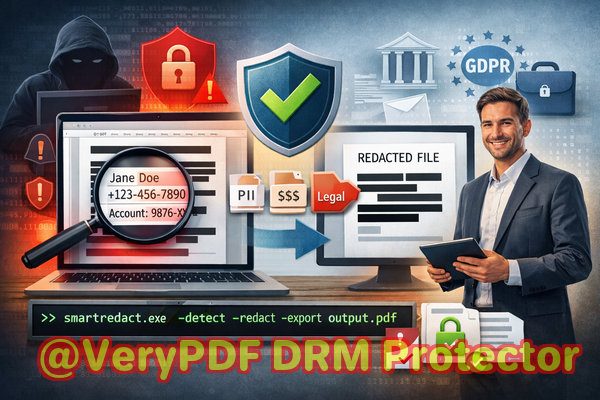
Many organizations believe that simply blacking out text in a PDF is enough. Unfortunately, traditional redaction methods often fail. Sensitive data can still be copied, recovered, or leaked through improperly handled documents. Worse, employees often resort to online tools to “quickly” redact files, unknowingly uploading sensitive information to third-party servers, putting the company at further risk.
This is where VeryPDF AI PDF Redaction Tool Command Line comes in. It offers a fully offline, AI-powered solution for permanently removing sensitive data from PDFs, ensuring documents can be safely shared without risking compliance or privacy breaches.
In real business scenarios, I’ve seen three key pain points emerge repeatedly:
-
Accidental exposure of sensitive data: HR records, contracts, and invoices often contain personal identifiable information (PII), financial details, or confidential business clauses. Sharing a PDF without proper redaction can result in legal violations, client distrust, and internal embarrassment.
-
Manual redaction errors: Traditional blacking-out or striking-through text is prone to mistakes. Copying, screen-scraping, or even minor oversights can leave confidential information recoverable.
-
Unsafe online redaction: Many teams rely on free web-based tools to redact PDFs. While convenient, uploading files to unknown servers exposes your organization to potential data breaches and third-party access.
VeryPDF AI PDF Redaction Tool Command Line addresses these issues with precision. Using AI, it can automatically detect sensitive informationnames, addresses, phone numbers, emails, social security numbers, financial data, and confidential clausesand permanently remove them from PDFs. Because it operates fully offline, your documents never leave your secure environment, eliminating the risk of unauthorized access.
Here’s how it works in practice:
-
Load your PDF into the tool locally on your computer.
-
AI detection scans the document for sensitive information, highlighting PII, financial data, or business secrets.
-
Review and confirm the items flagged for redaction, ensuring nothing critical is removed accidentally.
-
Apply redaction, permanently removing the confidential information, not just hiding it visually.
-
Export a clean PDF ready for safe sharing with partners, clients, or internal teams.
In one case, our legal team avoided a major compliance violation when a batch of contracts was flagged by the tool before distribution. Names, email addresses, and sensitive contract clauses that would have otherwise been exposed were permanently removed. Switching from an online redaction service to this offline solution immediately improved our data security posture, giving peace of mind to both the compliance team and executives.
For HR departments, this is invaluable. Employee records, payroll reports, and disciplinary documents can all be securely shared without risking leaks. Financial teams benefit similarly: invoices, expense reports, and sensitive accounting PDFs can be sanitized automatically. Even for client-facing teams, sending proposals, contracts, or project documents without fear of accidental exposure enhances trust and professionalism.
Typical sensitive information you might want to redact includes:
-
Personal identifiable information (PII): names, social security numbers, emails, phone numbers, addresses.
-
Financial data: bank accounts, salary details, credit card numbers, transaction records.
-
Business secrets: internal strategies, confidential project details, client lists.
-
Legal clauses: contract terms, non-disclosure agreements, sensitive notes.
The privacy benefits are tangible. By using a fully offline, AI-driven tool, organizations can prevent accidental data leaks that might lead to regulatory fines or legal exposure. Confidential files never touch cloud servers, and AI ensures nothing is overlooked in the redaction process. This also simplifies compliance reportingknowing that sensitive information has been permanently removed reduces audit risks.
Here’s a practical workflow we follow:
-
Collect all PDFs that need redaction.
-
Run them through VeryPDF AI PDF Redaction Tool Command Line.
-
Review the flagged content and confirm redactions.
-
Export final PDFs for secure distribution.
In addition, the tool can handle batch processing, which is a game-changer for large organizations managing hundreds of documents daily. By automating detection and redaction, errors are minimized, and employees save valuable time.
I’ve seen firsthand how switching from manual or online redaction to this offline AI solution prevents sensitive information from being exposed to competitors, clients, or unauthorized parties. One marketing department, for instance, avoided leaking confidential campaign strategies because the tool automatically redacted internal memos shared with external agencies.
using VeryPDF AI PDF Redaction Tool Command Line not only saves time but also significantly reduces the risk of data breaches and compliance violations. It’s a practical, reliable solution that ensures sensitive information is permanently removed before sharing.
I highly recommend this to anyone who needs to share documents safely without risking data leaks or compliance issues. Try it now and securely redact your PDFs: https://veryutils.com/smart-redact-server-ai-powered-pdf-redaction-software. Start your free trial today and ensure your sensitive data is permanently removed before sharing.
Frequently Asked Questions
Q: How can I permanently remove sensitive data from a PDF instead of just hiding it?
A: VeryPDF AI PDF Redaction Tool Command Line permanently deletes sensitive content using AI detection, ensuring it cannot be recovered.
Q: Can others recover redacted information from my PDF?
A: No. Unlike manual blackouts, this tool permanently removes confidential information, making it unrecoverable.
Q: Is it safe to use online PDF redaction tools?
A: Online tools are risky because your sensitive files are uploaded to third-party servers. Fully offline solutions provide maximum privacy.
Q: Does this tool work completely offline?
A: Yes. All detection and redaction are processed locally on your computer. Documents never leave your environment.
Q: What types of sensitive data can be automatically detected and removed?
A: Names, emails, phone numbers, IDs, financial data, legal clauses, and other PII or confidential content.
Q: Can this tool help with GDPR compliance?
A: Absolutely. By permanently removing personal data before sharing, it reduces the risk of violations and supports compliance requirements.
Q: Can I process multiple PDFs at once?
A: Yes. The tool supports batch processing, making it efficient for large-scale document redaction.
Q: Does it require technical expertise to use?
A: No. The command-line interface is straightforward, with clear prompts for detection, review, and redaction.
Q: How do I ensure nothing critical is accidentally removed?
A: After AI detection, you can review all flagged items before applying redaction, maintaining full control.
Q: Is this suitable for HR, legal, and finance departments?
A: Yes. Any department handling sensitive or confidential PDFs will benefit from permanent, offline redaction.
Q: Will the formatting of my PDF be preserved after redaction?
A: Yes. The tool maintains the original layout while removing sensitive information.
Tags/Keywords:
redact sensitive data, remove confidential information, PDF redaction tool, protect privacy in PDFs, prevent data leaks, offline PDF redaction, secure document sharing, AI PDF redaction, GDPR compliance, permanent PDF redaction