
How to Redact Sensitive Client Information in PDFs to Prevent Data Leaks
Last month, our HR department shared a set of employment contracts with a partner law firm. We thought everything was in orderuntil a colleague realized that some personal phone numbers and identification numbers were still visible in the PDFs. One simple oversight, and suddenly we were staring down a potential GDPR violation. That’s when we understood that manually redacting sensitive information or relying on basic PDF tools was no longer enough. Businesses need a reliable, foolproof way to protect confidential data before sharing any document.
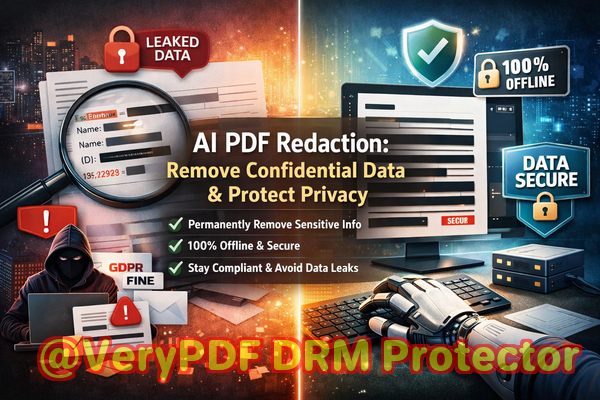
For many companies, especially in insurance, legal, HR, and finance, PDFs are the lifeblood of communication. Contracts, client agreements, financial statements, and employee records often contain sensitive details: names, emails, social security numbers, policy numbers, bank details, or proprietary business data. Even a small lapse in redaction can lead to exposure of personal or financial information, creating not only compliance headaches but real legal and reputational risks.
One common mistake we’ve seen is relying on “visual redaction”black boxes over text. It looks secure at first glance, but often the underlying text can still be copied, searched, or even recovered using simple PDF extraction tools. Another frequent issue arises when employees use online redaction services: in attempting to remove sensitive data, they may inadvertently upload confidential files to third-party servers, creating a hidden risk of data leakage.
This is exactly why we implemented VeryPDF AI PDF Redaction Tool Command Line. It provides a practical, scenario-driven solution for businesses that need to ensure sensitive information is permanently removed from PDFs before sharing. Using AI-powered detection, it automatically identifies personal and confidential datasuch as names, emails, phone numbers, IDs, and financial informationand permanently removes it from your documents. Crucially, the tool runs entirely offline, ensuring that your PDFs never leave your computer and your data remains fully private.
Here’s how it helps in everyday business scenarios:
-
Accidentally exposed client data: Imagine sending policy updates to a client with a PDF attachment. Without proper redaction, sensitive identifiers could be visible to unintended recipients. VeryPDF AI PDF Redaction automatically scans for PII and sensitive business information, ensuring nothing slips through.
-
Manual redaction errors: Employees might use highlight or blackout tools but forget hidden layers, comments, or metadata. Our solution permanently removes the underlying data, not just the visual representation.
-
Unsafe online tools: Using cloud-based PDF redaction can be risky if sensitive contracts or client records are uploaded to third-party servers. VeryPDF AI PDF Redaction operates fully offline, eliminating this risk.
Let’s look at a practical workflow that demonstrates its simplicity and security:
-
Load your PDF Import your document into the tool.
-
Detect sensitive data AI scans for names, emails, phone numbers, IDs, financial figures, and other confidential content.
-
Review flagged content Confirm what needs to be redacted.
-
Apply redaction The software permanently removes all detected sensitive information.
-
Export a clean PDF You now have a version safe to share internally or externally, fully compliant with data privacy regulations.
Common types of data businesses typically redact include:
-
Personally identifiable information (PII): Names, addresses, emails, social security numbers, phone numbers
-
Financial data: Account numbers, transaction details, policy numbers, tax IDs
-
Business secrets: Internal strategies, pricing sheets, proprietary formulas
-
Legal and confidential clauses: Contract terms, settlement agreements, employee non-disclosure sections
We’ve seen firsthand how switching to VeryPDF AI PDF Redaction can prevent costly mistakes. One insurance firm avoided a potential GDPR violation when they realized a batch of client PDFs still contained sensitive information. By running all files through the tool before sharing, they eliminated exposure without manually combing through hundreds of pages. Another HR department transitioned from online tools to this offline solution, significantly improving their document security and peace of mind.
The benefits are tangible:
-
Prevents accidental data leaks: No more worry about unintentional exposure of client or employee information.
-
Eliminates risk from online tools: Fully offline processing ensures sensitive files remain on your network.
-
Ensures regulatory compliance: Meets GDPR and other data privacy requirements by permanently removing sensitive content.
-
Saves time and reduces errors: Automates detection and redaction, eliminating human oversight.
Using it day-to-day is straightforward: simply point the tool to your PDF, let AI detect sensitive information, review, and apply redaction. For recurring tasks, batch processing is also available, so you can safeguard entire folders of contracts or reports in one go. This is especially useful for insurance agencies handling multiple client files or legal firms processing extensive case documents.
I highly recommend this to anyone who needs to share documents safely without risking data leaks or compliance issues. By implementing VeryPDF AI PDF Redaction Tool Command Line, your business can finally take control over sensitive information, reduce legal exposure, and maintain the trust of clients and partners.
Try it now and securely redact your PDFs: https://veryutils.com/smart-redact-server-ai-powered-pdf-redaction-software
Start your free trial today and ensure your sensitive data is permanently removed before sharing.
Frequently Asked Questions
-
How can I permanently remove sensitive data from a PDF instead of just hiding it?
The tool uses AI-powered redaction to detect and remove the actual data, not just overlay black boxes. Once applied, the information cannot be recovered.
-
Can others recover redacted information from my PDF?
No. The software permanently deletes the sensitive content, making it unrecoverable by copy, extraction, or metadata recovery methods.
-
Is it safe to use online PDF redaction tools?
Using online services may expose sensitive documents to third-party servers, creating a privacy risk. Offline tools like VeryPDF ensure your files never leave your network.
-
Does this tool work completely offline?
Yes. All processing happens on your local machine, so confidential data stays private.
-
What types of sensitive data can be automatically detected and removed?
Names, emails, phone numbers, identification numbers, financial information, confidential business data, and legal clauses.
-
Can this tool help my company comply with GDPR?
Absolutely. By permanently removing personal and sensitive data before sharing, it reduces the risk of data breaches and ensures compliance with privacy regulations.
-
Is it suitable for batch processing multiple PDFs?
Yes, the command-line interface allows you to process multiple files or folders at once, saving time for large document volumes.
-
Do I need technical knowledge to use the command line version?
Basic command-line familiarity is enough. The tool provides clear instructions and options for all users.
-
Will redacting a PDF affect its original layout or readability?
No. The tool maintains the original formatting while removing sensitive information.
-
Can I review which data will be redacted before applying changes?
Yes. The tool flags detected information for review, giving you control over what gets permanently removed.
-
Is this tool suitable for industries beyond insurance?
Definitely. Legal firms, HR departments, finance teams, medical offices, and any organization handling confidential documents can benefit.
Keywords: redact sensitive data, remove confidential information, PDF redaction tool, protect privacy in PDFs, prevent data leaks, offline PDF redaction, secure document sharing, GDPR compliance, permanent PDF redaction, AI-powered PDF redaction