
Redact Sensitive Data in PDFs: Protect Confidential Information and Prevent Data Leaks
Last month, we shared a PDF contract with a new partner, only to realize later that it still contained unredacted client emails and financial detailsputting our company at risk of a serious GDPR violation. Moments like this are all too common: businesses frequently assume documents are safe to share, only to discover later that sensitive information has been inadvertently exposed. Whether it’s employee records, legal contracts, or internal financial reports, the stakes are high. Data breaches can result in regulatory fines, legal action, and reputational damage, making the secure handling of PDFs more critical than ever.
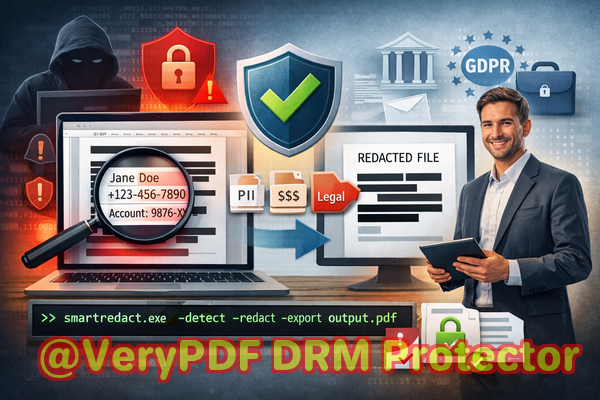
Many businesses still rely on manual redaction methods or online tools that promise to “black out” confidential information. However, these methods often leave behind traces that can be recovered or are insecure because documents are uploaded to third-party servers. This is where AI-powered PDF redaction becomes a game-changer, allowing organizations to permanently remove sensitive data offline and ensure compliance with regulations like GDPR and HIPAA.
One of the biggest pain points we see is accidental exposure of sensitive data. For example, HR teams might send PDFs containing social security numbers, personal addresses, or bank account information to external auditors. If any of that data is overlooked during manual redaction, the consequences can be severe. Compliance officers often struggle to balance efficiency with safety, as manually reviewing every document is time-consuming and prone to error.
Another issue arises when employees use online tools to redact PDFs. While convenient, these platforms require uploading files to a server outside your control, which means confidential business information could be intercepted, stored, or leaked. Many companies only realize the risk after the fact, when sensitive contracts or client data appear on unsecured networks or in unauthorized hands.
Manual redaction also introduces hidden vulnerabilities. Simply blacking out text in a PDF may make it invisible on screen, but the underlying content can often be copied or extracted using standard PDF readers or text-recovery tools. This false sense of security can lead to accidental data breaches, even when teams believe documents are fully protected.
VeryPDF AI PDF Redaction Tool Command Line addresses these challenges head-on. It’s designed to automate the detection and permanent removal of sensitive information from PDFs, ensuring that once a document is redacted, there’s no way for anyone to recover the hidden data. Using advanced AI, it identifies a wide range of sensitive content, from names and email addresses to phone numbers, social security numbers, and financial information. The tool also works entirely offline, meaning your confidential files never leave your secure environment.
Here’s how it works in practice: a legal team receives a batch of contracts that need to be shared with external partners. They load the PDFs into the VeryPDF AI PDF Redaction Tool Command Line, which automatically detects all sensitive data, including personal identifiers, financial terms, and confidential clauses. After a quick review, the team applies the redactions and exports a clean, fully secure PDF. The document can now be shared with confidence, knowing that compliance standards are met and sensitive data is permanently removed.
The benefits of offline AI redaction are tangible. By preventing accidental data leaks, companies avoid costly fines and legal exposure. They eliminate the risk of sensitive files being uploaded to unknown servers and ensure strict adherence to data protection regulations. For compliance officers, this reduces stress and workload, allowing them to focus on higher-level oversight rather than worrying about hidden data in PDFs.
Real-life examples illustrate the value clearly. A mid-sized accounting firm recently switched from online redaction tools to VeryPDF’s offline solution after discovering that one of their clients’ financial reports had been briefly uploaded to a third-party server. By implementing AI-powered, offline redaction, they now process hundreds of documents weekly without ever exposing confidential information. In another case, a corporate legal department prevented the release of unredacted employee contracts by catching sensitive details using the AI tool before sending the PDFs to external counsel.
For professionals handling sensitive documents, a practical workflow might look like this:
-
Load the PDF into the AI PDF Redaction Tool.
-
Automatically detect sensitive data such as PII, financial records, and confidential clauses.
-
Review detected items and confirm accuracy.
-
Apply permanent redaction to remove data.
-
Export the fully redacted, secure PDF ready for safe sharing.
Common types of sensitive data to look out for include:
-
Personal Identifiable Information (PII): names, addresses, emails, phone numbers, social security numbers.
-
Financial information: bank account numbers, credit card details, salaries, tax records.
-
Business secrets: internal strategies, proprietary formulas, pricing agreements.
-
Legal or confidential clauses: non-disclosure agreements, settlement terms, client-specific conditions.
Using VeryPDF AI PDF Redaction Tool Command Line not only protects sensitive data but also streamlines compliance efforts. Businesses can demonstrate that they are taking proactive steps to safeguard confidential information, reducing the risk of audits and regulatory penalties. The software’s automation and offline operation make it an indispensable tool for any company that handles sensitive information.
I highly recommend this to anyone who needs to share documents safely without risking data leaks or compliance issues. With a reliable AI PDF redaction solution, you can finally eliminate the uncertainty of manual methods and online tools.
Try it now and securely redact your PDFs: https://veryutils.com/smart-redact-server-ai-powered-pdf-redaction-software
Start your free trial today and ensure your sensitive data is permanently removed before sharing.
FAQs
How can I permanently remove sensitive data from a PDF instead of just hiding it?
Using VeryPDF AI PDF Redaction Tool Command Line, redacted information is completely removed from the file, making it unrecoverable.
Can others recover redacted information from my PDF?
No. The tool permanently deletes confidential data; traditional copy-paste recovery or text extraction will not reveal redacted content.
Is it safe to use online PDF redaction tools?
Not entirely. Files uploaded online may be stored or intercepted on third-party servers, creating potential data exposure risks.
Does this tool work completely offline?
Yes. All processing occurs locally on your computer, ensuring full privacy and no exposure to external servers.
What types of sensitive data can be automatically detected and removed?
Names, email addresses, phone numbers, social security numbers, financial data, legal clauses, business secrets, and other personal identifiers.
How can I ensure compliance with GDPR when sharing documents?
Redact all personal data using an AI-powered offline tool like VeryPDF to permanently remove sensitive information before sharing PDFs.
Can this tool handle large batches of PDFs?
Yes. The command-line interface supports batch processing for efficiency in business workflows.
Does AI make mistakes when detecting sensitive data?
The AI is highly accurate, but it also allows review before final redaction to ensure no critical information is missed.
What file formats are supported?
Primarily PDF, including scanned PDFs and text-based PDFs.
Is this suitable for legal, HR, and financial documents?
Absolutely. Any document containing confidential or regulated data can be safely redacted.
How do I verify that redaction has been applied correctly?
After redaction, export and review the PDF. All sensitive information will be removed, and attempts to copy or extract data will show no hidden content.
Tags/Keywords
redact sensitive data, remove confidential information, PDF redaction tool, protect privacy in PDFs, prevent data leaks, offline PDF redaction, secure document sharing, AI-powered redaction, GDPR compliance, HIPAA compliance