
The Best SaaS Platform for Legal Compliance Workflows: Secure Browser-Based E-Signatures with Encrypted Audit Trails and Identity Verification Using VeryPDF Sign
If you’re still chasing paper contracts, waiting on signatures, and wondering who approved what and when, you’re already losing time, money, and deals. The real question is simple: how do you build a secure electronic signature workflow for legal compliance that actually keeps up with modern business speed without breaking legal or security requirements?
Let’s talk about what’s really happening inside most companies.
HR is waiting on onboarding documents. Sales is stuck chasing signatures before deals can close. Legal is buried in version control chaos. Operations is trying to track approvals across email threads, PDFs, and scanned documents that somehow end up in five different folders. And everyone is pretending this is “normal”.
It’s not.
The reality is that document signing is still one of the slowest, most fragmented parts of business operations. And that’s exactly where tools like VeryPDF Sign come in.
You don’t need more complexity. You need speed, visibility, and legal confidence in every signature.
The real problems slowing down document signing in modern businesses
Let’s strip this down. Most organisations don’t have a signing problem. They have a workflow problem disguised as a signing problem.
1. Manual signing is painfully slow and expensive
Printing. Signing. Scanning. Emailing. Waiting. Following up. Repeating.
That cycle alone destroys momentum.
I’ve seen HR teams take 35 days just to onboard a single employee because documents bounce between inboxes and printers. Sales teams lose deals simply because procurement documents sit unsigned in someone’s inbox over a weekend.
And nobody wins here. Not the sender. Not the signer. Not the business.
It’s just friction. Pure waste.
2. Zero visibility into where documents actually are
Ask any operations manager: “Where is this contract?”
You’ll get silence, guessing, or worse, “I think legal has it”.
Without a proper system, document tracking becomes detective work. You don’t know:
-
Who has signed
-
Who is delaying
-
Whether the document has even been opened
-
What version is final
That lack of visibility slows decision-making across the entire company.
3. Security and compliance risks hiding in plain sight
This is where things get serious.
Email attachments, scanned signatures, and unmanaged PDFs are not just inefficient, they’re risky.
You’re dealing with:
-
No audit trail
-
No tamper protection
-
No identity verification
-
No compliance guarantee
For legal, finance, and regulated industries, that’s a nightmare waiting to happen.
If a dispute arises, can you prove who signed, when they signed, and that nothing was altered?
Most companies can’t.
And that’s exactly why modern online document approval systems exist.
Why VeryPDF Sign exists (and why it fixes all of this)
Here’s the shift: signing documents shouldn’t feel like administration. It should feel like sending a message.
VeryPDF Sign is built for exactly that.
It’s a browser-based system that removes printing, scanning, and manual chasing entirely. You upload a document, sign it, send it, and track it in real time, all from one place.
No installs. No friction. No excuses.
Just a clean, fast digital signature workflow that works for real businesses.
Try it here: https://sign.verypdf.com/
How it actually solves real-world signing problems
Let’s break this down in plain English, not tech jargon.
1. You send documents for signing in seconds
Upload anything, PDF, Word, Excel, images.
It gets converted automatically into a signable format.
Then you:
-
Add signature fields
-
Add initials, dates, checkboxes
-
Send it via secure email link
That’s it.
What used to take hours now takes minutes. Sometimes less than 60 seconds.
2. You track everything in real time
No more guessing.
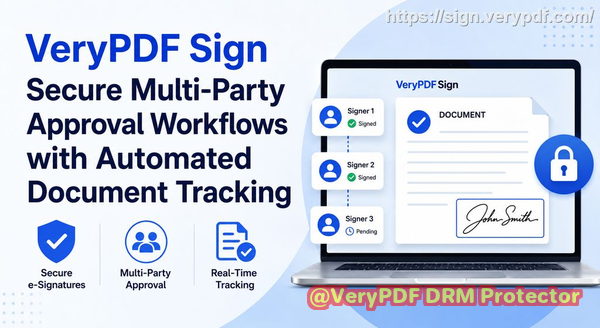
You can see:
-
Who opened the document
-
Who signed
-
Who is still pending
-
When each action happened
This is where operational control actually starts.
Sales teams can close faster. HR teams can onboard faster. Legal teams can breathe.
This is what a real electronic contract signing system should feel like.
3. You get legally valid, secure, tamper-proof signatures
Every signature is backed by:
-
256-bit SSL encryption
-
Audit trails
-
Identity verification logs
-
Compliance with ESIGN, UETA, and eIDAS
That means if a signature is challenged, you don’t scramble, you prove.
And proof wins disputes.
Real-world stories where this changes everything
Let me make this real.
HR onboarding that used to take days now takes hours
An HR manager I spoke with used to print onboarding packs every Monday morning. New hires would sign them over several days.
Now?
They send everything through VeryPDF Sign and get it back the same day.
Onboarding time dropped from 4 days to under 24 hours.
That’s not optimisation. That’s transformation.
Sales teams closing deals faster without bottlenecks
A sales rep used to lose deals simply because legal approvals were delayed.
Now contracts go out instantly, get signed on mobile, and come back same-day.
Result?
Deals that used to take a week now close in 48 hours.
That’s revenue pulled forward.
Compliance risk eliminated with audit logs
In regulated industries, audit trails are everything.
One operations team replaced scattered email approvals with a fully tracked system.
When an audit came, they didn’t panic. They exported logs in minutes.
No searching. No stress. No gaps.
That’s what secure online document approval looks like in practice.
How to use VeryPDF Sign like a pro (step-by-step)
If you want speed without chaos, here’s the simple playbook.
Step 1: Upload your document
Drag and drop your file. The system converts it automatically.
Step 2: Add fields strategically
Don’t just slap signatures everywhere. Add:
-
Signature fields
-
Initial boxes
-
Dates
-
Checkboxes for approvals
Step 3: Create or reuse your signature
You can:
-
Draw it
-
Type it in a script style
-
Upload an image
Then save it for one-click use later.
Step 4: Send for signing
Use secure email links and track everything in real time.
Step 5: Download or store
Once signed, download instantly or store it securely.
Why businesses switch and never go back
Here’s the honest truth.
Once you move to a proper digital signature workflow, going back to manual signing feels insane.
You gain:
-
Speed (instant turnaround)
-
Visibility (full tracking)
-
Security (encrypted audit trails)
-
Legal confidence (compliance-ready signatures)
-
Simplicity (no software installation)
And the best part?
It works on any device, mobile, desktop, tablet, no friction.
That’s why tools like VeryPDF Sign aren’t just “nice to have”. They become infrastructure.
Core advantages of VeryPDF Sign
Let’s keep this simple and sharp:
-
Browser-based, no installation required
-
Legally binding signatures with global compliance
-
Full audit trails for every action
-
Real-time tracking of document status
-
Works across all devices and operating systems
-
Supports multiple file types beyond PDFs
-
Secure encryption and automatic file deletion
-
Easy integration for teams and developers
-
Unlimited usage for scaling businesses
This is what modern electronic contract signing should look like.
Target audience (who actually benefits most)
This is not a niche tool. It’s a workflow upgrade for entire departments:
-
HR teams handling onboarding and employee agreements
-
Legal teams managing contracts and compliance documents
-
Sales teams closing deals faster with signed agreements
-
Operations teams tracking approvals and workflows
-
Finance teams handling vendor and procurement contracts
-
Founders and SMBs who need speed without complexity
If you touch documents that require signatures, you’re the target user.
Target keywords (SEO focus)
-
secure electronic signature workflow for legal compliance
-
electronic contract signing platform
-
online document approval system
-
digital signature workflow for business
-
secure e-signature SaaS platform
-
legally binding electronic signatures online
-
contract approval workflow automation
-
browser-based document signing tool
Quick recap: what changes when you use VeryPDF Sign
You stop chasing signatures.
You stop printing documents.
You stop wondering where things are.
Instead, you get a system where everything is visible, secure, and fast.
That’s the difference between manual chaos and structured execution.
And that’s exactly what VeryPDF Sign delivers.
Try it now and streamline your document signing workflow: https://sign.verypdf.com/
Start your free trial today and eliminate paper-based signing delays.
FAQs
1. Is electronic signature legally valid?
Yes. With compliance frameworks like ESIGN, UETA, and eIDAS, electronic signatures are legally recognised in most global jurisdictions when properly implemented.
2. Can multiple parties sign the same document?
Yes. You can route documents to multiple signers in sequence or simultaneously, depending on your workflow.
3. Can I track who has signed and who hasn’t?
Absolutely. You get real-time status updates showing exactly who has completed their part and who is pending.
4. Does it support mobile signing?
Yes. You can sign and send documents from any mobile browser without installing apps.
5. How secure are digitally signed documents?
They are encrypted, tracked with audit logs, and protected against tampering using secure cloud processing.
6. Can I reuse my signature?
Yes. Once saved, your signature can be reused instantly across documents.
7. Can it handle compliance-heavy workflows?
Yes. It includes audit trails, identity verification logs, and encryption designed for legal-grade workflows.
If you strip away the noise, one thing becomes obvious: businesses don’t need more tools, they need faster execution with fewer risks.
And that’s exactly what a secure electronic signature workflow for legal compliance with VeryPDF Sign delivers.