
Redact Sensitive Data in PDFs: AI vs Manual Methods to Prevent Data Leaks
In the last quarter, one of our clients shared a PDF contract with a potential partner, only to later discover that it still contained unredacted employee informationemails, phone numbers, and even identification numbers. This simple oversight could have led to serious GDPR violations, reputational damage, and potential fines. Unfortunately, these kinds of mistakes happen far too often in businesses, even with dedicated legal and compliance teams in place.
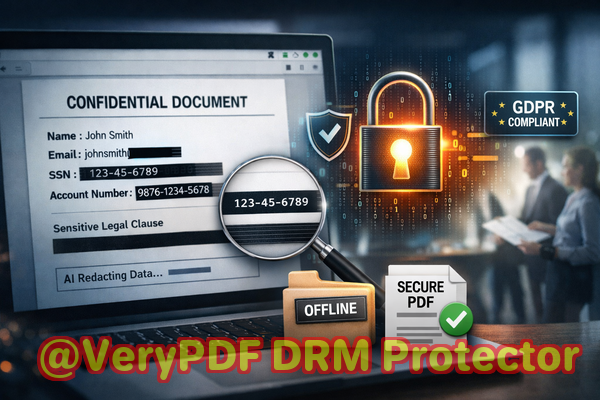
Accidental exposure of confidential information in documents is more common than most managers realize. PDFs are considered “final” documents, but unless sensitive data is permanently removed, anyone who receives the file could access hidden details. Manual redactionblackening out textis notoriously risky. In many cases, the redacted content is still embedded in the file and can be recovered with a few clicks.
This is where AI-powered PDF redaction tools like VeryPDF Smart Redact Server make a measurable difference. By combining AI detection with permanent data removal and fully offline processing, businesses can safely share sensitive documents without risking privacy violations or compliance breaches.
Many organizations struggle with the following real business pain points:
-
Accidental data exposure: Names, emails, financial information, and IDs often remain in shared PDFs because employees assume “blacking out” text is enough. A minor oversight can result in GDPR violations, legal exposure, or loss of client trust.
-
Manual redaction errors: Human errors are inevitable. Misaligned black boxes, forgotten sections, or incorrectly formatted PDFs can leave sensitive data visible or recoverable.
-
Unsecured online tools: Employees sometimes use free online redaction tools to save time. Unfortunately, this exposes documents to third-party servers, risking data leaks to unknown entities.
The VeryPDF AI PDF Redaction Tool Command Line solves these problems head-on. Here’s how:
-
Automatic Detection of Sensitive Data
The tool leverages AI to scan PDFs for personal identifiable information (PII), financial data, phone numbers, social security numbers, emails, and more. Instead of manually searching for each instance of sensitive data, the AI identifies all relevant content in seconds.
-
Permanent Removal, Not Just Obfuscation
Unlike traditional methods, the tool permanently deletes sensitive information from the file. The content cannot be copied, recovered, or extracted using standard PDF readers. Businesses can now safely share contracts, HR documents, and financial reports without fear of leaks.
-
Fully Offline Processing for Complete Privacy
Documents never leave your computer. No cloud uploads, no external servers, and no exposure to third-party risks. This guarantees 100% control over your confidential files.
Consider a scenario: A legal firm needs to share a contract draft with a client. Using a traditional redaction method, they black out the client’s financial information. Unfortunately, the underlying text remains in the file and is accidentally exposed when a partner opens the PDF in another application. With VeryPDF AI PDF Redaction, the sensitive sections are permanently removed before sharing. No text remains, no risk of recovery.
Another example involves an HR department handling employee records. Previously, employees were instructed to manually redact Social Security numbers and salary information before sending PDFs to payroll providers. Mistakes happened frequently, causing internal audits to flag multiple compliance issues. By switching to the AI redaction tool, the department automated the detection and permanent removal process, eliminating errors and ensuring full GDPR compliance.
Here’s a typical workflow to illustrate how simple and effective the process is:
-
Load the PDF into the VeryPDF AI PDF Redaction Tool.
-
Detect sensitive data automatically using AI.
-
Review detected items to confirm accuracy.
-
Apply redaction to permanently remove confidential information.
-
Export a clean PDF ready for secure sharing.
Common types of data that businesses frequently need to redact include:
-
Personal identifiable information (PII) such as names, emails, and phone numbers
-
Financial data including bank accounts, salary figures, and payment details
-
Business secrets like proprietary formulas, pricing strategies, or internal project notes
-
Legal or confidential clauses in contracts or agreements
Using this approach, businesses gain tangible benefits:
-
Prevents accidental data leaks that could result in fines or legal exposure
-
Eliminates the risk of uploading sensitive files to unknown servers
-
Ensures compliance with GDPR, HIPAA, or other data protection regulations
-
Reduces operational risk by removing human error from the redaction process
Real businesses have already seen significant advantages. A mid-size consulting firm avoided a potential GDPR violation when a batch of client PDFs was redacted before sharing. Another company improved its internal security by eliminating the use of free online redaction tools, keeping all sensitive information offline and under company control.
The AI-powered approach also provides a faster, more reliable alternative to manual redaction. Instead of spending hours reviewing each document, staff can rely on the AI tool to scan, detect, and remove sensitive information in minutes. This frees up time for more strategic tasks while safeguarding sensitive information.
I highly recommend this to anyone who needs to share documents safely without risking data leaks or compliance issues. The workflow is straightforward, the technology is reliable, and the peace of mind is invaluable.
Try it now and securely redact your PDFs: https://veryutils.com/smart-redact-server-ai-powered-pdf-redaction-software
Start your free trial today and ensure your sensitive data is permanently removed before sharing.
Frequently Asked Questions
1. How can I permanently remove sensitive data from a PDF instead of just hiding it?
The VeryPDF AI PDF Redaction Tool permanently deletes the data rather than visually masking it. Once redacted, the content cannot be recovered.
2. Can others recover redacted information from my PDF?
No. The tool ensures that all sensitive information is fully removed, making recovery impossible.
3. Is it safe to use online PDF redaction tools?
Online tools carry significant risks because documents are uploaded to third-party servers, which may expose confidential data. Fully offline tools like VeryPDF eliminate this risk.
4. Does this tool work completely offline?
Yes. The AI redaction tool runs entirely on your local computer, keeping all documents private.
5. What types of sensitive data can be automatically detected and removed?
It can identify and redact PII, financial information, emails, phone numbers, IDs, business secrets, and confidential clauses.
6. How can I ensure compliance with GDPR when sharing documents?
By permanently removing all sensitive information before sharing, you prevent unauthorized access, ensuring compliance with GDPR requirements.
7. Can this tool handle large batches of PDFs?
Yes. The command-line version supports batch processing, making it suitable for organizations with high-volume document workflows.
8. Is AI redaction more reliable than manual redaction?
Absolutely. AI detects patterns and sensitive information more consistently than manual methods, reducing human errors and overlooked data.
9. Can I review what the AI has redacted before finalizing?
Yes. The workflow allows a review step to ensure accuracy before applying permanent redactions.
10. Will redacted PDFs remain compatible with other PDF readers?
Yes. The exported PDFs are standard, fully readable files with all sensitive content removed.
11. How quickly can sensitive data be redacted using this tool?
AI processing is fast. Even multi-page documents are scanned and redacted in minutes, significantly faster than manual methods.
12. Is technical expertise required to use the command-line version?
Basic familiarity with command-line operations is helpful, but the process is well-documented and straightforward for business users.
Keywords/Tags:
redact sensitive data, remove confidential information, PDF redaction tool, protect privacy in PDFs, prevent data leaks, offline PDF redaction, secure document sharing, AI-powered PDF redaction, GDPR compliance, business document security