
Refining Business Documents with PDF Tracking to Boost Engagement and Security
In today’s fast-paced business environment, it’s not enough to just create detailed market research reports or polished proposals. I’ve often found myself worrying: Are the clients actually reading the key sections? Are sensitive reports being shared without permission? How can I ensure that our proprietary insights remain secure while still engaging prospects effectively? These are questions that many business professionals, marketers, and managers face daily. PDFs are convenient, but without proper safeguards, they can easily slip beyond your control. That’s where advanced PDF Analytics combined with DRM protection comes into play, giving you both visibility and security.
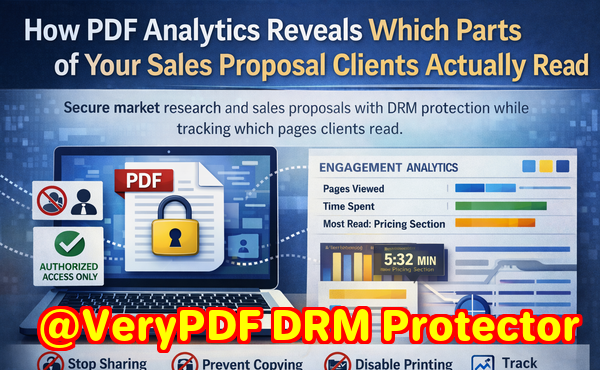
Confidential business documents are at constant risk. One of the biggest headaches I’ve faced is sending a detailed market analysis to a potential client, only to later discover it was forwarded to competitors. This isn’t just frustratingit can cost deals, damage trust, and put years of research at risk. Another common scenario: clients skim proposals too quickly, leaving you unsure whether they even saw your pricing strategy or unique value proposition. Without insight, sales teams often guess, wasting time following up on lukewarm leads while missing high-potential prospects.
Why Traditional PDFs Fall Short
Standard PDFs are easy to distribute but difficult to control. Once a file leaves your computer, there’s no way to know who reads it, how long they spend on each page, or whether they share it with others. Printing, copying, or converting your report into a Word or Excel file is effortless for someone determined to bypass confidentiality. The result? Business secrets leak, market research loses value, and your competitive edge diminishes.
For example, a colleague once shared a product roadmap with a partner company via PDF. Within a week, I noticed similar ideas appearing in industry reports. It was clear the document had circulated beyond its intended audience. Situations like this underscore the need for secure distribution and engagement trackingnot just for peace of mind, but to maintain real business advantage.
Enter PDF Analytics for Sales by VeryPDF DRM Protector
This tool transforms how businesses handle confidential documents. At its core, it allows you to distribute PDFs safely, enforce access rules, and track engagement in ways that traditional PDFs cannot. Here’s how it addresses the most pressing pain points:
-
Restrict access to authorized users or departments: Only people you specify can open your PDFs. Whether it’s a client, internal team member, or partner, access control ensures your materials never reach unintended hands.
-
Prevent printing, copying, forwarding, or conversion: DRM protection stops users from printing confidential reports or converting them into editable formats. That means your market research and strategic documents stay exactly where you intend.
-
Track client engagement in detail: PDF Analytics monitors which pages clients view, how long they spend on each page, and their overall reading patterns. This insight lets your sales team know exactly where prospects’ attention is focused.
Imagine sending a proposal to a high-value client. With PDF Analytics, you can see that they lingered on the pricing page for several minutes. That’s a clear signal of interestprompting a timely follow-up. Conversely, if they skimmed the executive summary and skipped the key benefits, your team can proactively re-engage and clarify. It’s a strategic edge that turns uncertainty into actionable insight.
Real-World Business Scenarios
-
Market research reports: A company wanted to share quarterly analysis with its distributors without the risk of leaks. Using VeryPDF DRM Protector, they limited access to authorized distributors and tracked engagement. They discovered that certain competitors had been receiving forwarded copies, and the system’s anti-piracy measures stopped further unauthorized distribution.
-
Sales proposals: One sales manager sent customized proposals to three potential clients. PDF Analytics revealed that two prospects spent significant time reviewing features, but only one engaged deeply with the pricing page. This insight helped prioritize follow-ups, ultimately closing the deal faster.
-
Internal strategy documents: Sharing internal planning PDFs can be risky. By enforcing DRM restrictions and analytics tracking, a company could ensure that sensitive strategy documents were only accessed by relevant departments, while also understanding which sections required further internal training.
Step-by-Step Benefits of Using PDF Analytics
-
Set up user-specific access: Assign PDFs to specific recipients or departments, preventing accidental leaks.
-
Enable anti-piracy controls: Restrict printing, copying, or format conversion to keep your documents intact.
-
Monitor reading behavior: Track which pages are read, time spent per page, and overall engagement patterns.
-
Gain actionable insights for sales: Identify interested prospects, high-value pages, and areas that may require clarification.
-
Protect proprietary content: Secure market research reports, business strategies, and confidential documents from unauthorized sharing.
One instance that stands out for me was a case where a pricing sheet was accidentally emailed to the wrong contact. With DRM protection in place, the recipient couldn’t forward, print, or copy the document. Meanwhile, PDF Analytics notified the sales team, allowing them to address the situation immediatelysaving both potential revenue loss and reputational damage.
How PDF Analytics Drives Engagement and Security
Beyond protecting documents, PDF Analytics helps you refine the way you present content. For instance:
-
Message refinement: By observing which sections are most read, you can adjust your messaging to be clearer or more persuasive.
-
Visual design optimization: Analytics highlight pages that are skipped or lingered on, guiding layout adjustments to keep attention where it matters.
-
Proposal layout improvements: If certain charts or tables attract more focus, you can strategically position key information for maximum impact.
Essentially, you get a dual benefit: your content stays secure, and you gain the insights needed to continuously improve client engagement.
Practical Tips for Maximizing PDF Analytics
-
Segment your audience: Different clients respond differently. Use analytics to tailor content for each segment.
-
Highlight critical pages: Make sure the most important information is visually distinct. Analytics will tell you if it’s being noticed.
-
Follow up intelligently: Use data on page views and reading duration to guide follow-up emails or calls.
-
Regularly review engagement reports: Patterns over time can reveal what content resonates and what may need updating.
I’ve personally found that sharing PDFs with DRM and analytics enabled has reduced follow-up guesswork. Instead of asking, “Did they read the report?” I know exactly what pages they engaged with, enabling precise, timely, and personalized interactions. It’s saved countless hours and improved conversion rates across multiple projects.
Closing Thoughts
PDF Analytics for Sales by VeryPDF DRM Protector isn’t just a toolit’s a complete solution for businesses that rely on confidential documents. It protects your content from piracy, prevents unauthorized sharing, and gives your sales team real insight into client engagement. By knowing which pages clients focus on and how they interact with your PDFs, you can refine proposals, marketing materials, and internal reports with confidence.
I highly recommend this to anyone distributing confidential business documents and wanting insight into client behavior. Try it now and protect your business reports: https://drm.verypdf.com. Start your free trial today, secure your market research, and track PDF engagement.
FAQs
Q1: How can I limit access to confidential business documents?
A1: You can assign PDFs to specific users, departments, or clients with DRM controls, ensuring only authorized recipients can open the document.
Q2: Can I prevent others from copying, printing, or converting my reports?
A2: Yes. DRM protection blocks printing, copying, and conversion to Word, Excel, or image files, keeping your content secure.
Q3: How do I track which pages my clients are reading and how long they spend?
A3: PDF Analytics monitors page views, time spent per page, and total reading duration, providing actionable insights into engagement patterns.
Q4: Does DRM technology prevent unauthorized sharing of PDFs?
A4: Absolutely. DRM ensures only authorized users can access the file, and anti-piracy controls prevent forwarding, printing, and copying.
Q5: How easy is it to distribute protected business reports to clients or colleagues?
A5: Distribution is simple. You can send DRM-protected PDFs via email or secure links, and recipients access them seamlessly with proper authorization.
Q6: Can I use analytics to improve proposal layout and content engagement?
A6: Yes. Analytics reveal which pages are most viewed or skipped, helping you refine messaging, visual design, and key sections for maximum impact.
Q7: Will this solution help prevent potential revenue loss from leaked reports?
A7: Yes. By securing your PDFs and tracking engagement, you maintain control over distribution and protect sensitive business information, reducing risk.
Tags / Keywords
protect business reports, secure market research, prevent PDF piracy, stop unauthorized access, track PDF engagement, protect confidential data, monitor PDF reading, refine proposal layout, enhance client engagement, business document security