
Protect Your Videos with AES-256 Encryption, USB Binding, and Offline Playback
VeryPDF USB Video DRM Protector is professional video protection software that helps content owners prevent unauthorized copying, sharing, and distribution of video files.
It encrypts videos using AES-256 encryption and binds protected video files to the hardware serial number of a standard USB storage device. Authorized users can play encrypted videos directly from the USB drive on Windows computers, even without an internet connection.
No expensive proprietary USB hardware is required. Simply use your own USB flash drives or external USB storage devices to distribute protected video content.
Whether you sell video courses, distribute educational materials, provide employee training, or deliver confidential business videos, VeryPDF provides a practical way to protect your content and control video access.
Key Features of VeryPDF USB Video DRM Protector
AES-256 Video Encryption
Protect video files with AES-256 encryption. Encrypted videos are stored in a dedicated VDRM format rather than ordinary playable video formats. During playback, video data is decrypted directly in memory without generating temporary decrypted video files on disk.
USB Hardware Binding
Bind encrypted videos to the unique hardware serial number of a USB flash drive or external USB storage device. Protected videos can only be played from the authorized USB device. Copying the encrypted files to another USB drive will not authorize playback.
Completely Offline Video Playback
Allow customers to watch protected videos without an internet connection. USB hardware verification, playback authorization, and expiration checks are performed locally, making the solution suitable for environments with limited or no internet access.
Portable Secure Video Player
Provide a plug-and-play viewing experience with the included portable Secure Video Player. Users can play protected videos directly from their USB drives without installing additional software or requiring administrator privileges.
Video Expiration and Access Control
Set expiration dates for protected videos to control how long customers can access your content. The secure player automatically blocks playback after the configured expiration date. You can also configure automatic deletion of expired encrypted video files.
Dynamic Video Watermarking
Display moving watermarks during video playback. Watermarks can contain the viewer’s name, email address, USB device information, and current date and time. This helps discourage unauthorized recording and makes leaked content easier to trace.
Screen Capture Protection
Use built-in Windows screen capture protection to help prevent supported screenshot and screen recording applications from capturing protected video content.
The optional Screen Shield feature provides a movable black overlay that can cover part of the video screen, adding another layer of protection against unauthorized recording.
Secure Video Playback Controls
The included Secure Video Player supports common playback functions, including play, pause, resume, seeking, playback speed adjustment, and fullscreen viewing, while maintaining the configured DRM restrictions.
Flexible Video Encoding
Choose between lossless video and audio stream copying or H.264/AAC re-encoding when preparing videos for encryption. This provides flexibility when working with different source video formats and codecs.
Who Needs USB Video DRM Protection?
VeryPDF USB Video DRM Protector is suitable for organizations and individuals who distribute valuable video content.
- Online Course Creators: Protect paid video courses and prevent unauthorized copying and redistribution.
- Training Companies: Distribute protected training videos to students, employees, and business customers.
- Educational Institutions: Secure lectures, educational videos, and private learning materials.
- Video Publishers: Sell protected video collections through standard USB flash drives.
- Corporate Businesses: Distribute confidential presentations, internal training videos, and business materials.
- Content Owners: Protect premium video content while maintaining control over playback access.
Product Screenshots
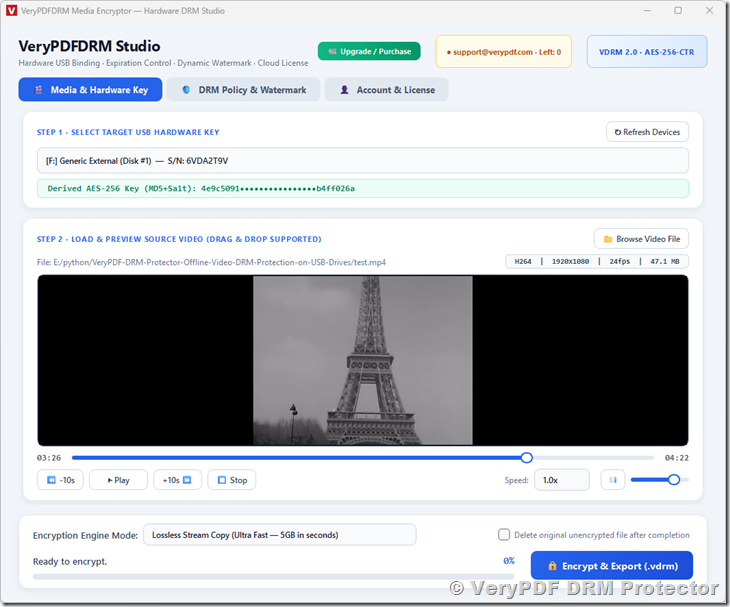
1. Main Interface
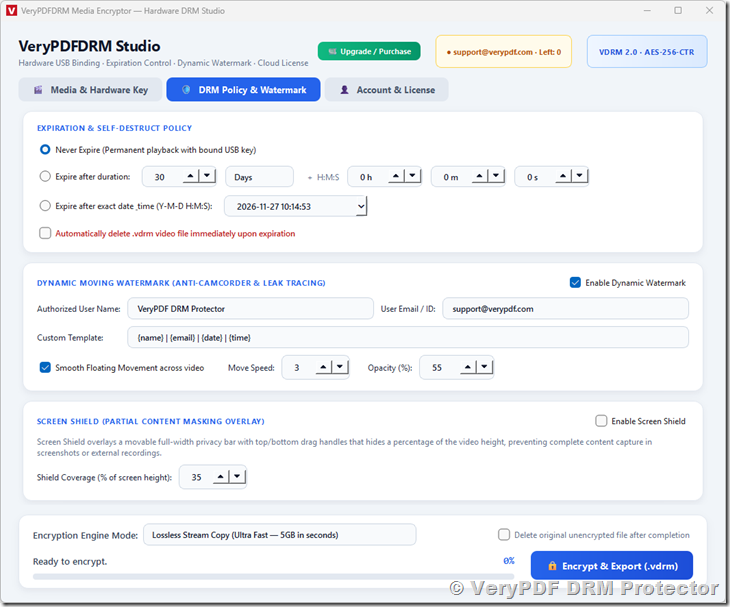
2. DRM Policy and Dynamic Watermark Settings
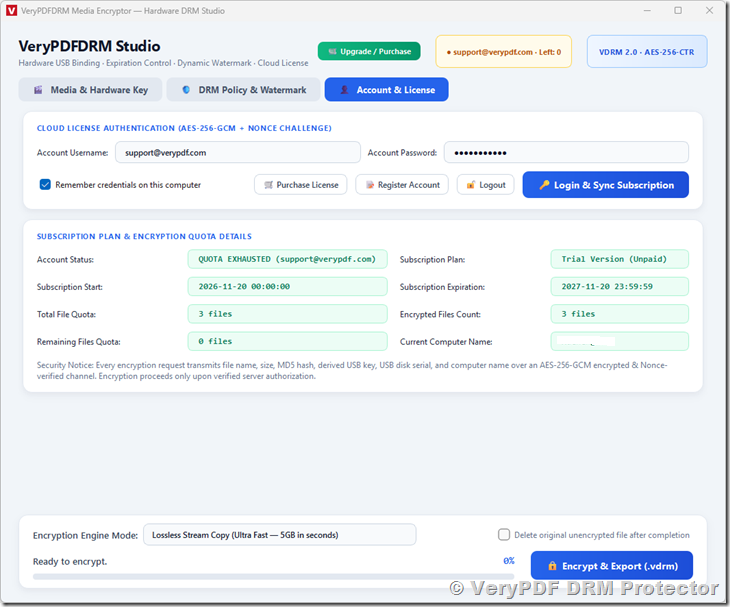
3. Account and License Management
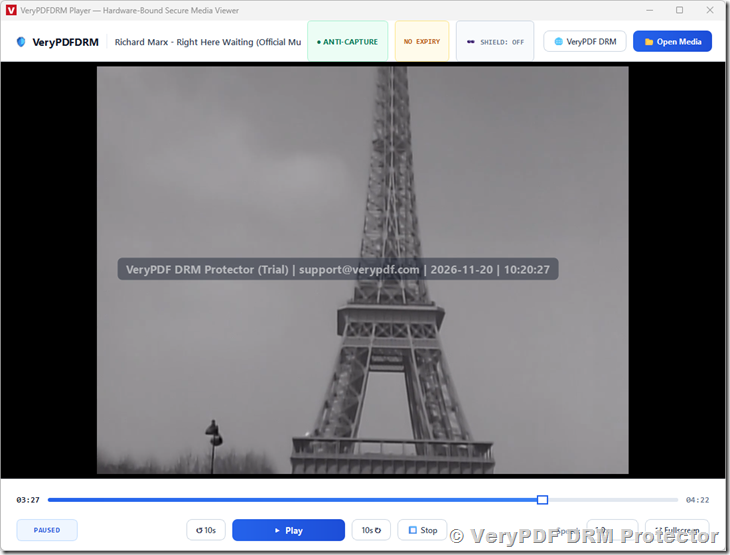
4. DRM Protected Video Player
Why Choose VeryPDF USB Video DRM Protector?
Traditional video files can easily be copied, uploaded, and shared without permission. Password-protected archives and ordinary USB drives cannot provide reliable control over video playback.
VeryPDF combines AES-256 video encryption, USB hardware binding, offline playback, expiration control, dynamic watermarking, and screen capture protection in one solution.
You can distribute encrypted videos using affordable, standard USB storage devices while ensuring that playback is restricted to authorized hardware.
Protect your videos. Bind content to USB devices. Control playback offline. Reduce unauthorized distribution.