
When sharing confidential documents online, adding a watermark is one of the most effective ways to deter misuse. However, not all watermarks provide the same level of protection. Understanding the difference between static watermarking and dynamic watermarking is essential if you want real control over your sensitive files.
With VeryPDF DRM Protector, organizations can apply both static and dynamic watermarks as part of a fully integrated document security solution, designed to prevent unauthorized sharing, enhance compliance, and maintain complete visibility over document usage.
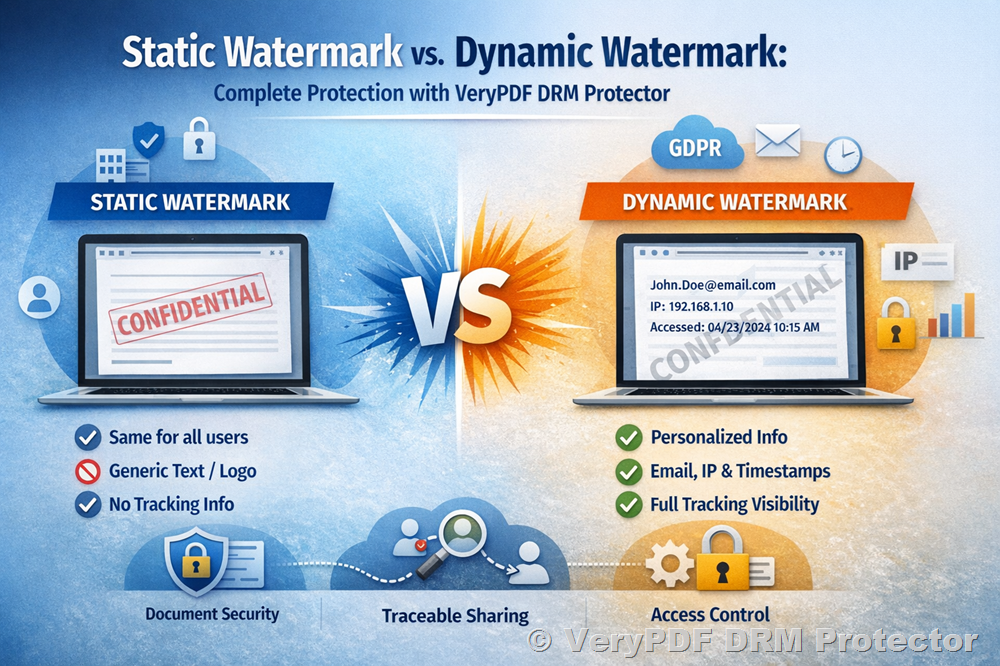
What Is a Static Watermark?
A static watermark is a fixed text or image applied to a document. It remains the same for every recipient. Common examples include:
- “Confidential”
- “Internal Use Only”
- Company logo overlays
- Copyright notices
Static watermarks are useful for:
- Brand awareness
- Declaring ownership
- Marking document classification levels
However, static watermarks do not contain recipient-specific information. If a document is leaked, it is difficult to trace who shared it.
What Is Dynamic Watermarking?
Dynamic watermarking automatically personalizes each document with user-specific information. Instead of applying a generic watermark, the system embeds details such as:
- Recipient name
- Email address
- IP address
- Date and time of access
- Custom security text
With VeryPDF DRM Protector, dynamic watermarks are generated automatically at the moment a document is accessed. Every viewer sees a uniquely personalized watermark, making unauthorized sharing risky and traceable.
Why Dynamic Watermarking Is More Secure
1. Deter Unauthorized Sharing
When a document visibly displays the recipient’s email address, IP address, and timestamp, it becomes much harder for someone to:
- Take screenshots
- Share files externally
- Forward documents
- Distribute sensitive materials
The visible identity marker acts as a psychological deterrent. If a screenshot is leaked, the watermark makes it easy to identify the source.
2. Automatically Watermark Important Documents
VeryPDF DRM Protector automatically applies customized watermarks to sensitive documents. There is no need for manual editing or repeated configuration.
Dynamic watermarking works seamlessly across:
✔ Financial reports
✔ Sales and marketing collateral
✔ Real estate portfolios
✔ Education and training materials
✔ HR policies
✔ Legal contracts
✔ Proposals and proof of concept
✔ E-publications
This ensures consistency and reduces administrative workload.
3. Enhance Document Security & Compliance
Watermarks provide an additional layer of security, even after a document has been shared.
VeryPDF DRM Protector supports compliance with major standards including:
- ISO 27001
- HIPAA
- SOC 2
- GDPR
By combining watermarking with tracking and encryption, organizations can meet regulatory requirements while maintaining confidentiality.
Advanced Features for Dynamic Watermarking
Customizable Watermark Text
You can personalize watermark content with:
- Name
- Timestamp
- IP address
- Custom messages
This flexibility allows you to tailor security levels based on document sensitivity.
Advanced Configuration Options
Watermarks can be fine-tuned with:
- Text color
- Opacity level
- Positioning
- Size
- Layout
This ensures optimal visibility without obstructing document readability.
Supports Multiple File Formats
Dynamic watermarks are compatible with:
- PDFs
- Images
- Videos
- Online documents viewed within the platform
This makes it ideal for organizations that distribute content in multiple formats.
Automatically Apply Watermarks at Scale
Apply watermark settings across multiple documents simultaneously. Maintain consistent security policies without manual intervention.
No Software Download Required
VeryPDF DRM Protector is cloud-based. Users manage watermark settings directly from their browser, no installation required.
Beyond Watermarking: A Complete Document Security Solution
Dynamic watermarking is powerful, but when combined with other advanced security controls, it becomes part of a comprehensive protection framework.
Document Tracking & Analytics
Gain full visibility into document activity:
- Check IP address, country, and referral link
- Monitor who viewed the document
- Track how long they spent on each page
- Generate heatmaps showing reader engagement
- Receive real-time access alerts
- Add UTM codes to track traffic sources
- Require email authentication for viewing
Each document access is logged with exact timestamps and viewer details, providing complete traceability.
Screen Shield – Screenshot Protection
VeryPDF DRM Protector includes a proprietary Screen Shield algorithm that:
- Obscures content during screenshot attempts
- Adds an extra protection layer against screen capture
- Helps prevent sensitive data from being copied
Granular Access Control
Control who can access your documents with:
- Email-specific sharing
- IP restrictions
- One-user-at-a-time viewing
- Limited number of views
- Expiration dates
- Password protection
- End-to-end encryption
You can even revoke access at any time or update the document after sending, without resending the file.
Print & Download Restrictions
Maintain confidentiality by:
- Blocking downloads
- Disabling printing
- Preventing forwarding
- Restricting copying
Permissions can be customized based on user roles and security needs.
Increase Security and Brand Trust
Dynamic document watermarking not only prevents unwanted copying but also increases brand credibility. Clients, partners, and stakeholders feel confident knowing their shared documents are protected with advanced encryption, access control, and tracking capabilities.
Static vs. Dynamic Watermark: Which Should You Use?
|
Feature |
Static Watermark |
Dynamic Watermark |
|
Same for all users |
✔ |
✘ |
|
Personalized per viewer |
✘ |
✔ |
|
Includes IP & timestamp |
✘ |
✔ |
|
Traceable leaks |
Limited |
Full traceability |
|
Automatic application |
Manual |
Automated |
For basic branding, static watermarking may be sufficient.
For serious document security and compliance, dynamic watermarking is essential.
Protect Your Documents with Dynamic Watermarks Today
VeryPDF DRM Protector combines:
- Customizable dynamic watermarks
- Advanced document tracking & analytics
- Granular access control
- Print & download restrictions
- Screen Shield screenshot protection
- End-to-end encryption
- Real-time engagement insights
Whether you need to prevent data leaks, meet strict compliance standards, or simply maintain full control over your confidential files, VeryPDF DRM Protector provides everything in one integrated solution.
Secure your documents. Deter unauthorized sharing. Track every interaction.
Maintain complete control, before and after you hit send.