
Protecting sensitive documents in the digital age is more challenging than ever. Even when access is restricted, users can easily take screenshots using their mobile devices, computer applications, or even the print screen key on their keyboard. That’s where VeryPDF DRM Protector’s Screen Shield comes in. This powerful service is designed to safeguard your documents by preventing unauthorized screenshots and minimizing copying risks.
Stop Screen Grabbers in Their Tracks
With Screen Shield, you can prevent screen grabbers from capturing your documents. Unlike traditional access restrictions, which can be bypassed, Screen Shield reduces the viewable area of your files. By limiting what a recipient can see at any given time, taking screenshots of the entire document becomes extremely difficult. Attempting to piece together multiple partial screenshots is time-consuming and cumbersome, discouraging unauthorized users from trying in the first place.
Who Should Use Screen Shield?
Screen Shield is ideal for individuals and organizations that deal with sensitive information, including:
- Companies and professionals with intellectual property.
- Businesses sharing financial documents.
- Educational institutions handling training papers, exam questions, answers, and study materials.
This makes Screen Shield perfect for anyone who wants to ensure their confidential data remains secure and protected from unauthorized copying.
Add a Watermark to Boost Security
To enhance protection, Screen Shield allows you to add dynamic watermarks to every document and viewable area. Watermarks can include:
- Recipient’s email address
- IP address
- Date and time of access
This combination of a restricted view and personalized watermark significantly reduces the risk of screenshots being shared externally.
How Screen Shield Works
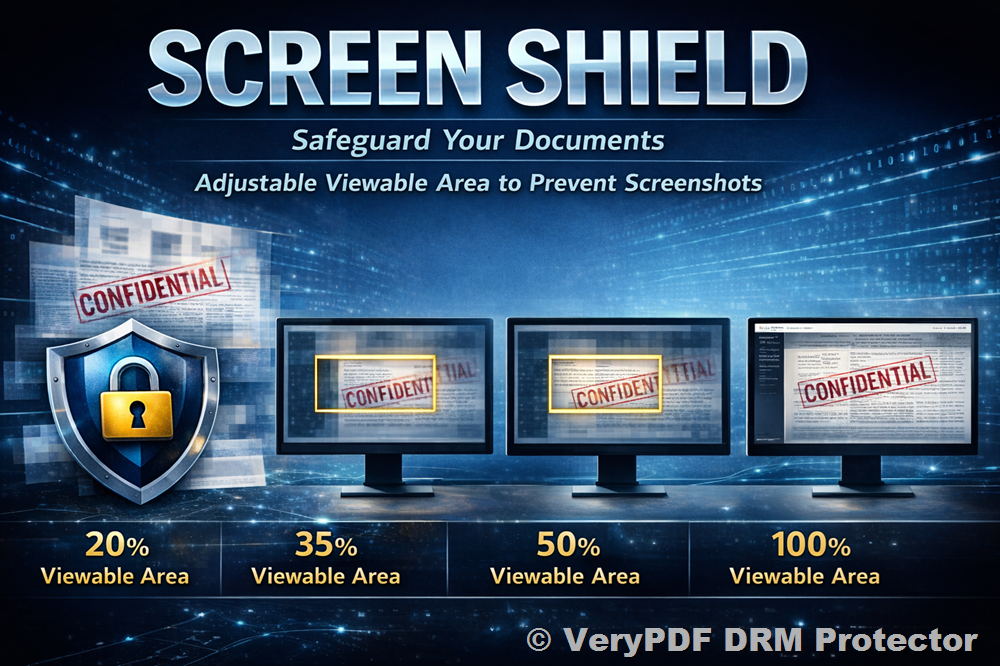
When enabled, Screen Shield reduces the viewable screen area with a watermarked filter, discouraging unauthorized screenshots. The service now includes screenshot protection, which automatically hides or blurs content when a screenshot attempt is detected, or when the viewer switches tabs or windows.
Depending on the settings, the viewable area can be adjusted to:
- 20% Viewable Area
- 35% Viewable Area
- 50% Viewable Area
- 100% Viewable Area
By showing only a portion of the document at a time, recipients are forced to spend extra effort to capture any useful information, effectively discouraging them from attempting to take screenshots.
Additional Protections Against Screen Capture Software
Screen Shield protects your files from software and plug-ins that try to capture full-page screenshots. When combined with dynamic watermarking, it ensures that every action taken on your document can be traced back to the viewer, further reducing the likelihood of leaks.
❗ Note: While most common shortcuts (like Print Screen on Windows) are deterred, some system-specific methods may not be completely blocked due to limitations. However, the majority of attempts are effectively prevented.
Enabling and Using Screen Shield
Screen Shield can be enabled or disabled when sending files via Document Security or for your Data Rooms. Once enabled, screenshot protection is automatically applied, requiring no additional steps.
Benefits of Screen Shield:
- Reduces viewable area to discourage screenshots.
- Protects highly confidential documents, including intellectual property, financial reports, and exam materials.
- Works seamlessly with dynamic watermarking to personalize and secure each view.
- Blocks software and plug-ins that try to capture full-page screenshots.
Screen Shield is especially valuable for highly sensitive documents where leakage could have severe consequences. The combination of restricted viewing and watermarking ensures your files remain secure without compromising your control.
Conclusion
With VeryPDF DRM Protector’s Screen Shield, you can safeguard your sensitive documents from screenshots and unauthorized copying. By reducing the viewable area and adding dynamic watermarks, Screen Shield makes it extremely difficult for recipients to steal or misuse your content. Perfect for businesses, educators, and professionals handling confidential data, this service provides peace of mind knowing your information is protected at every level.
Protect your confidential documents today and never worry about unauthorized screenshots again with VeryPDF DRM Protector’s Screen Shield.