
How to Securely Redact Sensitive Data in PDFs at Scale Using AI
In a fast-paced business environment, even a small oversight can have major consequences. Last month, our team shared a set of financial reports with a partner firm, only to discover later that personal employee data and confidential client details were still visible in the PDFs. This simple error not only put us at risk of violating GDPR regulations but also exposed sensitive information that could have caused reputational damage. For many organizations, this scenario isn’t hypotheticalit’s a daily risk.
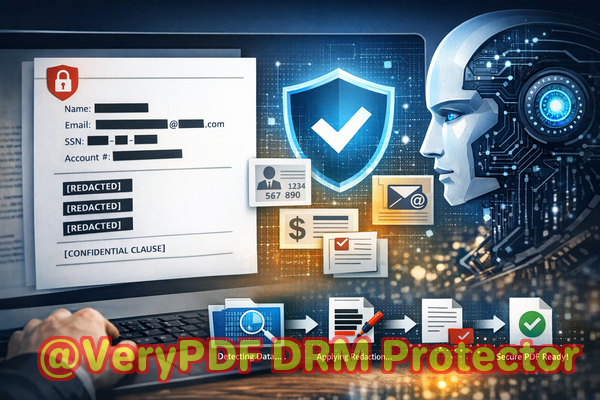
Businesses increasingly rely on PDFs to share contracts, HR documents, financial reports, and legal agreements. Yet, the process of redacting sensitive information is often riddled with pitfalls. Manual redaction is slow, prone to errors, and sometimes merely obscures data visually rather than removing it completely. Online redaction tools might promise convenience but can inadvertently expose your confidential files to third-party servers. For companies handling sensitive information, these risks translate directly into compliance violations, legal exposure, and loss of trust.
One practical solution that has transformed the way we handle sensitive documents is the VeryPDF AI PDF Redaction Tool Command Line. Designed specifically for organizations that need to redact large volumes of PDFs efficiently and securely, it leverages AI to detect and permanently remove confidential datawhile keeping all processing offline to ensure complete privacy.
Businesses face multiple pain points when sharing PDFs. Firstly, sensitive information such as names, email addresses, financial details, and IDs can be accidentally left in documents. Even well-meaning employees may miss critical fields, leading to compliance issues with GDPR, HIPAA, or other data protection laws. Secondly, manual redaction methods, like blacking out text in PDFs, can be deceptive. The data may still be copied or recovered using simple tools, creating a false sense of security. Thirdly, in an effort to save time, employees may turn to free online redaction services, unknowingly sending confidential documents to untrusted serversa significant privacy risk that could lead to data breaches.
The VeryPDF AI PDF Redaction Tool Command Line addresses these challenges directly. Its AI engine automatically detects sensitive data typesnames, emails, phone numbers, financial numbers, government-issued IDs, and other personally identifiable information (PII). Once detected, it permanently removes the information, rather than just overlaying it with black boxes. This ensures that the data is unrecoverable and completely safe from accidental disclosure.
A key advantage of this tool is that all processing is done entirely offline. Your documents never leave your local machine, eliminating the risk of exposing sensitive information to third-party servers. For organizations concerned with privacy, this offline processing provides peace of mind that confidential data stays in-house.
In real-world terms, the benefits are tangible. One company we worked with avoided a major GDPR compliance violation by implementing this AI redaction tool. They were able to batch process hundreds of employment contracts, automatically removing all PII, before sharing the files with external consultants. In another case, a financial services firm replaced online redaction tools with VeryPDF’s offline solution. This change reduced their exposure to potential leaks and improved internal trust in document handling processes.
Using the tool is straightforward and fits naturally into existing workflows. A typical process looks like this:
-
Load your PDFs into the system.
-
Let the AI detect sensitive data automatically.
-
Review the detected items to ensure accuracy.
-
Apply redactions to permanently remove the information.
-
Export the cleaned PDFs for safe sharing.
The types of sensitive data you can redact are comprehensive:
-
Personal identifiable information (PII) such as names, addresses, social security numbers.
-
Financial data including bank details, invoices, and transaction records.
-
Business secrets and internal project information.
-
Legal and confidential clauses in contracts or agreements.
The consequences of neglecting proper redaction can be severe. Accidental exposure can result in regulatory fines, lawsuits, or reputational harm. By contrast, properly redacted documents allow you to share critical information confidently, without fear of inadvertently leaking data.
I’ve seen firsthand how switching to an AI-powered, offline redaction solution changes the game. Teams are no longer wasting hours manually searching for sensitive content or worrying about online tools compromising confidentiality. Instead, they can focus on their core responsibilities, knowing that the redaction process is reliable, comprehensive, and secure.
I highly recommend this to anyone who needs to share documents safely without risking data leaks or compliance issues. Try it now and securely redact your PDFs: https://veryutils.com/smart-redact-server-ai-powered-pdf-redaction-software. Start your free trial today and ensure your sensitive data is permanently removed before sharing.
Frequently Asked Questions
How can I permanently remove sensitive data from a PDF instead of just hiding it?
The VeryPDF AI PDF Redaction Tool Command Line removes the data at the file level, ensuring it cannot be copied, recovered, or revealed later.
Can others recover redacted information from my PDF?
No. Unlike visual blackouts, this tool permanently deletes sensitive content, making it unrecoverable.
Is it safe to use online PDF redaction tools?
Online tools carry the risk of uploading confidential files to unknown servers, potentially exposing sensitive data. Offline solutions are safer.
Does this tool work completely offline?
Yes. All processing is done locally on your computer, ensuring full privacy.
What types of sensitive data can be automatically detected and removed?
Names, email addresses, phone numbers, social security numbers, financial information, legal clauses, and other PII.
Can I batch redact multiple PDF files at once?
Yes. The tool is designed for high-volume workflows, allowing you to process thousands of PDFs efficiently.
How does AI improve redaction compared to manual methods?
AI can detect patterns in data that humans may overlook, ensuring comprehensive removal of sensitive content.
Will using this tool help me comply with GDPR or other data protection regulations?
Yes. By permanently removing PII from documents before sharing, you reduce risk and demonstrate compliance.
Can I review detected sensitive data before redaction?
Absolutely. You can review and approve items before applying permanent redactions.
What document types are supported?
The tool works with standard PDF files, including contracts, reports, HR records, and other business documents.
Is there a risk of redacting necessary business information by mistake?
The tool allows review before final redaction, giving you control to retain essential content while removing sensitive data.
Tags/Keywords
redact sensitive data, remove confidential information, PDF redaction tool, protect privacy in PDFs, prevent data leaks, offline PDF redaction, secure document sharing, AI PDF redaction, GDPR compliance, permanent data removal