
How to Automatically Redact Confidential Information in PDFs to Protect Privacy
Sharing sensitive documents should never come with the risk of accidental exposure. Yet, every day, businesses face the consequences of unintentionally leaking confidential information. Last month, we shared a PDF contract with a new partner, only to realize afterward that it still contained personal client data and internal financial notespotentially putting us at risk of a serious GDPR violation. Situations like these aren’t rare; they happen across industries, from legal firms and HR departments to financial institutions. The cost of such oversights can be enormous: compliance fines, lost client trust, and legal exposure.
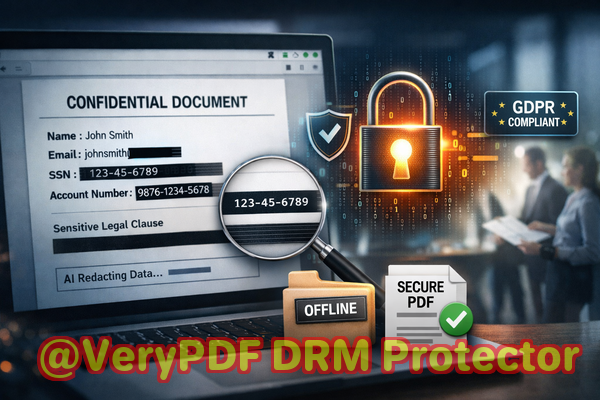
For many organizations, the challenge isn’t the intent to protect sensitive datait’s the tools. Traditional methods of redaction, such as manually blacking out text or using free online services, often fall short. Text can sometimes still be copied, recovered, or inadvertently shared with third-party servers. For companies that need to maintain strict confidentiality, these gaps are unacceptable. That’s where AI-powered PDF redaction tools come in.
One such solution is VeryPDF AI PDF Redaction Tool Command Line, designed to automate the secure removal of sensitive data from PDFs before they leave your computer. Let’s explore why this matters and how it can protect your business from real, measurable risks.
The Hidden Risks of Improper PDF Redaction
Imagine sending out an HR report containing employee names, salaries, and social security numbers, or sharing a legal contract that reveals proprietary business clauses. If that information slips through because of improper redaction, the consequences are significant:
-
Compliance violations: Exposing personal data can lead to fines under GDPR, CCPA, or other regional privacy laws.
-
Recoverable “redacted” text: Many PDF redaction methods merely obscure the text visually, leaving the underlying data accessible to anyone who knows how to extract it.
-
Third-party exposure: Online redaction tools may upload sensitive documents to external servers, creating a risk of data leakage without your knowledge.
These scenarios aren’t hypothetical. In a recent case, a mid-sized law firm used an online tool to redact client contracts, only to discover later that unredacted clauses were still accessible in the PDF. The firm faced not only potential compliance fines but also a reputational hit with high-value clients.
Automating Redaction with AI for Business Safety
VeryPDF AI PDF Redaction Tool Command Line addresses these pain points directly. Using AI, it identifies sensitive information across your PDFs and permanently removes it. This isn’t about covering text with black boxesit’s about ensuring the information is gone for good.
Here’s how it works in practice:
-
Load your PDF into the tool, whether it’s a contract, HR report, or financial document.
-
AI detection of sensitive data: The tool automatically scans for personally identifiable information (PII) like names, emails, phone numbers, and social security numbers, as well as financial data, legal clauses, or confidential business information.
-
Review and apply redaction: You can preview what will be removed before finalizing, giving you control and accuracy.
-
Export a clean PDF: The output is fully sanitized, with no hidden data left behind.
The entire process is offline, ensuring your confidential files never leave your computer. This is critical for legal teams, HR departments, and financial institutions that cannot risk exposing client or employee data to cloud servers.
Real-World Business Scenarios
Consider a scenario at a financial advisory firm. Analysts frequently prepare reports containing client investment details. One slipan unredacted account number or transaction historycould expose clients to fraud. Using the VeryPDF AI PDF Redaction Tool, the firm automated detection of account numbers and other sensitive information. Now, reports are shared with partners and clients safely, without risk of accidental data leakage.
In another example, a legal department handling contracts switched from manual redaction to an AI-powered offline tool. Previously, lawyers blacked out clauses manually, but PDF recovery tools often bypassed these obfuscations. After switching, sensitive clauses are permanently removed before the PDFs are sent out. This change prevented accidental exposure of proprietary contract terms, safeguarding competitive advantage.
Even HR departments benefit. Employee evaluations, payroll records, and personal information can be shared securely within the company or with external auditors. By automating redaction, HR teams avoid errors that could lead to regulatory penalties or internal privacy breaches.
Types of Data to Redact
AI-powered redaction tools can identify and remove a variety of sensitive information, including:
-
Personally identifiable information (PII): Names, emails, addresses, social security numbers.
-
Financial data: Bank account numbers, credit card details, salary information.
-
Business secrets: Proprietary processes, internal strategy notes, confidential agreements.
-
Legal or confidential clauses: Non-disclosure agreements, indemnity clauses, sensitive contractual language.
Best Practices for Secure Redaction
-
Always review detected items before applying redaction to ensure no false positives or missed data.
-
Use fully offline processing to guarantee that confidential documents never reach external servers.
-
Integrate AI redaction into regular document workflows to maintain consistency and compliance.
-
Keep an audit trail of redacted documents for regulatory purposes and internal recordkeeping.
Conclusion: Protect Privacy and Avoid Risks
I highly recommend VeryPDF AI PDF Redaction Tool Command Line to any business handling sensitive documents. It addresses the hidden risks of manual or online redaction by automating the detection and permanent removal of confidential information, all while working offline to ensure maximum privacy. With AI-assisted redaction, you can confidently share contracts, HR files, financial reports, and legal documents without the fear of data leaks, compliance violations, or reputational damage.
Try it now and securely redact your PDFs: https://veryutils.com/smart-redact-server-ai-powered-pdf-redaction-software
Start your free trial today and ensure your sensitive data is permanently removed before sharing.
Frequently Asked Questions
-
How can I permanently remove sensitive data from a PDF instead of just hiding it?
The AI redaction tool permanently deletes the underlying data, not just visually covers it.
-
Can others recover redacted information from my PDF?
No. Once the tool processes a PDF, the redacted data is removed entirely and cannot be recovered.
-
Is it safe to use online PDF redaction tools?
Online tools may upload documents to third-party servers, which can expose sensitive information. Offline tools are safer for confidential files.
-
Does this tool work completely offline?
Yes, VeryPDF AI PDF Redaction Tool Command Line operates fully offline, ensuring your documents never leave your computer.
-
What types of sensitive data can be automatically detected and removed?
Personal identifiers (names, emails, addresses), financial data, legal clauses, business secrets, and other confidential information.
-
How can I ensure compliance with GDPR when sharing documents?
Use AI-powered redaction to permanently remove personal data before sharing. Keep records of redacted documents for audits.
-
Can this tool handle multiple PDFs at once?
Yes, batch processing allows you to apply redaction to many files efficiently.
-
Does AI make mistakes when detecting sensitive data?
AI is highly accurate but reviewing redaction results before finalizing is recommended to catch any anomalies.
-
Can I redact specific sections manually if needed?
Yes, you can review and manually adjust redaction areas before applying permanent changes.
-
Is this tool suitable for legal, HR, and financial documents?
Absolutelyany document containing confidential or sensitive information can be safely redacted.
-
How does this improve overall business data security?
By removing sensitive information permanently and processing offline, you prevent accidental leaks, maintain compliance, and safeguard client trust.
Tags/Keywords
redact sensitive data, remove confidential information, PDF redaction tool, protect privacy in PDFs, prevent data leaks, offline PDF redaction, secure document sharing, AI PDF redaction, GDPR compliance, business document security