
In today’s digital world, sharing documents is inevitable, but so is the risk of sensitive information falling into the wrong hands. Whether it’s confidential company data, training materials, or personal records, controlling access to your files is critical. That’s where VeryPDF DRM Protector steps in with its Document Expiry and Self-Destruct features, giving you full control over who sees your documents, for how long, and under what conditions.
Auto Expire Documents: Control Access with Ease
With VeryPDF DRM Protector, you can set expiration dates for your documents, ensuring that recipients have access only for a limited time. This feature is ideal for businesses that need to:
- Limit access for the duration of a project or paid license
- Control exposure to sensitive information such as company credentials
- Invalidate links after download to prevent unauthorized reuse
- Revoke access after an employee leaves the organization
By setting an expiry date in advance, you can maintain control over your documents and prevent them from circulating indefinitely.
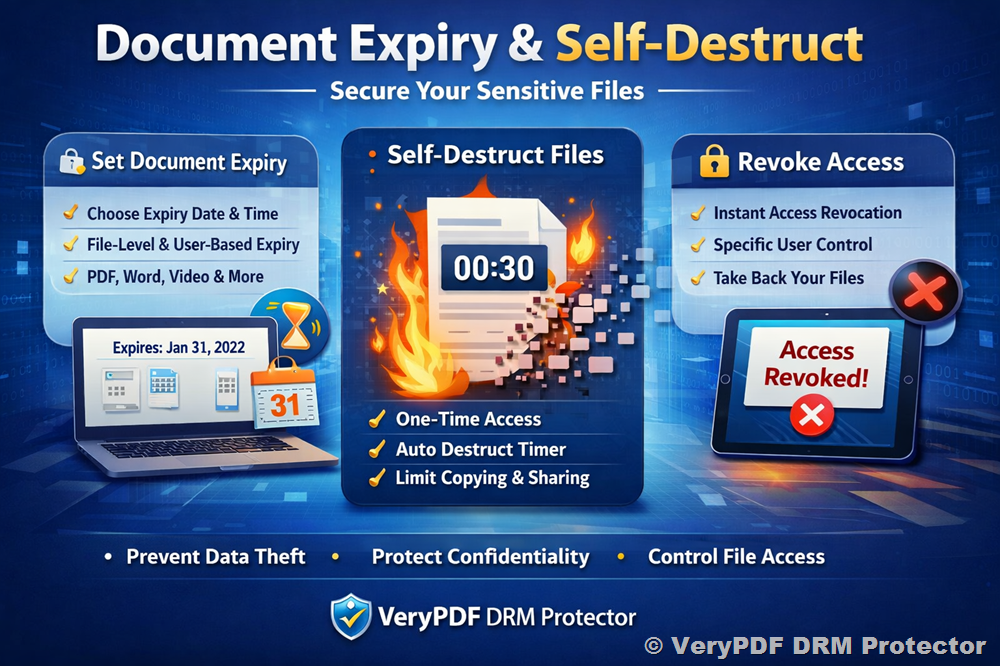
Make Your Documents Disappear with Self-Destruction
Imagine sending a confidential document and knowing that it will self-destruct automatically after a set time. With VeryPDF DRM Protector, this is not a fantasy, it’s reality. The Document Destruction Service allows you to:
- Set self-expiry dates for multiple file formats, including PDFs, Word documents, PowerPoint presentations, images, and videos
- Specify which users can trigger the self-destruction feature
- Choose exact dates and times for files to automatically terminate access
This service ensures that sensitive information disappears after its intended use, reducing the risk of fraud, identity theft, or unauthorized sharing.
Flexible Expiry Settings for Every Need
VeryPDF DRM Protector allows you to choose expiry dates based on document type and user requirements:
- File-level expiry: Set a specific date and time for an individual file
- Data room expiry: Apply expiry settings to an entire group of files at once
- User-by-user expiry: Assign different expiry dates to different recipients without creating separate data rooms
This flexibility saves time, enhances security, and ensures that every recipient has access exactly as intended.
Self-Destruct / One-Time Sending: Temporary Access, Maximum Security
Popularized by platforms like Snapchat and even Mission Impossible movies, the self-destruct feature provides one-time access to documents. Recipients can view the document for a short period, minutes or hours, before it disappears automatically. This minimizes the chance of copying or unauthorized sharing, even if someone takes screenshots or photos on a mobile device.
Self-destruct options include:
- Anyone with link + Self-destruct file: Anyone with the link can access the file; the timer starts upon first viewing.
- Anyone with passkey + Self-destruct file: Access requires a passkey; the timer starts on first use.
- Only people I specify + Self-destruct file: Only selected recipients can view the file, each with individual timers that start when they open the document.
This level of control ensures your sensitive documents remain secure while still allowing intended recipients sufficient time to view them.
Revocation: Take Back Control Anytime
Mistakes happen, or circumstances change. VeryPDF DRM Protector enables revocation of access, giving you the ability to:
- Revoke access to all recipients
- Revoke access to specific users
- Disable links immediately if a document was sent in error or needs updating
Revocation is an essential tool for companies that want to protect sensitive business information and maintain compliance with privacy regulations.
Who Can Benefit from Document Expiry and Self-Destruct?
This service is useful for anyone who needs to limit access to confidential data, including:
- Businesses with sensitive company information
- Organizations sharing training or study materials
- Professionals who want to prevent circulation of documents
- Any user who wants to prevent identity theft and unauthorized copying
By using VeryPDF DRM Protector, you maintain the privacy and confidentiality of your documents while saving time and effort in document management.
Free Options vs. Secure Solutions
While free services may offer document expiry or self-destruct features, they often come with limitations:
- Lack of security or encryption
- Advertising interruptions
- Limited file management or single-user controls
- No guarantee from a reputable company
For sensitive or potentially catastrophic information, relying on free services is risky. VeryPDF DRM Protector provides secure, reliable, and fully controllable document management, protected by industry-leading encryption and accessible via a central dashboard.
PDF & Document Expiry Made Simple
With VeryPDF DRM Protector, you can manage:
- PDFs, Office documents, images, videos
- Expiry dates and times at file, data room, or user levels
- Self-destruct timers for one-time links
- Revocation of access whenever necessary
This all-in-one solution ensures your documents are protected every time they are shared, giving you peace of mind and complete control.
Protecting sensitive information is no longer optional—it’s essential. With VeryPDF DRM Protector’s Document Expiry and Self-Destruct features, you can:
- Prevent identity and data theft
- Keep confidential data well-protected
- Save time and effort with automated expiry and self-destruction
Whether you are sharing confidential reports, training materials, or business-sensitive data, VeryPDF DRM Protector ensures that your documents are accessible only when and to whom you allow. Outsource your data destruction needs, set precise expiry dates, and enjoy the confidence of secure document sharing.
Try VeryPDF DRM Protector today with a free trial and experience secure document sharing like never before.