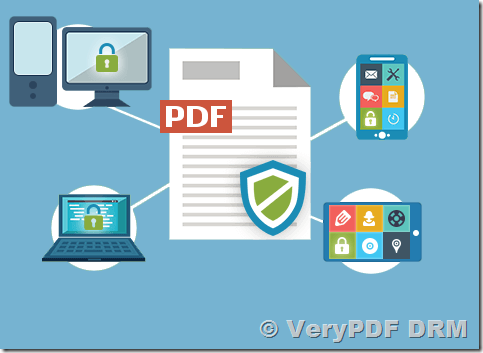
How To Protect a PDF with VeryPDF DRM Software: Comprehensive Content Security?

In the digital era, protecting your PDF files from unauthorized access, copying, and sharing is crucial. Unprotected digital content is vulnerable to plagiarism, unauthorized distribution, and tampering. To safeguard your valuable intellectual property (IP), it’s essential to employ a high-quality PDF protection software’a robust digital rights management (DRM) solution.

How To Protect a PDF with VeryPDF DRM Software: Comprehensive Content Security?

The Importance of Protecting PDF Files

Many are unaware of the risks associated with unprotected PDF files. They can be easily downloaded, copied, or shared without your permission, leading to potential intellectual property theft and unauthorized alterations. Ensuring the protection of your PDF files is fundamental to maintaining the integrity and exclusivity of your content.

Why Choose a Comprehensive PDF Protection Software?

Basic password protection is insufficient. Passwords can be shared or hacked, leaving your content vulnerable. A comprehensive DRM system offers extensive security settings beyond simple password protection, ensuring that only authorized users can access your files and that specific rules govern how they are accessed.

Key Features of an Effective PDF Protection System

To effectively protect your PDF files, look for a system that offers:

  1. Advanced Watermarks: Customize watermarks with user-specific information to deter unauthorized sharing.
  2. Device and Access Limits: Control the number of devices that can access the file and the number of times it can be opened.
  3. Printing and Downloading Controls: Prevent unauthorized printing and downloading of your documents.
  4. File Expiry: Set expiration dates for access, ensuring temporary availability.
  5. IP Address and Location Control: Restrict access based on IP address or geographical location.

A high-quality PDF protection software not only provides these features but also ensures a seamless distribution process, offering an exceptional user experience.

Introducing VeryPDF DRM Software

VeryPDF’s DRM software is a leading solution for digital content protection, empowering publishers, editors, content developers, and providers to secure their digital assets and intellectual property. Our advanced tools ensure your content remains secure and accessible only to authorized users.

Key Features of VeryPDF DRM Software

  1. Comprehensive File Protection: Convert PDFs to a secure web format or a downloadable protected PDF.
  2. Prevent Unauthorized Actions: Restrict printing, downloading, copying, and sharing.
  3. Customizable Watermarks: Apply and personalize watermarks to identify users.
  4. Access Control: Set expiry dates, device limits, open limits, and control access by IP address or location.
  5. Flexible Access Options: Provide both online and offline access through browsers, user portals, or your website.
  6. Integration Capabilities: Integrate seamlessly with third-party systems and provide single sign-on (SSO) access.
  7. Usage Tracking: Monitor who accesses your PDFs, when, where, and how.

Why VeryPDF DRM Software?

VeryPDF ensures your intellectual property is not copied, downloaded, or shared without authorization. With VeryPDF, you remain in complete control of your content:

  • Protect your PDFs with robust security measures.
  • Customize user experiences with advanced access controls.
  • Monitor and track access to maintain oversight of your documents.

Conclusion

PDF protection is essential for maintaining the security and integrity of your organization’s content, preventing tampering with intellectual property, and securing your revenue streams. VeryPDF DRM software provides the comprehensive tools you need to protect your digital assets effectively.

To learn more about how VeryPDF can help you protect your PDFs and other types of digital content, please contact us. We are happy to answer any questions you may have and assist you in securing your valuable intellectual property.

Introducing VeryPDF DRM Solution: Ultimate Content Protection with AES-256 Encryption

In today’s digital age, safeguarding sensitive information is more critical than ever. VeryPDF DRM Solution provides comprehensive and layered protection for your documents, ensuring that your data remains secure from unauthorized access and distribution. Utilizing the robust AES-256 Encryption algorithm, VeryPDF delivers unparalleled security for your files. Here’s a closer look at the features and benefits of our DRM solution.

Introducing VeryPDF DRM Solution: Ultimate Content Protection with AES-256 Encryption

Layered Protection for Your Content

VeryPDF integrates multiple document security features into a single, seamless package. This not only streamlines the user experience but also eliminates the hassle of sourcing and integrating separate solutions for your team.

Access Control

Enhance your document security with various access control measures such as email validation and password protection, ensuring that only authorized users can access your files.

Print & Download Restrictions

Prevent unauthorized printing and downloading of your documents to maintain control over the distribution of your sensitive information.

Dynamic Watermarks

Automatically watermark your documents with the recipient’s information, providing a clear deterrent against unauthorized sharing and aiding in tracking any leaks.

File Expiration

Schedule specific start and end dates for file access or set files to self-destruct after a certain period, ensuring temporary access only when necessary.

Terms of Access

Require guests to accept your legal terms before accessing your data room, ensuring that all users acknowledge and agree to your terms and conditions.

Tripwire Alerts

Receive alerts of suspicious behavior, such as multiple logins, enabling you to respond swiftly to potential security breaches.

Advanced File Encryption

VeryPDF ensures the integrity and confidentiality of your files with encryption both in transit and at rest. We utilize AES-256 Encryption, certified by the NSA to protect top-secret information, to safeguard your documents.

How AES-256 Encryption Works?   

AES-256 Encryption is a top-tier encryption algorithm, renowned for its strength and reliability. VeryPDF uses envelope encryption, which encrypts your data with a data key and then encrypts the data key with a master key. This dual-layer encryption provides a perfect balance of speed and security by leveraging symmetric key algorithms (for high speed) and public key algorithms (for role separation).

Encryption keys are securely stored in the AWS Key Management System (KMS), and encryption and decryption of file keys occur within Hardware Security Modules (HSM) in the KMS. AWS KMS is certified for FIPS-2 level of security, ensuring that your encryption keys are protected to the highest standards.

ISO 27001 Certified

VeryPDF is ISO 27001 certified by Socotec, a third-party assessor. This certification is the gold standard in information security management systems, assuring that we have:

  • Implemented comprehensive information security management for service development, operations, and support.
  • Established robust data security protocols covering physical and network security.
  • Implemented controls to protect and safeguard customer data.
  • Ensured compliance with business, legal, contractual, and regulatory requirements.
  • Developed an in-depth information security risk management program.

Annual on-site compliance audits and security penetration tests are conducted as part of our ISO27001 certification requirements, ensuring ongoing adherence to these high standards.

Retain Control of Confidential Documents

Customer data is hosted on Amazon Web Services (AWS) data centers globally, benefiting from AWS’s reliable power sources, backup systems, and 99.9% SLA redundancy. AWS infrastructure is highly secure and certified for numerous standards including SOC 2, ISO 27001, PCI DSS Level 1, FedRAMP, and FIPS, with facilities that are safeguarded against electronic and physical intrusion.

Conclusion

VeryPDF DRM Solution offers a comprehensive and robust approach to document security, utilizing AES-256 Encryption to ensure your data remains confidential and secure. By integrating multiple security features into one seamless package, VeryPDF not only simplifies document protection but also enhances the overall security posture of your organization. Explore VeryPDF today and experience the highest level of document security available.

Managing Digital Rights: How to Control and Prevent PDF Copying, Printing, and Forwarding

PDFs are used for a multitude of purposes, often containing sensitive or confidential information. Understanding how digital rights management (DRM) can help secure this data is crucial.

Today, anyone can easily share PDFs. Without DRM, information can be forwarded, copied, printed, or downloaded with little restriction.

Managing Digital Rights: How to Control and Prevent PDF Copying, Printing, and Forwarding

What is Digital Rights Management?   

Digital Rights Management (DRM) comprises technologies that control how content is accessed and shared. Often called “copy protection” or “copy prevention,” DRM software helps prevent the unintended distribution of sensitive information.

DRM is essential for protecting documents that may contain intellectual property or confidential content. Unprotected documents are vulnerable to theft, leading to significant losses. Implementing DRM for PDFs makes unauthorized sharing much more difficult and inconvenient.

Who Uses DRM?   

DRM is typically used to control the distribution of information:

  • Book Publishers: To prevent illegal distribution of e-books.
  • Training Course Providers: To protect intellectual property in training manuals.
  • Finance and Real Estate Firms: Using data rooms for confidential information exchange during due diligence processes. Many data rooms employ DRM technology for security.
  • Corporations: To control access to sensitive documents, often using a variant of DRM known as Information Rights Management (IRM). This ensures compliance with regulations like HIPAA or GDPR and allows revoking access when employees leave.

Challenges in Adopting DRM   

Despite its benefits, DRM adoption is hindered by ease of use and cost:

  • Complexity: DRM solutions can be cumbersome for both senders and recipients, often requiring special software installations and identity validations.
  • Device Compatibility: Installing required software on multiple devices can be problematic, especially in corporate settings with installation restrictions.
  • Cost and Effort: Implementing DRM can be expensive and complex, requiring specialized server software and IT expertise.

What DRM Cannot Do?   

DRM cannot prevent someone from recording your document using external devices. For example, a person can take a video or a screenshot using a mobile phone. This “analogue hole” means that while DRM can restrict digital copying, it cannot block all forms of recording.

How VeryPDF Can Help?   

VeryPDF offers a simple and affordable DRM solution, designed to balance security and ease of use. No software installation is required. Features include:

  • Screenshield: Restricts viewing to one section at a time, deterring screen recording.
  • Dynamic Watermarking: Identifies documents with specific recipients to discourage unauthorized sharing.

Can You Protect Your File on Your Own?   

While setting a file to read-only with a password can provide some protection, it does not prevent the spread of the information if the password is shared. DRM provides a more comprehensive approach, including tracking and revoking access.

How PDF Digital Rights Management Works?   

DRM allows you to restrict copying, printing, editing, and control access. Advanced systems offer features like access revocation and document expiry. Detailed file tracking and watermarking are often separate tools.

Preventing PDF Copying

A good DRM system will prevent copying text from a PDF, even if editing is restricted.

Restricting PDF Printing

To reduce the risk of unauthorized hard copies, DRM can restrict printing. This is important as hard copies can be easily misplaced or stolen.

Choosing a DRM Solution

When selecting a DRM solution, consider:

  • Simplicity: Test both sender and recipient experiences to ensure ease of use.
  • Format Support: Ensure all necessary formats (PDF, Excel, Word, PowerPoint, video, image) are supported.
  • Completeness: Verify the solution provides all needed features and feels secure.

VeryPDF: Your DRM Solution

VeryPDF offers a feature-rich DRM solution that is simple to use, supports multiple formats, and includes comprehensive document security features such as encryption, access control, permissions, expiry, file tracking, and watermarking.

Experience VeryPDF’s affordable DRM solution with a seven-day free trial.

I want sell PDF files (or PDF ebooks) from my online store, how can I protect these PDF files or PDF ebooks?

Dear Support,

I read something you have a PDF Server, I am interested about, i have a little Store for something and like have Online some PDF Documents to order at my store.

Is only little so i like to ask how much is the price.

Kind regards
Customer
———————————————–

I want sell PDF files (or PDF ebooks) from my online store, how can I protect these PDF files or PDF ebooks?
Thanks for your message, do you want sell the PDF files on your web site? if yes, I think our PDF DRM Cloud API may useful to you, you may test it from this web page,

https://drm.verypdf.com/online/

You can also call PDF DRM Cloud API from your PHP, C# or .NET code to protect your PDF files dynamically, for example, when a user click a button, your program will call PDF DRM Cloud API to generate a DRM protected PDF file, and allow your user to download this DRM protected PDF file.

VeryPDF PDFDRM Cloud API example projects can be downloaded from this web page,

https://drm.verypdf.com/downloads/
http://online.verypdf.com/app/pdfdrm/VeryPDF-PDFDRM-CloudAPI.zip

This is the web page for URL options for PDFDRM Cloud API,

https://drm.verypdf.com/verypdf-pdfdrm-cloud-api-include-c-curl-java-javascript-php-vb-net-examples/

VeryPDF has various PDF products and technologies, if you have any question, please feel free to let us know, we are glad to assist you asap.

VeryPDF

VeryPDF PDFDRM Cloud API, include C#, cURL, Java, Javascript, PHP, VB.NET examples

VeryPDF DRM Protector Cloud REST API web page,

http://online.verypdf.com/app/pdfdrm/web/upload.php

VeryPDF PDFDRM Cloud API, include C#, cURL, Java, Javascript, PHP, VB.NET examples

Detailed Explanation of Parameters for the VeryPDF DRM Protector Upload URL

The URL you’ve provided contains numerous parameters for configuring DRM (Digital Rights Management) protection on a PDF file. Each parameter serves a specific purpose related to securing and customizing the PDF’s access and usage. Below is a detailed explanation of each parameter:

1. InputFileType

  • Value: WebURL
  • Description: This specifies the type of input file. In this case, it’s a URL pointing to a remote PDF file. This parameter tells the system that the input PDF will be accessed via a URL instead of being uploaded directly.

2. WebFileURL

  • Value: http://online.verypdf.com/examples/cloud-api/verypdf2.pdf
  • Description: This is the URL of the PDF document that needs to be protected by DRM. The system will fetch this PDF for processing.

3. Email

  • Value: Your Email address
  • Description: The email address associated with the user or customer, likely used for communication or notifications. This is URL-encoded (i.e., %40 is used instead of @).

4. EnablePDFEncryption

  • Value: on
  • Description: This parameter enables PDF encryption. When set to on, the PDF will be encrypted, protecting the content from unauthorized access.

5. PasswordForInputPDFFile

  • Value: (empty)
  • Description: If the input PDF file is already password-protected, this is where you specify the password. In this case, it’s left empty, implying no password protection on the original PDF.

6. UserPassword

  • Value: d58mG8bX0r8AsgiH
  • Description: This is the password that end-users must enter to access the protected PDF. The user password is required for opening the PDF file.

7. OwnerPassword

  • Value: Z88hgBQ5esfP5eC7
  • Description: This is the owner password for the PDF. It grants full privileges to the user, such as the ability to change security settings. The owner password is different from the user password and typically not required for regular use.

8. PDFCompatibility

  • Value: 6
  • Description: This specifies the PDF version compatibility. Version 6 refers to compatibility with PDF version 1.6, ensuring that the file can be opened in readers that support that version or higher.

9. EnableDRMProtection

  • Value: on
  • Description: This enables DRM protection for the PDF file. With DRM protection enabled, additional restrictions can be applied to the file to prevent unauthorized usage, such as printing, copying, or saving.

10. VeryPDFDRM_IsNeedInternet

  • Value: ON
  • Description: This parameter determines whether the PDF requires an internet connection for accessing it. Setting it to ON means users will need to be online to view the PDF.

11. VeryPDFDRM_ClientTimeZone

  • Value: 1
  • Description: This sets the client’s time zone. The value 1 corresponds to the Central European Time zone, meaning the system will adjust timestamps and access restrictions based on this time zone.

12. Check_VeryPDFDRM_LogonID_01

  • Value: ON
  • Description: This parameter enables the use of a logon ID for authentication. The associated logon ID is specified in the next parameter.

13. VeryPDFDRM_LogonID_01

  • Value: Demo
  • Description: This is the logon ID associated with the user, in this case, a Demo account. It may be used for tracking or authentication purposes.

14. Check_VeryPDFDRM_Password_01

  • Value: ON
  • Description: This enables password protection for the document using the VeryPDFDRM_Password_01 parameter.

15. VeryPDFDRM_Password_01

  • Value: Demo
  • Description: This is the password associated with the logon ID (Demo). Users must enter this password to access the document.

16. Check_VeryPDFDRM_ExpireAfterDate

  • Value: ON
  • Description: This enables expiration of the document after a specific date and time.

17. VeryPDFDRM_ExpireAfterDate

  • Value: 2025/04/10 11:39
  • Description: The date and time when the document will expire. After this date, the document will no longer be accessible unless reactivated.

18. VeryPDFDRM_DenyPrint

  • Value: ON
  • Description: This restricts the printing of the document. When set to ON, users will not be able to print the protected PDF.

19. VeryPDFDRM_DenyClipCopy

  • Value: ON
  • Description: This disables copying or clipping of content from the PDF. It prevents users from selecting and copying text from the document.

20. VeryPDFDRM_DenySave

  • Value: ON
  • Description: This prevents users from saving the PDF file to their device. It restricts the ability to download the file.

21. VeryPDFDRM_DenySaveAs

  • Value: ON
  • Description: This prevents users from saving the document under a different name or location.

22. Check_VeryPDFDRM_SetIdleTime

  • Value: ON
  • Description: This enables the setting of idle time for the PDF document. The document will close automatically if it remains idle for too long.

23. VeryPDFDRM_SetIdleTime

  • Value: 300
  • Description: This specifies the idle time in seconds (300 seconds = 5 minutes). After this time of inactivity, the PDF will automatically close.

24. Check_VeryPDFDRM_CloseAfterSeconds

  • Value: ON
  • Description: This sets a timeout after which the document will close, typically used to ensure that users do not leave the document open for extended periods.

25. VeryPDFDRM_CloseAfterSeconds

  • Value: 300
  • Description: This sets the number of seconds (300 = 5 minutes) after which the document will close automatically.

26. Check_VeryPDFDRM_TitleOfMessage

  • Value: ON
  • Description: This enables the display of a custom title message for the DRM-protected PDF.

27. VeryPDFDRM_TitleOfMessage

  • Value: VeryPDF DRM Reader
  • Description: This is the title that will be displayed in the title bar of the PDF reader.

28. Check_VeryPDFDRM_DescriptionOfMessage

  • Value: ON
  • Description: This enables the display of a description message.

29. VeryPDFDRM_DescriptionOfMessage

  • Value: Welcome to use VeryPDF DRM Reader, if you have any question for this document, please feel free contact us at ‘support@verypdf.com’ email address.
  • Description: The description message shown in the reader, which includes a support email address for assistance.

VeryPDF DRM Protector Cloud REST API supports the following GET and POST parameters:

Array
(
[InputFileType] => WebURL
[WebFileURL] => https://online.verypdf.com/examples/cloud-api/verypdf2.pdf
[Email] => support@verypdf.com
[EnablePDFEncryption] => on
[PasswordForInputPDFFile] =>
[UserPassword] => d58mG8bX0r8AsgiH
[OwnerPassword] => Z88hgBQ5esfP5eC7
[PDFCompatibility] => 6
[EnableDRMProtection] => on
[VeryPDFDRM_IsNeedInternet] => ON
[VeryPDFDRM_ClientTimeZone] => 1
[Check_VeryPDFDRM_LogonID_01] => ON
[VeryPDFDRM_LogonID_01] => Demo
[Check_VeryPDFDRM_Password_01] => ON
[VeryPDFDRM_Password_01] => Demo
[Check_VeryPDFDRM_ExpireAfterDate] => ON
[VeryPDFDRM_ExpireAfterDate] => 2025/04/10 11:39
[VeryPDFDRM_DenyPrint] => ON
[VeryPDFDRM_DenyClipCopy] => ON
[VeryPDFDRM_DenySave] => ON
[VeryPDFDRM_DenySaveAs] => ON
[Check_VeryPDFDRM_SetIdleTime] => ON
[VeryPDFDRM_SetIdleTime] => 300
[Check_VeryPDFDRM_CloseAfterSeconds] => ON
[VeryPDFDRM_CloseAfterSeconds] => 300
[Check_VeryPDFDRM_TitleOfMessage] => ON
[VeryPDFDRM_TitleOfMessage] => VeryPDF DRM Reader
[Check_VeryPDFDRM_DescriptionOfMessage] => ON
[VeryPDFDRM_DescriptionOfMessage] => Welcome to use VeryPDF DRM Reader, if you have any question for this document, please feel free contact us at ‘support@verypdf.com’ email address.
[Check_VeryPDFDRM_ExpireAfterViews] => ON
[VeryPDFDRM_ExpireAfterViews] => 10
[Check_VeryPDFDRM_ExpirePrintCount] => ON
[VeryPDFDRM_ExpirePrintCount] => 10
[Check_VeryPDFDRM_SetInvalidPWCount] => ON
[VeryPDFDRM_SetInvalidPWCount] => 10
[Check_VeryPDFDRM_PDFExpiryDelete] => ON
[VeryPDFDRM_LimitDiskID] =>
[VeryPDFDRM_LimitIP] => 78.137.214.118
[VeryPDFDRM_LimitUSBDriveID] =>
[TextWatermark_Text] => VeryPDF
[TextWatermark_Color] => C0C0C0
[TextWatermark_X] => 1
[TextWatermark_Y] => 1
[TextWatermark_OffsetX] => 0
[TextWatermark_OffsetY] => 0
[TextWatermark_IsTiledText] => ON
[TextWatermark_FontName] => Arial
[TextWatermark_FontSize] => 0
[TextWatermark_Opacity] => 30
[TextWatermark_Rotate] => -45
[ImageWatermark_File] => http://www.verypdf.com/images/coffee.jpg
[ImageWatermark_X] => 1
[ImageWatermark_Y] => 1
[ImageWatermark_OffsetX] => 0
[ImageWatermark_OffsetY] => 0
[ImageWatermark_Width] => 0
[ImageWatermark_Height] => 0
[ImageWatermark_Scale] => 100
[ImageWatermark_Opacity] => 10
[ImageWatermark_Rotate] => 0
[ImageWatermark_TransparentColor] => 000000
[PDFWatermark_File] => http://www.verypdf.com/images/pdf/StandardBusiness.pdf
[PDFWatermark_PDFPage] => 1
[PDFWatermark_X] => 1
[PDFWatermark_Y] => 1
[PDFWatermark_OffsetX] => 0
[PDFWatermark_OffsetY] => 0
[PDFWatermark_Width] => 100
[PDFWatermark_Height] => 100
[PDFWatermark_Scale] => 100
[PDFWatermark_Opacity] => 50
[PDFWatermark_Rotate] => 0
[LineWatermark_X1] => 0
[LineWatermark_Y1] => 100
[LineWatermark_X2] => 1000
[LineWatermark_Y2] => 100
[LineWatermark_Opacity] => 50
[LineWatermark_Rotate] => 0
[LineWatermark_Width] => 1
[LineWatermark_Color] => FF0000
)

If you wish to use GET parameters, you can use the following options in the URL:

https://online.verypdf.com/app/pdfdrm/web/upload.php?InputFileType=WebURL
& WebFileURL=https%3A%2F%2Fonline.verypdf.com%2Fexamples%2Fcloud-api%2Fverypdf2.pdf
& Email=support%40verypdf.com
& EnablePDFEncryption=on
& PasswordForInputPDFFile=
& UserPassword=d58mG8bX0r8AsgiH
& OwnerPassword=Z88hgBQ5esfP5eC7
& PDFCompatibility=6
& EnableDRMProtection=on
& VeryPDFDRM_IsNeedInternet=ON
& VeryPDFDRM_ClientTimeZone=1
& Check_VeryPDFDRM_LogonID_01=ON
& VeryPDFDRM_LogonID_01=Demo
& Check_VeryPDFDRM_Password_01=ON
& VeryPDFDRM_Password_01=Demo
& Check_VeryPDFDRM_ExpireAfterDate=ON
& VeryPDFDRM_ExpireAfterDate=2025%2F04%2F10%2011%3A39
& VeryPDFDRM_DenyPrint=ON
& VeryPDFDRM_DenyClipCopy=ON
& VeryPDFDRM_DenySave=ON
& VeryPDFDRM_DenySaveAs=ON
& Check_VeryPDFDRM_SetIdleTime=ON
& VeryPDFDRM_SetIdleTime=300
& Check_VeryPDFDRM_CloseAfterSeconds=ON
& VeryPDFDRM_CloseAfterSeconds=300
& Check_VeryPDFDRM_TitleOfMessage=ON
& VeryPDFDRM_TitleOfMessage=VeryPDF%20DRM%20Reader
& Check_VeryPDFDRM_DescriptionOfMessage=ON
& VeryPDFDRM_DescriptionOfMessage =Welcome%20to%20use%20VeryPDF%20DRM%20Reader%2C%20if%20you%20have%20any%20question%20for%20this%20document%2C%20please%20feel%20free%20contact%20us%20at%20%27support%40verypdf.com%27%20email%20address.
& Check_VeryPDFDRM_ExpireAfterViews=ON
& VeryPDFDRM_ExpireAfterViews=10
& Check_VeryPDFDRM_ExpirePrintCount=ON
& VeryPDFDRM_ExpirePrintCount=10
& Check_VeryPDFDRM_SetInvalidPWCount=ON
& VeryPDFDRM_SetInvalidPWCount=10
& Check_VeryPDFDRM_PDFExpiryDelete=ON
& VeryPDFDRM_LimitDiskID=
& VeryPDFDRM_LimitIP=78.137.214.118
& VeryPDFDRM_LimitUSBDriveID=
& TextWatermark_Text=VeryPDF
& TextWatermark_Color=C0C0C0
& TextWatermark_X=1
& TextWatermark_Y=1
& TextWatermark_OffsetX=0
& TextWatermark_OffsetY=0
& TextWatermark_IsTiledText=ON
& TextWatermark_FontName=Arial
& TextWatermark_FontSize=0
& TextWatermark_Opacity=30
& TextWatermark_Rotate=-45
& ImageWatermark_File=http%3A%2F%2Fwww.verypdf.com%2Fimages%2Fcoffee.jpg
& ImageWatermark_X=1
& ImageWatermark_Y=1
& ImageWatermark_OffsetX=0
& ImageWatermark_OffsetY=0
& ImageWatermark_Width=0
& ImageWatermark_Height=0
& ImageWatermark_Scale=100
& ImageWatermark_Opacity=10
& ImageWatermark_Rotate=0
& ImageWatermark_TransparentColor=000000
& PDFWatermark_File=http%3A%2F%2Fwww.verypdf.com%2Fimages%2Fpdf%2FStandardBusiness.pdf
& PDFWatermark_PDFPage=1
& PDFWatermark_X=1
& PDFWatermark_Y=1
& PDFWatermark_OffsetX=0
& PDFWatermark_OffsetY=0
& PDFWatermark_Width=100
& PDFWatermark_Height=100
& PDFWatermark_Scale=100
& PDFWatermark_Opacity=50
& PDFWatermark_Rotate=0
& LineWatermark_X1=0
& LineWatermark_Y1=100
& LineWatermark_X2=1000
& LineWatermark_Y2=100
& LineWatermark_Opacity=50
& LineWatermark_Rotate=0
& LineWatermark_Width=1
& LineWatermark_Color=FF0000

Here is the demo URL with the above parameters:

Click this URL to test VeryPDF DRM Protector Cloud REST API Online