The Importance of PDF DRM Tools for Securing Your Documents

In today’s digital world, protecting sensitive documents has become more critical than ever. As businesses, professionals, and individuals rely on digital files, it’s essential to implement measures that ensure these documents remain secure and protected from unauthorized access or distribution. One effective solution is PDF DRM (Digital Rights Management) tools, which are designed to safeguard PDF files and control their usage.

The Importance of PDF DRM Tools for Securing Your Documents

What Are PDF DRM Tools?

PDF DRM tools are specialized software solutions that allow document creators and organizations to set various restrictions and permissions on PDF files. These tools enable users to encrypt, password-protect, and restrict actions like printing, copying, editing, and sharing. The goal of PDF DRM tools is to prevent unauthorized access, distribution, or modification of sensitive information.

Key Features of PDF DRM Tools

  • Encryption: PDF DRM tools provide robust encryption algorithms to protect PDF documents from unauthorized access. This ensures that only authorized users with the correct password or decryption key can open and view the content.
  • Watermarking: Adding visible or invisible watermarks to PDF documents helps deter unauthorized sharing and distribution. Watermarks can include user-specific information, such as the recipient’s name or email address, making it easier to track the source of leaks.
  • Access Control: PDF DRM tools allow creators to set permissions for document access, such as restricting who can open, read, or modify the document. This level of control helps ensure that only authorized individuals can interact with the content.
  • Expiration Dates: Some PDF DRM tools allow users to set expiration dates for their documents. After the expiration date, the document becomes inaccessible, preventing unauthorized use after the intended viewing period.
  • Tracking and Reporting: Advanced PDF DRM tools offer real-time tracking and reporting, providing insights into who accessed the document, when, and for how long. This helps document owners monitor usage and take necessary actions if there are any signs of unauthorized access.

Why Use PDF DRM Tools?

  • Preventing Unauthorized Sharing: One of the main reasons businesses and individuals use PDF DRM tools is to prevent unauthorized sharing. Without DRM protection, anyone with access to a PDF file can easily distribute it without the document creator’s consent.
  • Protecting Intellectual Property: For creators, such as authors, designers, and content producers, protecting intellectual property is paramount. PDF DRM tools help ensure that their creations are not copied, distributed, or altered without permission, safeguarding their work.
  • Ensuring Compliance with Legal and Regulatory Requirements: In some industries, such as healthcare, finance, and law, strict regulatory requirements govern the handling and sharing of sensitive documents. PDF DRM tools can help organizations comply with these regulations by preventing unauthorized access and maintaining a detailed audit trail.
  • Minimizing the Risk of Data Breaches: Data breaches are a significant concern for organizations. By using PDF DRM tools, businesses can reduce the risk of sensitive documents being leaked or exposed due to human error or cyberattacks.

Choosing the Right PDF DRM Tool

When selecting a PDF DRM tool, it’s essential to consider several factors:

  • Ease of Use: The tool should be user-friendly and easy to integrate into your workflow without requiring significant technical expertise.
  • Security Features: Look for a tool with robust encryption, watermarking, and access control features to ensure maximum protection for your documents.
  • Customization Options: Choose a PDF DRM tool that offers customization options to tailor the document protection features according to your specific needs.
  • Compatibility: Ensure that the tool is compatible with various platforms and devices to guarantee that your PDF files remain secure across all environments.

Conclusion

PDF DRM tools play a crucial role in safeguarding digital documents and protecting intellectual property. Whether you’re a business owner, content creator, or professional, investing in reliable PDF DRM tools is essential for ensuring that your documents remain secure and your sensitive information stays protected. With features like encryption, watermarking, and access control, these tools offer peace of mind in an increasingly digital world.

By utilizing PDF DRM tools, you can maintain full control over your documents and reduce the risk of unauthorized access or distribution, helping you preserve the integrity of your valuable content.

Best DRM Tool Recommendation: VeryPDF DRM Protector

In an era where digital content is an essential part of our personal and professional lives, protecting sensitive information from unauthorized access has become a top priority. Whether you’re a business looking to secure proprietary information or an individual safeguarding personal files, a robust Digital Rights Management (DRM) tool is indispensable. Among the various DRM solutions available, VeryPDF DRM Protector stands out as a top choice for its comprehensive features and user-friendly interface.

Best DRM Tool Recommendation: VeryPDF DRM Protector

What Makes VeryPDF DRM Protector Unique?

VeryPDF DRM Protector is a cutting-edge web application designed to provide unparalleled protection for your sensitive documents. Its robust DRM capabilities ensure that your files remain secure while being easily shareable with authorized users. Below, we highlight the key reasons why VeryPDF DRM Protector is one of the best DRM tools available today.

Key Features of VeryPDF DRM Protector

  • Advanced Encryption: Documents are encrypted to prevent unauthorized access, ensuring the highest level of security.
  • Granular Access Control: Restrict access to specific users or groups, authenticated via email.
  • Watermarking Options: Add visible or invisible watermarks to discourage unauthorized distribution.
  • Document Expiration Settings: Set expiration dates to limit the availability of your files.
  • Editing and Printing Restrictions: Disable printing or editing of sensitive documents to maintain confidentiality.
  • Real-Time Monitoring: Track who has accessed your documents and when, enabling proactive management.

Why Choose VeryPDF DRM Protector?

  • User-Friendly Interface: The intuitive design makes it easy for users of all experience levels to secure their documents effectively.
  • Flexibility: The tool supports a wide range of file types and offers customizable protection settings to meet various needs.
  • Cloud-Based Solution: Being a web application, there is no need for software installation, and files can be protected from anywhere with internet access.
  • Affordability: VeryPDF DRM Protector provides high-end security features at a competitive price point, making it an excellent value for money.

How to Get Started with VeryPDF DRM Protector?

  1. Visit the VeryPDF DRM Protector website.
  2. Log in or create an account to access the web application.
  3. Upload the files you want to protect.
  4. Configure access controls, expiration dates, and other DRM settings as needed.
  5. Share your protected files securely via email or a unique link.
  6. Monitor document access and adjust permissions as necessary.

Final Thoughts

For anyone looking to secure their digital content, VeryPDF DRM Protector offers a perfect blend of security, flexibility, and ease of use. Its robust features ensure that your documents are accessible only to intended recipients under your specified conditions. Whether you’re an individual, a small business, or a large organization, this tool is a reliable choice to safeguard your sensitive information.

Start protecting your documents today with VeryPDF DRM Protector and experience peace of mind knowing your data is secure.

How to Protect Sensitive Documents from Unauthorized Access Using VeryPDF DRM Protector?

In today’s digital age, safeguarding sensitive documents from unauthorized access is crucial. Whether for personal, professional, or organizational purposes, ensuring your files remain secure can prevent data breaches, financial losses, and reputational damage. One effective solution for document protection is VeryPDF DRM Protector. This guide explores how you can use it to enhance document security.

How to Protect Sensitive Documents from Unauthorized Access Using VeryPDF DRM Protector?

Understanding DRM Protection

Digital Rights Management (DRM) is a technology that protects digital content by controlling how users can access, share, and use it. VeryPDF DRM Protector enables users to apply robust DRM controls to their documents, ensuring they are accessible only to authorized individuals under specified conditions.

Key Features of VeryPDF DRM Protector

  • Encryption: Converts documents into an encrypted format to prevent unauthorized access.
  • Access Control: Restricts access to specific users or groups based on email authentication.
  • Watermarking: Applies visible or invisible watermarks to prevent unauthorized distribution.
  • Expiration Settings: Limits access to documents by setting expiration dates.
  • Print and Edit Restrictions: Disables printing or editing of sensitive content.
  • Real-Time Monitoring: Tracks document usage and access history.

Steps to Protect Sensitive Documents with VeryPDF DRM Protector

  1. Access the Web Application
  2. Upload Your Document
    • Log in to the VeryPDF DRM Protector web application.
    • Click on “Add Files” and upload the document(s) you wish to protect.
  3. Set Up Access Controls
    • Define authorized users by adding their email addresses.
    • Assign specific permissions, such as “view only,” “view and print,” or “view and edit.”
  4. Apply DRM Policies
    • Enable encryption to secure the document content.
    • Configure expiration dates to limit the document’s availability.
    • Add watermarks to discourage unauthorized sharing.
  5. Distribute Securely
    • Once the document is protected, share it via a secure link or email.
    • The recipient will need to authenticate with their email to access the document.
  6. Monitor Document Usage
    • Use the real-time monitoring feature to track who has accessed the document and when.
    • Identify any suspicious activity and revoke access if necessary.

Best Practices for Document Security

  • Regularly Update DRM Settings: Adjust permissions as needed to ensure ongoing security.
  • Use Strong Passwords: Combine DRM protection with strong passwords for additional security.
  • Educate Users: Train employees or collaborators on the importance of handling sensitive documents securely.
  • Backup Your Documents: Maintain encrypted backups to prevent data loss.

By leveraging VeryPDF DRM Protector, you can take proactive steps to safeguard your sensitive documents from unauthorized access. This powerful tool ensures your data remains secure while enabling seamless collaboration with trusted individuals.

How to Prevent the Download of PDFs from Web Pages Using VeryPDF DRM Protector?

Disable or Prevent PDF Files from Being Downloaded

Preventing unauthorized access to PDF files is a growing concern for businesses and individuals hosting sensitive documents online. While the idea of preventing PDF downloads may seem straightforward, the execution is fraught with challenges. This article explores the reasons why preventing PDF downloads is difficult and how VeryPDF DRM Protector can safeguard your documents effectively.

How to Prevent the Download of PDFs from Web Pages Using VeryPDF DRM Protector?


Why Prevent PDF Downloads?

When hosting PDFs online, allowing unrestricted downloads can lead to unauthorized sharing, loss of intellectual property, and compromised security. Preventing downloads can help ensure that only authorized users have access and control over document usage, including restrictions on printing, copying, and sharing.

However, implementing a robust prevention mechanism is more complex than it appears due to the myriad ways users can bypass restrictions.


The Difficulties of Preventing PDF Downloads

Downloading a file technically refers to copying content from a server to a client device. Users can bypass restrictions in numerous ways, including:

  • Clicking a visible download button.
  • Printing the document to a virtual PDF printer.
  • Extracting the PDF URL from the webpage source code.
  • Copying and pasting text content.
  • Taking screenshots of document pages.
  • Using AI tools for web scraping.
  • Sharing account credentials.

These challenges highlight the limitations of traditional methods to prevent downloads.


Methods to Prevent PDF Downloads

Several methods are commonly used to restrict downloads, but each has its shortcomings:

1. Web Page Password Protection & Download Links

Password protection restricts access to specific pages or files. However, users with access credentials can still download and share files externally, defeating the purpose of the restriction.

Download links with expiration times or limited usage are another approach. While these may limit broad public access, they cannot prevent an authorized user from sharing the downloaded file elsewhere.

2. JavaScript Protection

JavaScript can disable download buttons and restrict copying, printing, or editing. This is often used in online PDF viewers and collaboration platforms. However, JavaScript operates client-side and can be easily bypassed using browser developer tools. Additionally, JavaScript cannot block screen captures or prevent printing to file drivers.


How VeryPDF DRM Protector Addresses These Issues

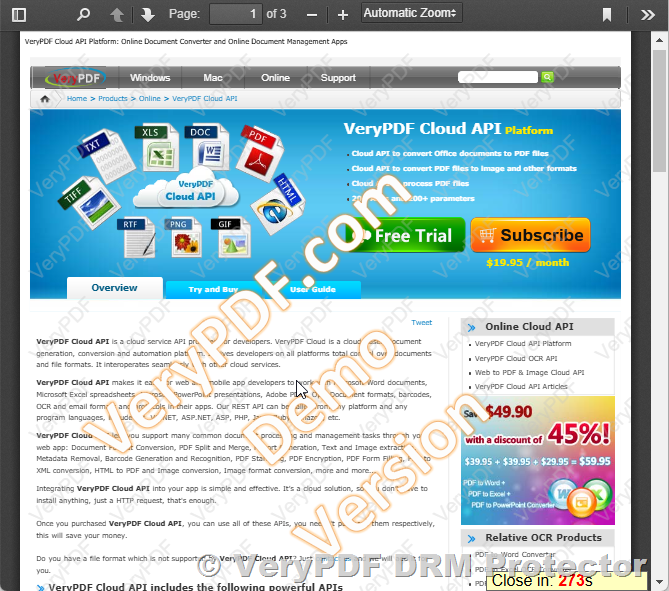
VeryPDF DRM Protector offers a robust solution to these challenges by combining encryption and Digital Rights Management (DRM) technology to ensure only authorized users can access and interact with your PDF files.

1. Control Document Access

VeryPDF DRM Protector secures PDFs by encrypting them and requiring user authentication for access. This ensures that only users with valid credentials can open the file.

2. Restrict Document Actions

The DRM settings enable hosts to define usage permissions such as:

  • Disabling printing.
  • Preventing copying and pasting.
  • Blocking screenshots.

3. Persistent File Security

Unlike web-based solutions, DRM encryption remains embedded in the file even after it is downloaded. This ensures that unauthorized users cannot open or modify the document regardless of how they obtained it.

4. Granular Access Control

VeryPDF DRM Protector allows administrators to:

  • Set expiration dates for document access.
  • Revoke access to specific users remotely.
  • Monitor document usage for compliance.

Best Practices for Using VeryPDF DRM Protector

To maximize the security of your PDFs:

  • Avoid embedding sensitive files in web pages. Instead, use DRM-protected links.
  • Leverage watermarking to discourage screen captures and trace unauthorized sharing.
  • Regularly audit user permissions to ensure only active, authorized users retain access.

Conclusion

Preventing the download of PDFs from web pages is inherently challenging due to the many ways users can bypass restrictions. While traditional methods like password protection and JavaScript controls have their place, they are not foolproof. VeryPDF DRM Protector offers a comprehensive solution by securing files at the source and maintaining control over document usage regardless of where the file resides.

By implementing VeryPDF DRM Protector, you can ensure your PDF files are accessible only to authorized users, safeguarding your content against unauthorized downloads and distribution.