VeryPDF DRM Protector for Education & Training: Protecting Digital Learning Materials

As virtual classrooms become the norm, educational institutions are facing new challenges in managing and protecting digital learning materials. The rapid transition to remote learning has led to an increased sharing of digital resources like textbooks, worksheets, and training materials. However, sharing digital versions of copyrighted content comes with complex legal and compliance issues. To navigate these challenges, institutions need a reliable solution for protecting their digital assets, and that’s where VeryPDF DRM Protector comes in.

VeryPDF DRM Protector for Education & Training: Protecting Digital Learning Materials

Solutions for Virtual Classrooms

In the rush to implement remote learning, teachers and other educational professionals found themselves sharing digital copies of course materials with students. While this makes learning more accessible, it also increases the risk of unauthorized distribution and infringement of copyright laws. Schools and educational institutions must comply with ever-evolving copyright restrictions, especially when it comes to sharing textbooks, lecture notes, and proprietary training content.

The good news is that online learning environments, such as virtual classrooms, have a significant advantage when it comes to Digital Rights Management (DRM). Online learning platforms almost always involve known user identities, making them ideal for DRM solutions. VeryPDF DRM Protector provides a secure and efficient way to limit the distribution of copyrighted content while enabling educational institutions to share their materials digitally.

Instant Accessibility, Complete Control

VeryPDF DRM Protector has been a trusted solution for corporate training and higher education applications for over two decades. Many companies and educational institutions have been able to safeguard their intellectual property thanks to VeryPDF DRM Protector’s ability to control access to proprietary materials. The solution allows educators and administrators to securely share course materials with authorized users while maintaining full control over how and when the content is accessed.

Key features of VeryPDF DRM Protector include:

  • Secure Sharing: Share course materials with a defined user list to ensure only authorized individuals have access.
  • Copy and Print Restrictions: Prevent students from copying, printing, or distributing sensitive materials.
  • One-Time Authentication: Authenticate users once, then grant them extended access to course materials.

Use Cases for VeryPDF DRM Protector

VeryPDF DRM Protector offers a variety of use cases tailored to the needs of modern education and training programs:

  1. Replace Printed Materials with Digital Versions: With DRM, schools can replace printed textbooks and training materials with digital versions that are secured against unauthorized distribution.
  2. Grant Time-Limited Access: Grant access to course materials while the course is in session and automatically revoke access once the course ends.
  3. Distribute Interactive Content: Share digital worksheets, tests, or quizzes with fill-in form fields, ensuring that the content remains protected while allowing students to interact with the material.
  4. Seamless Usage Without Extra Software: VeryPDF DRM Protector allows documents to be opened directly in an unmodified browser, with no additional software installation or add-ons required.

Example Document

Control over materials distributed for online training is critical. However, it’s equally important that end users can access documents easily and interact with them without additional barriers. With VeryPDF DRM Protector, students can open documents directly in their browser, annotate them as needed, and collaborate with others. For example, educators can distribute a PDF with fillable fields for worksheets or quizzes, and students can fill in their responses and share them securely.

This seamless, user-friendly experience ensures that the integrity of the materials is maintained while enabling the interactivity and engagement that modern online education demands.

Conclusion

As remote learning and virtual classrooms continue to grow, educational institutions must find reliable ways to protect digital content while ensuring it remains accessible to authorized users. VeryPDF DRM Protector offers a comprehensive solution for managing digital rights, ensuring that educational materials are shared securely and in compliance with copyright regulations. With over 20 years of experience in the field, VeryPDF DRM Protector is trusted by corporations and educational institutions worldwide to protect their proprietary content and intellectual property.

In the evolving world of digital education, VeryPDF DRM Protector provides the tools necessary for educators to maintain control over their course materials, ensuring that learning continues in a safe, secure, and legally compliant environment.

Introducing the Dynamical Watermark Function in VeryPDF DRM Protector Online Application

In the world of document security, the ability to trace the origins of unauthorized copies is crucial. The VeryPDF DRM Protector Online Application introduces a cutting-edge feature —Dynamical Watermarking — designed to enhance document protection and user accountability. This innovative function ensures that every document interaction is uniquely marked, offering unparalleled traceability and customization.

Introducing the Dynamical Watermark Function in VeryPDF DRM Protector Online Application

What is Dynamical Watermarking?

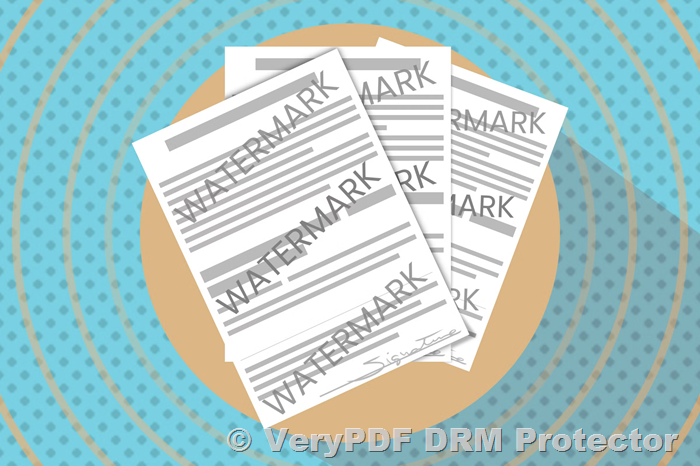
Dynamical watermarking in the VeryPDF DRM Protector is an advanced mechanism where watermarks are generated at the point of document access. This dynamic approach enables watermarks to be tailored to the specific user, document, and policy configuration, ensuring unique and personalized identifiers for every interaction. Even if multiple users access the same PDF from the same location simultaneously, each will receive a distinct set of watermarks.

Key Features of Dynamical Watermarking

  • Customization at Access:
    • Watermarks are generated dynamically based on user information, document details, and access policies.
    • Customization allows for watermarks to include current contextual data, such as the date and time of access or the user’s IP address.
  • Versatile Placement and Styling:
    • Watermarks can be positioned in various locations on the page, including headers, footers, diagonals, and margins.
    • They can appear above or below the document text, ensuring flexibility in visibility.
    • Styling options include customizable fonts, sizes, fill, stroke, and color combinations.
  • Dynamic and Static Content Integration:
    • Watermarks can combine static text (e.g., “Confidential”) with dynamic elements sourced from the Permission Server database, such as the user’s first and last name, company, or device details.
    • Other dynamic inputs can include values retrieved during access, such as IP address, timestamp, or document ID.
  • Adaptable Print Watermarks:
    • When printing is permitted, the on-screen watermark can be replaced with a print-specific watermark.
    • Print watermarks can include dynamic information related to the print job, such as the printer’s name or driver details.

Why Choose Dynamical Watermarking?

Dynamical watermarking provides a robust solution for:

  • Enhanced Traceability: By linking watermarks to specific users and devices, unauthorized distribution can be traced back to the source.
  • Improved Security: Dynamic watermarks discourage unauthorized sharing by embedding identifiable and contextual information.
  • User Accountability: Personalized watermarks remind users of their responsibilities when handling sensitive documents.

Applications of Dynamical Watermarking

The VeryPDF DRM Protector’s dynamical watermarking feature is ideal for:

  • Corporate Document Security: Protect sensitive internal communications and reports.
  • Educational Content Distribution: Secure course materials and prevent unauthorized sharing.
  • Publishing and Licensing: Protect intellectual property and enforce licensing agreements.

Conclusion

The Dynamical Watermark function in the VeryPDF DRM Protector Online Application sets a new standard in document security. By combining dynamic customization with advanced traceability, it empowers organizations to protect their documents while holding users accountable. Whether for corporate, educational, or publishing needs, this feature ensures that every document interaction is uniquely marked, secure, and traceable.

Explore the possibilities of dynamical watermarking with VeryPDF DRM Protector today and take control of your document security like never before.

[Solution] Secure and Protect Academic and Educational Materials with VeryPDF DRM Protector: A Comprehensive Solution

University professors often face challenges when sharing sensitive materials like exam papers with their students. One such professor reached out with specific requirements for securely sharing PDF documents without risking unauthorized downloading, screenshotting, or redistribution. Below is the professor’s query, followed by a detailed explanation of how VeryPDF DRM Protector meets every need:


Professor’s Query


“I need an offline software for PDF to get the following functions with passwords (master and user):”

  1. Distribute copy-protected PDFs by email, download, or on disk.
  2. Display copy-protected PDFs on your web pages.
  3. Total control with immediate effect even on documents already downloaded.
  4. Prevent changes to the PDF document.
  5. Prevent printing of the PDF document.
  6. Password protect the PDF document.
  7. Set an expiry date on the PDF document.
  8. Control access to the PDF document.
  9. Limit the number of prints of the PDF document.
  10. Limit the number of views of the PDF document.
  11. Prevent copying of the PDF document.
  12. Prevent unauthorized sharing of the PDF document.

“Please advise which VeryPDF software will be best for me.”


[Solution] Secure and Protect Academic and Educational Materials with VeryPDF DRM Protector: A Comprehensive Solution

How VeryPDF DRM Protector Meets These Requirements?

1. Secure Distribution of PDFs

  • Multiple Distribution Options: With VeryPDF DRM Protector, you can distribute protected PDFs via email, downloads, or physical media such as USB drives and CDs. The protection remains intact across all methods.
  • Web Page Display: The software supports embedding DRM-protected PDFs on your website, allowing students to view them securely without downloading.

2. Immediate Control Over Distributed Documents

  • Real-Time Management: Even if students have already downloaded the PDFs, you can update permissions or revoke access instantly, ensuring you maintain control at all times.
  • Access Expiry: Set an expiry date for documents to automatically disable access after a specific deadline.

3. Prevent Changes to the PDF Document

  • Edit Lock: VeryPDF DRM Protector ensures the integrity of your documents by locking the content and preventing any modifications.

4. Prevent Printing of the PDF Document

  • Printing Controls: You can disable printing entirely or limit the number of prints allowed per user, ensuring your materials cannot be easily distributed in physical form.

5. Password Protection

  • Dual Password System: Assign a master password for administrative tasks and a user password for access. This ensures only authorized recipients can view the content.

6. Limit Views and Usage

  • View Restrictions: Control the number of times a document can be opened by each user, preventing repeated or prolonged access.
  • Anti-Screenshot Technology: Block screen capture and recording attempts, ensuring students cannot create unauthorized copies of the content.

7. Prevent Copying and Sharing

  • Copy Prevention: The software disables all copy-paste functionality, protecting the content from being extracted.
  • Sharing Restrictions: Tie document access to specific user accounts or devices, making unauthorized sharing impossible.

Conclusion

VeryPDF DRM Protector is the ultimate solution for professors and educators who need complete control over their sensitive materials. By addressing every requirement from secure distribution to access restrictions and anti-copy technology, this software ensures that your PDFs remain protected at all times.

If you’re looking for an offline tool to meet these specific needs, VeryPDF DRM Protector is your best choice. It empowers you to securely share exam papers or other documents while maintaining total control and peace of mind.

Inquiry for Online and Offline PDF Protection Software

Dear VeryPDF Support Team,

I am looking for an offline software solution for PDF that provides the following functionalities with both Master and User passwords:

1. Distribute copy-protected PDFs via email, download, or on disk.
2. Display copy-protected PDFs on your web pages.
3. Have total control over documents with immediate effect, even on documents that have already been downloaded.
4. Prevent changes to the PDF document.
5. Prevent printing of the PDF document.
6. Password-protect the PDF document.
7. Set an expiration date for the PDF document.
8. Control access to the PDF document.
9. Limit the number of prints of the PDF document.
10. Limit the number of views of the PDF document.
11. Prevent copying of the PDF document.
12. Prevent unauthorized sharing of the PDF document.

Could you please advise which VeryPDF software would be the best solution for these requirements?

Thank you in advance for your assistance.

Best regards, 
Customer
—————————————
Dear Customer,

Thank you for reaching out to us. In today’s digital world, the security and confidentiality of your PDF documents are of utmost importance, particularly when distributing sensitive content via email, web pages, or physical media. Whether you’re managing business contracts, educational materials, or proprietary information, it’s crucial to maintain full control over how your PDFs are accessed, shared, and used.

If you’re looking for an offline software solution that offers a comprehensive range of protective features for your PDFs, we highly recommend VeryPDF DRM Protector. This software is designed to give you complete control over your PDF documents, ensuring that they remain secure while meeting your distribution and protection needs.

https://drm.verypdf.com/online/

Inquiry for Online and Offline PDF Protection Software

Key Features of VeryPDF DRM Protector for Secure PDF Distribution

  1. Master and User Password Protection
    VeryPDF DRM Protector allows you to set two levels of passwords for your PDF documents. With a Master password, you can retain full control over the document, and with a User password, you can grant limited access to specific users. This ensures that only authorized individuals can open and view your content.
  2. Distribute Copy-Protected PDFs Securely
    With VeryPDF DRM Protector, you can distribute your PDFs securely through email, download links, or physical disks, all while ensuring that the document remains protected. The copy protection is embedded within the document, which means that even after distribution, your PDF files are secure and cannot be easily shared, copied, or modified by unauthorized users.
  3. Display Secure PDFs on Web Pages
    For businesses or individuals who need to display PDFs on their websites, VeryPDF DRM Protector makes it easy to embed copy-protected PDFs on your web pages. The document remains secure, and access can be tightly controlled, preventing unauthorized users from viewing or copying the content. This ensures that your sensitive PDFs are displayed only to the right audience.
  4. Real-Time Control Over Documents
    One of the most significant advantages of VeryPDF DRM Protector is its total control over PDF documents, even after they have been downloaded by users. You can modify access, revoke rights, and impose new restrictions on already downloaded files, giving you the flexibility to react to potential security risks or policy changes with immediate effect.
  5. Prevent Modifications to PDF Documents
    With VeryPDF DRM Protector, you can ensure that no one can alter or modify the content of your PDFs. Whether it’s editing text, changing images, or altering layout, this software prevents any unauthorized changes, ensuring the integrity of your document.
  6. Prevent PDF Printing or Limit Print Usage
    The software allows you to disable printing of your PDFs entirely, or alternatively, you can limit the number of prints allowed per user. This ensures that users cannot print copies of your documents without permission, thereby reducing the risk of unauthorized distribution or duplication.
  7. Set Expiration Dates for PDFs
    For time-sensitive documents, VeryPDF DRM Protector gives you the ability to set an expiration date on your PDFs. Once the expiration date has passed, the document will no longer be accessible, ensuring that access is limited to a specific time frame.
  8. Control Access to Your PDF Document
    VeryPDF DRM Protector allows you to control access to your PDF documents by requiring authentication before the document can be opened. You can also set permissions on who can view the document, ensuring that only authorized individuals can access the file.
  9. Limit the Number of Views
    In addition to limiting access to your document, VeryPDF DRM Protector also allows you to limit the number of views a user can have on the document. This is particularly useful for sensitive content that you only want users to view a specific number of times before the access is revoked.
  10. Prevent Copying of PDF Content
    With VeryPDF DRM Protector, you can prevent users from copying the content of your PDFs, including text, images, and other elements. This ensures that your proprietary content cannot be extracted or reused without your permission.
  11. Prevent Unauthorized Sharing of PDFs
    Another key feature is the ability to prevent unauthorized sharing of your PDFs. With strong DRM (Digital Rights Management) controls, VeryPDF DRM Protector ensures that your documents cannot be shared or distributed by users who have received them, providing an extra layer of security for sensitive files.

Why Choose VeryPDF DRM Protector?

If you need an offline software solution that provides comprehensive control and protection for your PDF documents, VeryPDF DRM Protector is your best choice. It offers all the features you need to secure your PDFs, including password protection, distribution controls, printing restrictions, and the ability to prevent unauthorized copying and sharing.

This software is particularly useful for businesses, content creators, and individuals who need to protect intellectual property, legal documents, educational materials, or any other type of sensitive content.

Key Benefits of VeryPDF DRM Protector:

  • Full control over your documents even after they are distributed
  • Easy distribution via email, download, or on disk with copy protection
  • Web display of protected PDFs
  • Password protection with Master and User passwords
  • Prevention of modifications, printing, copying, and unauthorized sharing
  • Access control and expiration settings
  • Flexibility to limit views and prints

For anyone looking to protect their sensitive PDF documents from unauthorized access and distribution, VeryPDF DRM Protector provides an ideal solution. Whether you’re managing confidential business contracts, exclusive research, or proprietary content, this software ensures your PDFs remain secure at all times.

To learn more about how VeryPDF DRM Protector can meet your needs, visit the official page for more information and trial options.

Experience the full features and start protecting your PDFs today!

https://drm.verypdf.com/online/

How to Prevent the Download, Sharing, or Commenting on Your PDF Files?

If you want to share a PDF with others while restricting actions like downloading, sharing, or commenting, you may face limitations with traditional PDF readers or software. Many tools, such as Adobe Acrobat, allow you to set certain permissions, but they don’t provide complete control over the document once it’s shared online.

How to Prevent the Download, Sharing, or Commenting on Your PDF Files?

Here’s a step-by-step guide to help you achieve the level of control you need, along with a solution that can better protect your PDF documents:

1. Understanding Adobe Acrobat’s Limitations

Adobe Acrobat provides some options for controlling how people can interact with your PDF file. You can:

  • Disable printing: Prevent users from printing the document.
  • Restrict editing: Set permissions to stop people from editing your file.
  • Password protection: Require a password to open the document.

However, these options still allow users to download and share the file once they access it. Even with these restrictions in place, there’s still a risk of unauthorized sharing, downloading, and commenting on your file, especially if you’re linking to the PDF from a website or other online platform.

2. The Solution: VeryPDF DRM Protector Web Application

To achieve more robust protection for your PDF files, we recommend using VeryPDF DRM Protector Web. This application provides Digital Rights Management (DRM) protection that allows you to:

  • Prevent downloads: The document can only be viewed online, and users cannot download it to their device.
  • Stop sharing: The file cannot be shared with others, ensuring that it stays private.
  • Disable commenting and editing: Viewers are only able to read the document; they cannot make any annotations, edits, or changes.

With VeryPDF DRM Protector, you can securely share your PDF files while maintaining full control over how they are accessed and used. This tool is perfect for anyone who needs to ensure their documents are viewed but not redistributed or altered in any way.

3. How to Use VeryPDF DRM Protector

Using VeryPDF DRM Protector is simple:

  1. Step 1: Visit the VeryPDF DRM Protector website.
  2. Step 2: Upload your PDF file and choose your desired protection settings, such as restricting downloads, sharing, and comments.
  3. Step 3: Generate the protected file, which can be shared with users. They will only be able to view the file in the way you’ve specified, with no access to download or modify it.

This application provides a seamless way to protect your PDF documents from unauthorized access and use, giving you peace of mind when sharing sensitive or valuable content online.

Conclusion

If you’re looking to control how your PDF files are accessed, VeryPDF DRM Protector is an excellent solution. It provides a level of security and control beyond what traditional PDF editing software, like Adobe Acrobat, can offer. You can safely share DRM-protected PDFs with users while ensuring that they cannot download, share, or comment on the file.

For more information and to start protecting your PDFs, visit VeryPDF DRM Protector.

By using DRM protection, you can confidently share your documents without worrying about unauthorized distribution or alterations.