
How to Secure Your Business Reports and Prevent Unauthorized PDF Access
Last month, I sent a detailed market research report to a new client, only to discover that it had been forwarded to a competitor. That single misstep cost us a major contract and, more importantly, shook the trust we had worked so hard to build. For any business handling sensitive reports, strategy documents, or proprietary research, this kind of leakage isn’t just frustratingit’s costly. Losing control of your business data can mean lost revenue, missed opportunities, and a damaged reputation.
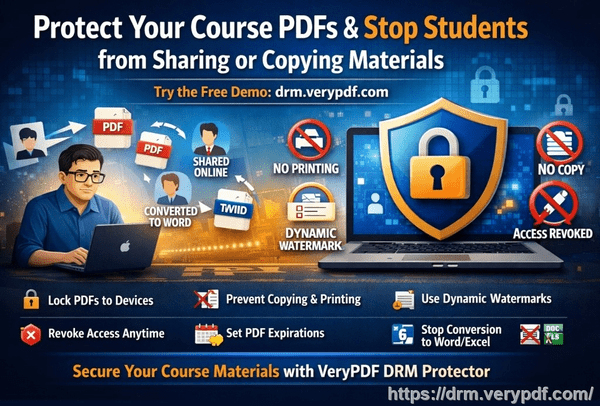
Many businesses face similar challenges. Market research reports, financial forecasts, and client proposals often contain information that, if leaked, could give competitors a huge advantage. Even when sharing via trusted email or cloud platforms, once a PDF leaves your system, you lose visibility and control. The risk of unauthorized printing, copying, or conversion into editable formats like Word or Excel adds another layer of vulnerability.
This is where a robust document protection solution becomes essential. I recently implemented VeryPDF DRM Protector, and it has completely changed how we manage sensitive business files.
Protecting Your Market Research and Business Reports
One major pain point is the unauthorized distribution of market research reports. In my experience, even a single forwarded document can compromise months of research. A competitor who receives your report gains insights without the cost or effort, potentially undercutting your offerings or winning your clients.
Another common issue is revenue leakage from unauthorized conversions. Reports intended only for internal use can be turned into Word, Excel, or image files, and suddenly your proprietary analysis becomes something that can be reused, resold, or misrepresented. This not only threatens revenue but exposes your intellectual property to theft.
Finally, loss of control over sensitive data is a real operational risk. Without restrictions, there’s no guarantee that a recipient is the right person or that the information remains confidential. This creates stress for managers and executives who need assurance that their business intelligence is protected.
How VeryPDF DRM Protector Solves These Problems
VeryPDF DRM Protector addresses these business risks in practical, scenario-based ways:
-
Restricted Access PDFs can be locked so that only authorized users, teams, or departments can view them. I can send a report to a client or partner knowing it won’t be opened by anyone else.
-
No Printing or Copying DRM settings prevent recipients from printing or copying content, eliminating the risk of offline distribution.
-
Prevent Conversion PDFs cannot be converted to Word, Excel, or image files, stopping potential IP theft before it starts.
-
Time-Limited Access You can even set expiration dates for reports, ensuring sensitive materials are not accessible indefinitely.
-
Real-Time Control I can revoke access at any time, even after the document has been delivered.
These protections mean that a report shared with a client remains secure, while I maintain full visibility and control. It’s a proactive solution rather than a reactive one.
Anti-Piracy Benefits in Action
The real value of DRM goes beyond preventing casual sharing. For example, one of our quarterly business strategy documents was accidentally shared with a third-party consultant. Thanks to VeryPDF DRM Protector, the file could not be opened outside of our authorized network, preventing a potentially costly leak.
Another scenario involved a market research report intended for internal executives. Normally, such documents might be copied into Excel to manipulate data or create slides, but DRM restrictions stopped any copying or conversion, saving hours of rework and protecting sensitive formulas and analysis.
In every case, the tool ensures that confidential reports are never misused, resold, or distributed beyond intended recipients. For any business, that’s direct cost avoidance and protection of competitive advantage.
Practical Steps to Implement DRM Protection
Here’s how I integrated DRM protection into daily operations:
-
Identify Sensitive Documents Prioritize reports, strategy documents, and proprietary research that require protection.
-
Set Access Rules Assign specific users, departments, or clients with access rights.
-
Apply Restrictions Disable printing, copying, forwarding, and conversion to other formats.
-
Distribute Securely Share documents via email or cloud links with DRM enabled.
-
Monitor Usage Track who opens the file, when, and on which device.
-
Revoke Access if Needed Instantly remove access to documents if a breach is suspected.
Implementing these steps not only safeguards your business content but also simplifies management. I no longer worry about lost files or unintended recipients, and our team feels confident in distributing sensitive reports.
Real Business Examples
-
Market Research Firm A firm producing annual market insights was able to safely share PDF reports with clients worldwide without risk of unauthorized redistribution. DRM control prevented leaks and maintained client trust.
-
Consulting Company Strategy documents were shared with executive clients securely. DRM prevented conversion into editable formats, ensuring intellectual property remained protected.
-
Corporate Finance Department Internal financial forecasts were sent to specific teams with restricted access, preventing accidental disclosure to unauthorized staff.
Conclusion: Why DRM Matters
In today’s competitive business environment, losing control of sensitive documents can be devastating. VeryPDF DRM Protector has given me peace of mind, knowing that my reports, research, and proprietary documents remain secure. I highly recommend this to anyone distributing confidential business documents who wants to avoid costly leaks.
Try it now and protect your business reports: https://drm.verypdf.com
Start your free trial today and keep your market research secure from leaks or misuse.
FAQs
How can I limit access to confidential business documents to prevent revenue loss?
You can assign specific access rights using DRM Protector, ensuring only authorized individuals or teams can open the documents.
Can I stop others from copying, printing, or converting my reports into editable formats?
Yes. DRM Protector allows you to disable printing, copying, and file conversion, keeping your content secure.
How do I track who accessed my business reports and when?
DRM technology provides detailed logs showing each user’s access, device, and timestamp.
Does DRM technology prevent unauthorized sharing of PDFs outside my organization?
Absolutely. Only authorized users can open the file, and DRM restrictions prevent forwarding, printing, or converting it.
How easy is it to securely distribute protected business reports to clients or colleagues without risk?
Very easy. You can share via email or cloud with DRM-enabled files, knowing access and actions are controlled.
Can I revoke access to a document after it has been sent?
Yes. DRM Protector allows you to instantly revoke access, even if the file has already been delivered.
What types of business content benefit most from DRM protection?
Market research reports, strategy documents, financial forecasts, proprietary business analyses, and any confidential client-facing reports.
Tags/Keywords
protect business reports, secure market research, prevent PDF piracy, stop unauthorized access, protect confidential PDFs, prevent PDF conversion, restrict PDF access, DRM for business, safeguard intellectual property, prevent document leaks