
Smart PDF Redaction: Permanently Remove Sensitive Data Before Sharing
Last month, we shared a PDF contract with a partner, only to realize later that it still contained unredacted personal dataputting us at risk of a serious GDPR violation. Moments like this are all too common in the business world. You might think that blacking out a name or an email is enough, only to discover that the information can still be copied, searched, or accidentally exposed. For companies handling legal documents, HR records, financial reports, or sensitive contracts, the stakes are high. One slip can lead to compliance fines, reputational damage, or even legal liability.
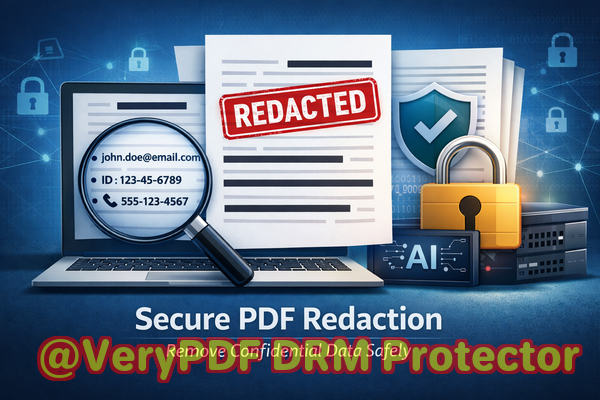
The truth is, manual document redaction is tedious, error-prone, and increasingly risky. Employees often resort to online tools that promise quick fixes, but uploading confidential files to unknown servers creates new exposure risks. That’s where AI-powered solutions, like VeryPDF AI PDF Redaction Tool Command Line, come inpermanently removing sensitive information while keeping your workflow smooth and secure.
Accidental Exposure of Sensitive Information
Imagine a legal team preparing a merger agreement. Multiple departments contribute edits, each handling confidential details like financial data, shareholder information, and personally identifiable information (PII). Even a small oversighta name left unredacted, an email visiblecan lead to serious compliance violations under GDPR or CCPA.
Or consider HR teams handling employee records. Payroll reports, social security numbers, and performance evaluations need to be shared with authorized parties only. One poorly redacted PDF shared internally or externally could inadvertently expose sensitive personal data, resulting in fines and trust issues.
Manual Redaction Mistakes
Many businesses still rely on manual redaction methodsusing black rectangles in PDFs or editing documents in Word before converting them to PDF. Unfortunately, these approaches are often ineffective:
-
Redacted text can sometimes be copied and pasted or recovered using simple tools.
-
Large volumes of documents increase the risk of human error.
-
Reviewing each page manually is time-consuming and inefficient.
Employees may think they’re safe, but the reality is that a single missed detail can trigger compliance problems or leak business secrets.
Risks of Online Redaction Tools
A tempting alternative is using free online PDF redaction services. While they seem convenient, they carry hidden risks:
-
Files are uploaded to third-party servers, potentially exposing sensitive business information.
-
You have no control over how long the data is stored or who can access it.
-
Compliance with privacy regulations may be compromised.
For businesses prioritizing confidentiality, this approach is simply not safe.
How VeryPDF AI PDF Redaction Tool Command Line Solves These Problems
VeryPDF AI PDF Redaction Tool Command Line provides a practical, secure solution. It is designed to permanently remove sensitive data from PDFs while keeping your documents entirely offline. Here’s how it addresses the key pain points:
Automatic Detection of Sensitive Data
Instead of manually searching for confidential content, the tool uses AI to identify:
-
Names and email addresses
-
Phone numbers
-
Social security or ID numbers
-
Financial information
-
Legal clauses and business secrets
This means that even hidden or hard-to-find data is flagged for redaction, reducing human error and improving accuracy.
Permanent Removal, Not Just Visual Hiding
Unlike traditional redaction methods, which may leave text accessible behind black boxes, VeryPDF AI PDF Redaction Tool Command Line completely removes the information. Once redacted:
-
Data cannot be copied, searched, or recovered.
-
Documents are safe to share with partners, clients, or internal teams.
-
Compliance with GDPR, HIPAA, and other regulations is easier to maintain.
Offline Processing for Maximum Privacy
All processing happens on your local machine, ensuring that sensitive information never leaves your environment. This eliminates the risk of third-party data exposure and maintains complete control over confidential files.
Real Business Scenarios
A mid-sized consultancy recently avoided a GDPR violation thanks to AI-powered redaction. Before sharing client reports, the team ran the documents through VeryPDF’s tool, which automatically detected and removed email addresses and financial identifiers. The team saved hours of manual work and confidently shared the files knowing the data was secure.
Another company, previously using free online tools, switched to the offline solution to safeguard contracts and legal documents. The move not only improved compliance but also reassured clients that their sensitive information remained protected.
Step-by-Step Workflow Example
-
Load your PDF document into the software.
-
Select the types of sensitive data you want the AI to detect.
-
Review the highlighted content flagged for redaction.
-
Apply permanent redaction with a single click.
-
Export a clean PDF ready for secure sharing.
Types of Data to Redact
-
Personal identifiable information (PII) names, emails, addresses
-
Financial data account numbers, invoices, salaries
-
Business secrets strategy documents, proprietary information
-
Legal clauses nondisclosure agreements, contractual terms
By clearly identifying these categories, you ensure that nothing sensitive slips through unnoticed.
Why Businesses Choose AI PDF Redaction
-
Prevent accidental data leaks that could result in fines or legal exposure
-
Eliminate risk from online PDF redaction tools
-
Ensure compliance with privacy regulations like GDPR or HIPAA
-
Save time on manual review, allowing staff to focus on higher-value work
-
Maintain professional standards and protect company reputation
I highly recommend this to anyone who needs to share documents safely without risking data leaks or compliance issues. It’s a small investment that can prevent costly mistakes.
Try it now and securely redact your PDFs: https://veryutils.com/smart-redact-server-ai-powered-pdf-redaction-software
Start your free trial today and ensure your sensitive data is permanently removed before sharing.
Frequently Asked Questions
1. How can I permanently remove sensitive data from a PDF instead of just hiding it?
Using VeryPDF AI PDF Redaction Tool Command Line, sensitive information is completely removed from the file, not just obscured. Once redacted, it cannot be recovered.
2. Can others recover redacted information from my PDF?
No. The AI permanently deletes the content, ensuring no one can copy or search the previously sensitive text.
3. Is it safe to use online PDF redaction tools?
Online tools are risky because files are uploaded to third-party servers. For confidential documents, offline AI-powered redaction is the safest choice.
4. Does this tool work completely offline?
Yes. All processing happens locally, guaranteeing that sensitive information never leaves your computer.
5. What types of sensitive data can be automatically detected and removed?
The tool can detect names, emails, phone numbers, social security numbers, financial data, legal clauses, and other confidential content.
6. How can I ensure compliance with GDPR when sharing documents?
By permanently redacting all PII before sharing PDFs, you reduce exposure risk and comply with GDPR and similar regulations.
7. Can this tool handle large batches of documents?
Yes. The command-line interface allows automation for batch processing, saving time and ensuring consistent redaction.
8. How do I review content before applying redaction?
The software highlights all detected sensitive data for review, allowing you to confirm before permanently removing it.
9. Is technical knowledge required to use the tool?
No. The AI-powered detection and step-by-step workflow make it accessible for professionals without advanced technical skills.
10. What industries benefit most from this tool?
Legal, HR, finance, healthcare, and consulting industriesany business handling confidential or personal data.
11. Can business secrets or proprietary information be redacted automatically?
Yes. Custom keywords and AI detection allow redaction of strategic business information and sensitive contractual clauses.
12. How does this improve over manual redaction?
It eliminates human error, ensures permanent removal, and speeds up the process, making document sharing safer and more efficient.
13. Is it suitable for compliance audits?
Absolutely. Redacted PDFs are secure, and the software provides a reliable method to demonstrate compliance with privacy regulations.
14. Can I integrate this into existing workflows?
Yes. The command-line interface allows seamless integration into automated workflows, including document management systems.
15. How do I start using it?
Download the tool, load your PDFs, select sensitive data types, review, apply redaction, and export clean, secure PDFs ready for sharing.
Tags / Keywords:
redact sensitive data, remove confidential information, PDF redaction tool, protect privacy in PDFs, prevent data leaks, offline PDF redaction, secure document sharing, AI-powered PDF redaction, GDPR compliance, permanent PDF redaction