
How to Safely Share PDFs by Permanently Redacting Sensitive Data with AI
Last month, our team sent a PDF containing a new client contract to a partner firm. A few days later, we discovered it still included unredacted personal detailsemails, phone numbers, and even social security numbers. Panic set in. A simple oversight could have led to a GDPR violation, not to mention the damage to trust and reputation. Unfortunately, this scenario isn’t unique. Many businesses are still relying on manual redaction or unsafe online tools, exposing themselves to compliance risks and potential data breaches.
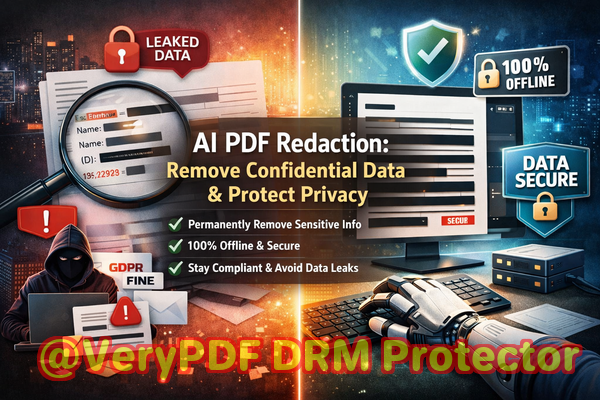
For businesses today, the stakes are high. Sharing PDFs is routinecontracts, HR records, financial statements, legal documentsbut each file can carry sensitive information. If mishandled, the consequences include hefty fines, legal action, and irreparable damage to client relationships. Manual methods, like highlighting or blacking out text, often fail. Some employees resort to free online tools, unknowingly uploading confidential data to third-party servers. It’s a real and visible risk.
That’s where automated AI-powered redaction comes in. VeryPDF AI PDF Redaction Tool Command Line provides a secure, offline solution for permanently removing sensitive information from PDFs before they leave your organization. Here’s why it matters and how it can transform your document workflow.
Many companies underestimate how easy it is to expose confidential data. Here are the most common pain points I see in real-world business scenarios:
Accidental Exposure of Sensitive Data
Imagine an HR department sending employee onboarding documents. Names, emails, financial information, and ID numbers are scattered throughout. Even a single missed page could result in personal data reaching the wrong hands. Manual redaction may look “blackened,” but text underneath can still be copied or recovered. One oversight could trigger GDPR fines or lawsuits.
Errors in Manual Redaction
In law firms, contracts and agreements often contain highly sensitive clauses. Paralegals spend hours blacking out sections manually, yet a small formatting error or overlooked annotation can expose confidential terms. Clients trust firms to protect their information, and errors here are costly.
Unsafe Online Tools
Employees frequently search for “quick PDF redaction” and upload sensitive company files to free online platforms. Many of these services store or scan documents on external servers, introducing new vulnerabilities. What’s supposed to be a quick fix now becomes a data leak risk.
These scenarios are exactly why VeryPDF AI PDF Redaction Tool Command Line is indispensable. Here’s how it addresses these risks:
Automatic Detection and Redaction
The tool leverages AI to identify sensitive data such as:
-
Names and email addresses
-
Phone numbers and physical addresses
-
Financial details and account numbers
-
IDs and personal documents
-
Confidential clauses and business secrets
Once detected, the software can automatically redact these items, eliminating human error. No more painstaking manual blackouts or missed text.
Permanent Data Removal
Unlike manual or visual redaction, this software doesn’t just hide textit removes it completely. Even if someone tries to copy or recover the content, it’s gone for good. This ensures compliance with GDPR and other privacy regulations.
Offline Processing for Full Privacy
All documents are processed locally. No internet upload, no third-party exposure, and no chance of confidential data being intercepted. This fully offline workflow guarantees 100% privacy, something online tools simply cannot offer.
Tangible Benefits for Businesses
-
Prevent accidental leaks: Protect employees, clients, and sensitive company information from unintended exposure.
-
Avoid fines and compliance penalties: Fully remove data to meet GDPR and other regulatory standards.
-
Secure workflow: Keep files internal and offline, reducing risk of breaches.
-
Save time: Automated detection and batch processing cut hours from manual redaction tasks.
Real-Life Examples
A medium-sized consulting firm I worked with avoided a serious compliance issue. They were preparing a set of client reports for external partners. Using their usual manual redaction method, they realized last-minute that some financial numbers were still visible. Switching to VeryPDF AI PDF Redaction Tool Command Line, they redacted all sensitive fields automatically and offline, exporting fully clean PDFs in minutes. No leak, no penalty, and complete client trust maintained.
Another HR team moved away from free online redaction tools after nearly uploading payroll documents to an unsecured server. With the offline AI-powered tool, they can redact entire batches of PDFs without exposing any employee information externally, giving them peace of mind.
Step-by-Step Workflow for Secure PDF Redaction
-
Load the PDF file into VeryPDF AI PDF Redaction Tool.
-
Let AI detect sensitive data automatically.
-
Review the detected items to ensure accuracy.
-
Apply permanent redaction.
-
Export a clean PDF ready to share safely.
Common Types of Data to Redact
-
Personally Identifiable Information (PII)
-
Financial and banking data
-
Business secrets and intellectual property
-
Legal clauses or confidential agreements
This approach not only simplifies the workflow but also creates a clear audit trail for compliance verification.
I highly recommend this to anyone who needs to share documents safely without risking data leaks or compliance issues. It’s a simple switch that dramatically reduces risk and saves time.
Try it now and securely redact your PDFs: https://veryutils.com/smart-redact-server-ai-powered-pdf-redaction-software
Start your free trial today and ensure your sensitive data is permanently removed before sharing.
Frequently Asked Questions
1. How can I permanently remove sensitive data from a PDF instead of just hiding it?
Use an AI-powered redaction tool like VeryPDF AI PDF Redaction Tool Command Line, which completely removes text instead of just blacking it out.
2. Can others recover redacted information from my PDF?
No. With proper AI redaction, all confidential data is permanently deleted and cannot be recovered or copied.
3. Is it safe to use online PDF redaction tools?
Not always. Many free online tools upload your documents to servers, creating a risk of leaks. Offline AI-powered solutions are safer.
4. Does this tool work completely offline?
Yes. All processing happens locally on your computer, ensuring full privacy and no exposure to third parties.
5. What types of sensitive data can be automatically detected and removed?
Names, emails, phone numbers, addresses, financial info, IDs, business secrets, legal clauses, and more.
6. How can I ensure compliance with GDPR when sharing documents?
By permanently redacting all personal and sensitive data before sharing, you eliminate the risk of exposing protected information.
7. Can I batch process multiple PDFs?
Yes. The tool supports batch redaction for multiple files, saving time and effort.
8. Does this work for both scanned PDFs and digital PDFs?
Yes. AI detection works on text-based PDFs and image-based documents, ensuring comprehensive redaction.
9. How do I review the redactions before applying them?
The software provides a review step where you can verify all detected sensitive data before permanent removal.
10. Is it suitable for legal, HR, or financial documents?
Absolutely. Any document containing confidential or personal information can be securely redacted.
11. Will redacting a PDF affect its original formatting?
No. The tool preserves the layout while removing only the sensitive content.
12. Can I integrate this into automated workflows?
Yes. The command-line interface allows integration into scripts and enterprise processes for seamless automation.
Tags/Keywords:
redact sensitive data, remove confidential information, PDF redaction tool, protect privacy in PDFs, prevent data leaks, offline PDF redaction, secure document sharing, GDPR compliance, AI PDF redaction, document security