 How to Protect Course PDFs from Unauthorized Sharing, Printing, and Conversion: A Guide for...
How to Protect Course PDFs from Unauthorized Sharing, Printing, and Conversion: A Guide for Educators
As a professor, one of the most frustrating problems I've encountered is the fear that my carefully crafted lecture PDFs could be shared or altered without my permission. Whether it's students sharing assignments or someone taking screenshots during a lecture, the risk of my materials being pirated or misused is always present. It's a situation many of us face, and it's becoming more critical as education moves increasingly online.
I know I'm not alone in this. Professors, teachers, and content creators regularly deal with the challenge of protecting their intellectual property. The loss of control over lecture slides, homework PDFs, or paid course materials can undermine months of hard work. That's where digital rights management (DRM) tools like VeryPDF DRM Protector come into play, offering solutions that lock down your PDFs, stop unauthorized copying, and give you back control over your content.
Understanding the Problem: Why Your Course PDFs Are at Risk
Let's be real—there's always the temptation for students to share course materials with each other. What starts as a helpful gesture can quickly spiral into unauthorized distribution. Imagine you've spent hours preparing a comprehensive PDF study guide, only for it to end up on some file-sharing site where it's freely available to anyone with a link. The same goes for homework assignments or even the lecture slides that took you weeks to put together. Once they're shared, there's no taking them back.
But the problem doesn't stop with sharing. Students can easily copy and paste content, convert PDFs to Word documents, or take screenshots during online sessions. In the past, DRM tools were complicated and clunky, leaving you with more headaches than solutions. But with advancements like VeryPDF DRM Protector, educators now have a streamlined, effective way to prevent these issues and keep their content secure.
How DRM Protector Solves the Problem: Real Solutions for Educators
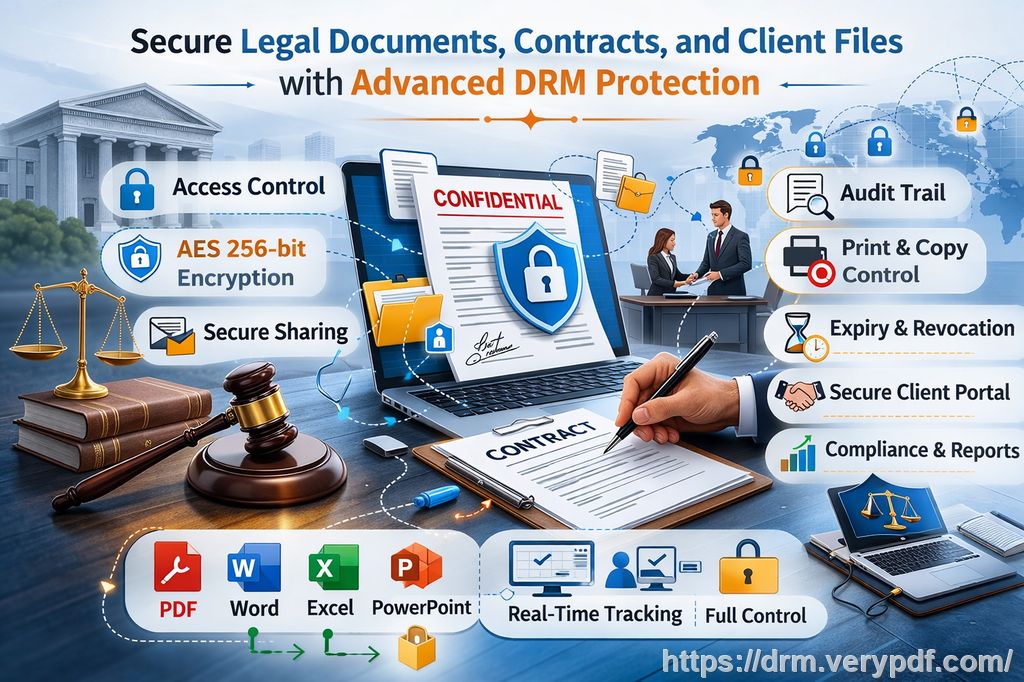
Here's the good news: DRM technology has evolved to the point where it can solve these problems without unnecessary complexity. With VeryPDF DRM Protector, you can lock down your PDFs in a way that's both secure and easy to use.
1. Prevent Unauthorized Sharing and Distribution
The first thing that DRM Protector does is restrict who can access your PDFs. You can limit access to only the enrolled students or specific users, meaning that no one can share your materials without your permission. This is especially useful when you're distributing paid course content or sensitive lecture materials.
2. Stop Printing, Copying, and Converting
One of the most common ways students misuse content is by printing it or converting it into a different format. With DRM Protector, you can disable printing altogether or limit the number of prints a user can make. You can even stop documents from being saved or converted into other formats like Word or Excel, ensuring your content remains in its original form.
3. Control Access with Expiry Dates and Device Locking
Another great feature is the ability to set expiration dates on your PDFs. This is useful if you're sharing time-sensitive content, such as homework assignments or special lectures. You can choose to expire documents after a certain number of views, prints, or even on a fixed date. Even better, you can lock the PDFs to specific devices, preventing them from being opened on unauthorized computers or phones.
4. Protect Your Content from Piracy
Preventing piracy is a top priority for most content creators, and for good reason. Once a document is leaked or pirated, it's almost impossible to regain control. VeryPDF DRM Protector's robust anti-piracy features stop students or hackers from bypassing security measures. It prevents PDF conversion, stops screenshots, and blocks printing to PDF or other file formats. Dynamic watermarks display user-specific information on printed or viewed PDFs, discouraging photocopying or unauthorized distribution.
5. Simple, Streamlined Workflow
Unlike previous DRM solutions that required complex setups and lengthy configurations, VeryPDF DRM Protector is easy to use. It integrates seamlessly with your workflow, whether you're distributing files via email, uploading them to a course platform, or sharing them through USB drives.
Real Classroom Scenarios: DRM in Action
I remember a situation last semester where I distributed a set of lecture slides on a popular online platform. Within a few hours, I found my materials being shared on student message boards. Thankfully, I had applied DRM protection using VeryPDF DRM Protector. The PDF was locked to specific devices, and the access expired after a few days. I could also track who had viewed the materials, and the watermark made it clear who the original recipient was, which acted as a strong deterrent against redistribution.
Another time, I was concerned about students copying content directly from my homework PDFs. Using the tool's anti-copy feature, I ensured that all the text within the PDF was locked down—students couldn't copy and paste it into other documents. It gave me peace of mind knowing that my work couldn't be easily plagiarized or reused without my permission.
Why DRM Protector is a Must-Have for Educators
As an educator, protecting your intellectual property is vital. VeryPDF DRM Protector is a game-changer for those who want to maintain control over their digital materials. It's more than just a tool to prevent unauthorized sharing—it's a comprehensive solution that safeguards your work, enhances your teaching workflow, and ensures your students don't misuse your content.
If you're tired of worrying about your PDFs being shared, copied, or pirated, I highly recommend giving VeryPDF DRM Protector a try. It's simple, effective, and offers everything you need to keep your content safe.
Try it now and protect your course materials: https://drm.verypdf.com
FAQs:
1. How can I limit student access to my PDFs?
You can restrict access to your PDFs by locking them to specific users or devices. This ensures that only authorized individuals can view your materials.
2. Can students still read PDFs without copying, printing, or converting?
Yes, DRM Protector allows you to disable copying, printing, and conversion. Students can still view the document but cannot modify or share it in any unauthorized way.
3. How can I track who accessed my PDFs?
With dynamic watermarks and detailed access logs, you can monitor who viewed or printed your materials, providing additional security.
4. Does DRM Protector prevent PDF piracy and unauthorized sharing?
Absolutely. DRM Protector locks down your PDFs, preventing students or hackers from copying, printing, or converting them. It also prevents screen capturing and unauthorized redistribution.
5. How easy is it to distribute protected lecture slides and homework?
Very easy. You can securely distribute your PDFs via email, online platforms, or USB drives, all while maintaining control over who can access and use them.
Tags:
protect course PDFs, prevent PDF piracy, stop students sharing homework, secure lecture materials, prevent DRM removal, anti-conversion PDF DRM