How to Prevent Screenshot Capture, Printing, and Downloading of Your PDF Files Online?

Preventing users from taking screenshots, printing, or downloading PDFs in a web browser is a challenging task, as these actions typically fall outside the scope of website control. However, there are several strategies you can implement to minimize or restrict these actions. Here are some of the most effective methods to safeguard your PDF files from unauthorized copying and distribution.

How to Prevent Screenshot Capture, Printing, and Downloading of Your PDF Files Online?

1. Use a Restricted PDF Viewer

One of the most effective ways to control PDF interactions is by using a web-based PDF viewer with built-in permission settings. Some PDF libraries or services offer the ability to disable certain functions like printing and downloading when displaying PDFs. This ensures that the document is viewed in a controlled environment without the option to copy or share its content easily.

2. Add Watermarks

Watermarking your PDF documents is another useful method to protect your content. While this won’t prevent screenshots or downloads, it helps deter unauthorized sharing or usage by visibly marking the document. Watermarks can make it clear that the document is copyrighted and discourage users from distributing the content.

3. Use HTML Instead of PDF

If possible, consider converting your content to HTML and displaying it on a web page. This allows for better control over how the content is displayed and makes it more difficult for users to capture the entire document at once. While this method doesn’t directly prevent users from taking screenshots, it does offer better protection against full-scale copying.

4. JavaScript Overlays

Implementing JavaScript overlays can help restrict certain actions, such as right-clicking or selecting content. You can use JavaScript to block users from accessing the context menu, preventing them from easily saving or copying your content. However, this method is not foolproof, as users can still bypass it using browser developer tools or other techniques.

For example, you can disable the right-click functionality on a webpage with the following JavaScript code:


document.addEventListener('contextmenu', event => event.preventDefault());
    

5. Disable Right-Clicking

Disabling the right-click function on a webpage via JavaScript is another method of deterrence. It prevents users from easily saving images or copying content by blocking the right-click context menu. While this isn’t a perfect solution, it can make it more difficult for users to capture content in a straightforward manner.

6. Content Security Policy (CSP)

Implementing a Content Security Policy (CSP) can help mitigate the risk of content theft by limiting the resources a webpage can load and control what actions can be performed within the page. Though CSP doesn’t directly prevent screenshots or downloads, it adds an extra layer of security to your content.

7. Secure PDF Hosting

For added protection, consider using a service that provides secure document hosting. These services often come with features like access expiration dates, ensuring that users can only view the document for a limited time. Secure PDF hosting services can help reduce the likelihood of unauthorized sharing or access to your files.

8. User Education

While technical measures are essential, educating your users about the importance of not sharing or distributing content without permission is also key. This may be a softer approach, but it fosters a culture of respect for intellectual property and can encourage users to avoid engaging in activities like screenshotting or downloading your PDFs.

Advanced Methods to Prevent PDF Screenshots

Blocking screenshots within PDFs is particularly difficult because once the document is opened on a device, users may find ways to capture the content. However, there are several strategies that can increase the difficulty of copying:

  • Password Protection: Use PDF software to set passwords that limit access to the document, and restrict copying or printing. While this doesn’t stop screenshots, it adds a layer of protection to prevent unauthorized access.
  • Watermarking: Add visible watermarks to every page of your PDF. This makes screenshots less appealing since the watermark will appear on the captured image.
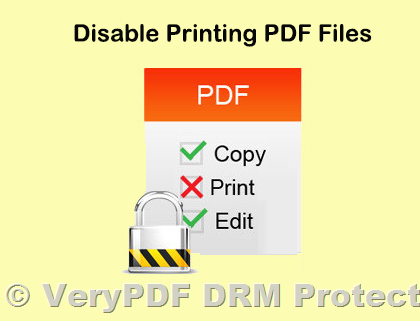
  • Disable Copying and Printing: Many PDF editing tools allow you to disable the ability to copy or print the document. This reduces the interaction users can have with the content, minimizing the risk of unauthorized use.
  • Use Secure PDF Viewers: Some applications or platforms offer secure PDF viewing environments that restrict certain features, such as screenshot capture. However, this may require users to use specific software.
  • Dynamic Content: Consider adding dynamic or interactive elements to your PDF that change every time the document is viewed. This makes it harder for users to capture static screenshots of the content.
  • Digital Rights Management (DRM): For highly sensitive documents, DRM solutions provide the most stringent control over access and sharing. DRM can limit how the document is viewed, shared, and even prevent screenshots in some cases.
  • Monitoring Software: In controlled environments, such as corporate settings, monitoring software can track and limit screenshot capabilities. This can prevent unauthorized captures of your PDFs within a restricted system.

Limitations of Screenshot Prevention

Despite the various methods available, it’s important to understand the limitations:

  • Technical Limitations: There is no foolproof way to prevent screenshots entirely. Users can still employ various software or devices to capture content outside the control of the website or PDF viewer.
  • User Experience: Implementing overly restrictive measures might frustrate legitimate users and hinder their access to the content. It’s essential to strike a balance between protecting your content and providing a positive user experience.

Conclusion

While it’s nearly impossible to fully prevent unauthorized screenshotting, printing, and downloading in a web environment, combining a few of these strategies can significantly reduce the risk of your PDF content being misused. Using a secure PDF viewer, adding watermarks, and employing DRM solutions are among the most effective methods to protect your valuable content.

With platforms like VeryPDF DRM Protector, you can block screenshots, disable printing and downloading, and ensure that your documents remain in safe hands, offering an additional layer of security for your digital products.

How to Prevent Screenshots of PDF Files? Prevent Screenshots: Disable Print Screen & Stop Screen Capture

Preventing screenshots of PDF files is a challenging task since screenshot functionality is deeply embedded in operating systems, and PDFs themselves lack direct control over hardware. However, by leveraging specific tools and technologies, you can minimize the risk of your PDFs being screenshotted. Below are some effective strategies:

How to Prevent Screenshots of PDF Files? Prevent Screenshots: Disable Print Screen & Stop Screen Capture


1. Use Screen Protection Technologies (DRM Software)

Professional Digital Rights Management (DRM) software, such as VeryPDF DRM Protector, can help restrict user actions on PDF files, including preventing screenshots:

  • Dynamic Watermarks: Add user-specific dynamic watermarks, such as usernames, IP addresses, or timestamps. Even if screenshots are taken, they can be traced back to the source.
  • Device Restrictions: Limit access to PDF files to specific devices, reducing the risk of unauthorized screenshots.
  • Browser-Based Protection: Use browser-based PDF viewers that disable screen capture or use encrypted streaming technology.

2. Restrict PDF Access Methods

  • Online-Only Access: Ensure the PDF is only accessible through a controlled online viewer to avoid offline screenshot attempts.
  • Disable Full-Screen Mode: Prevent users from switching to full-screen mode in protected viewers to discourage hiding interface controls.
  • Restrict Downloads and Copying: Use DRM tools or encryption to ensure the PDF cannot be saved locally for unrestricted access.

3. Operating System-Level Protection

  • On Windows or macOS, leverage APIs to block screenshot tools:
    • Use Graphics Capture Protection API in Windows.
    • On macOS, restrict screen capture permissions for specific applications.

4. Dynamic Content Obfuscation

  • Blurred Display: Add a blurred or low-resolution overlay for displayed content. Screenshots will capture the obfuscated content rather than clear text.
  • Layered Encryption: Use dynamic decryption techniques to show content only when necessary, keeping the rest of the document encrypted.

5. Legal and User Agreement Enforcement

  • Clearly state in the user agreement that screenshots are prohibited and outline potential legal consequences for violations.
  • Log user access behavior to maintain records as evidence for legal actions if necessary.

Limitations and Considerations

While these methods significantly reduce the risk of screenshots, preventing screenshots entirely is nearly impossible. Users can always resort to external devices like phones to capture screen content. The most effective solution is a combination of DRM technologies, legal safeguards, dynamic watermarking, and access control.

For advanced PDF protection, including anti-screenshot features, consider VeryPDF DRM Protector, which offers comprehensive tools to safeguard your content while maintaining a seamless user experience.


By adopting these strategies, you can ensure better protection for your intellectual property and prevent unauthorized use or distribution of your PDFs.

How To Protect a PDF With VeryPDF DRM Protector Software?

In today’s digital world, safeguarding your PDF files from unauthorized access is not just an option—it’s a necessity.
Without proper protection, your valuable intellectual property (IP) could be downloaded, copied, shared, or even altered
without your consent. To ensure your digital content remains secure, you need a robust solution like VeryPDF DRM Protector Software.

How To Protect a PDF With VeryPDF DRM Protector Software?   

Why Protect Your PDF Files?

Unprotected PDF files are vulnerable to various risks, including plagiarism and tampering. Basic password protection
might seem like an easy solution, but passwords can be shared or hacked, leaving your files exposed. A comprehensive
digital rights management (DRM) solution offers advanced protection that goes far beyond passwords, ensuring your content
remains exclusive to authorized users.

Key Features of Effective PDF Protection

To effectively secure your PDFs, you need a protection system that includes:

  • Advanced Watermarks: Embed customizable, user-specific watermarks to deter unauthorized distribution.
  • Access Control: Limit access by IP address, location, or device and set expiration dates for files.
  • Usage Restrictions: Control printing, downloading, and the number of times a file can be opened.
  • Seamless User Experience: Provide both online and offline access to authorized users, ensuring usability without compromising security.

Why Choose VeryPDF DRM Protector Software?

VeryPDF DRM Protector is a leading solution for safeguarding digital assets, designed for publishers, content developers, and businesses.
It offers a comprehensive suite of tools to ensure your PDFs remain secure while maintaining control over their distribution.

Key Benefits of VeryPDF DRM Protector:

  1. Enhanced Security: Protect your PDFs by converting them into a secure web format or downloadable protected file.
  2. Complete Control: Restrict unauthorized printing, copying, downloading, or sharing.
  3. Customizable Features: Add user-identifying watermarks, set device limits, and determine open restrictions.
  4. Flexibility: Allow users to access content via a browser, user portal, or your website.
  5. Integration Capabilities: Seamlessly integrate with third-party systems and support single sign-on (SSO).
  6. User Insights: Track who accesses your content, when, where, and how.

Why PDF Protection Matters

Securing your PDFs is vital for safeguarding your intellectual property, ensuring your organization’s content remains private and tamper-free.
By preventing unauthorized access, you protect your revenue streams and strengthen your overall business security.

Get Started With VeryPDF DRM Protector

If you’re ready to protect your digital assets with advanced tools and seamless distribution options, VeryPDF DRM Protector is the perfect choice.
Contact us today to learn more about our powerful PDF protection solutions and how they can benefit your business.

Visit VeryPDF Support to get started.


By choosing VeryPDF DRM Protector Software, you can ensure your digital content is safe, secure, and always under your control.
Protect your PDFs today and secure the future of your intellectual property.

Sell PDFs, Ebooks, Courses & Research Reports Online Securely with VeryPDF DRM Protector

In today’s digital world, businesses are increasingly relying on PDF documents for their content distribution.
However, the ease with which PDFs can be copied, printed, or shared without authorization creates significant
security concerns for creators of ebooks, research reports, courses, and other valuable materials. To address
these challenges, VeryPDF DRM Protector offers a robust platform to sell digital documents
securely while preventing unauthorized sharing.

Sell PDFs, Ebooks, Courses & Research Reports Online Securely with VeryPDF DRM Protector


Selling PDFs Made Easy and Secure

VeryPDF DRM Protector simplifies the process of selling your PDF documents, whether they are
ebooks, research reports, or courses. With just a few steps, you can securely upload your documents and
generate a payment link to share with your audience.

Key Features:

  1. Flexible Payment Options: Choose between one-time payments or subscription models to cater
    to different customer preferences.
  2. Seamless Payment Processing: Powered by Stripe, VeryPDF DRM Protector ensures secure and
    efficient payment transactions. Stripe also handles automatic invoicing and receipts for your customers,
    saving you time and effort.

Preventing Theft and Unauthorized Copying

The platform provides a range of advanced security features to safeguard your intellectual property against
theft and copying:

DRM Viewer for Ultimate Protection

All documents sold through VeryPDF DRM Protector are displayed in a secure DRM viewer. This
ensures that your content remains fully protected from unauthorized access or misuse.


Control Over Downloads and Prints

One of the standout features of VeryPDF DRM Protector is its ability to block downloads and prints:

  • No Downloads or Prints: Your documents are displayed exclusively within the secure viewer,
    preventing customers from downloading or printing copies.
  • Complete Control: These restrictions ensure that your content remains in your control,
    reducing the risk of unauthorized sharing.

Screenshot Protection

VeryPDF DRM Protector goes a step further by addressing screenshot concerns.

  • Disable Screenshots: Using a proprietary technique, the DRM viewer blocks users from taking
    screenshots of your documents.
  • Enhanced Security: This feature is essential for protecting sensitive information and
    preventing unauthorized duplication of your content.

Secure Access with One-Time Passwords (OTP)

Access to your documents is guarded by a one-time password (OTP) login system.

  • Guest Login with OTP: Customers are required to log in as guests using an OTP process.
  • Exclusive Access: This makes it incredibly difficult for unauthorized users to access your
    materials, ensuring that only legitimate customers can view your content.

Why Choose VeryPDF DRM Protector?

By leveraging VeryPDF DRM Protector, you can sell your PDF documents, ebooks, courses, and
research reports with confidence. The platform not only simplifies the sales process but also provides
cutting-edge security features to protect your intellectual property.

With features like Stripe-powered payment processing, restricted downloads and prints, screenshot protection,
and secure OTP-based access, VeryPDF DRM Protector ensures that your content remains safe and accessible only
to authorized users.


Ready to Secure Your Digital Documents?

Protect your PDFs and start selling securely with VeryPDF DRM Protector today. Empower your
business with a simple, secure, and effective platform for selling digital content.

Start Your Journey Here!

Digital Rights Management: How to Restrict and Prevent PDF Copying, Printing, and Forwarding?

PDF files are widely used for various purposes. However, when these documents are sensitive or confidential, it becomes essential to protect them from unauthorized access or sharing. Digital Rights Management (DRM) offers a robust solution to safeguard important information, preventing unintended distribution.

Digital Rights Management: How to Restrict and Prevent PDF Copying, Printing, and Forwarding?

What Is Digital Rights Management?

Digital Rights Management (DRM) refers to a set of technologies designed to control how recipients interact with content. Often referred to as “copy protection” or “anti-piracy,” DRM tools enable document owners to restrict unauthorized sharing, copying, or printing. This technology is particularly useful for safeguarding intellectual property, published works, and proprietary information.

By implementing DRM for your PDF documents, you reduce the risk of your sensitive information being stolen or distributed without your consent.


Who Uses DRM?

DRM is employed across various industries to control the distribution of sensitive or proprietary information. Common use cases include:

  • Publishing Industry: Book publishers use DRM to prevent eBooks from being illegally shared or resold online.
  • Training Providers: Educational organizations protect training materials to ensure intellectual property remains secure.
  • Finance and Real Estate: Companies use DRM-enabled data rooms for due diligence and to protect transaction-related documents.
  • Corporate Environments: Businesses implement DRM or its variant, Information Rights Management (IRM), to restrict access to sensitive internal documents. This helps ensure compliance with regulations such as GDPR or HIPAA and protects reputations in case of leaks.

Why Isn’t DRM More Widely Used?

Despite its effectiveness, several barriers hinder the adoption of DRM technology:

  1. Complexity: Many DRM solutions are cumbersome for both document owners and recipients. They often require recipients to install software or undergo lengthy identity verification processes.
  2. Compatibility Issues: DRM software may not be installable on all devices, creating obstacles in environments with strict IT policies.
  3. Cost: Traditional DRM systems can be expensive, requiring specialized servers and IT expertise for setup and maintenance.

Solution: VeryPDF DRM Protector
Unlike traditional DRM, VeryPDF DRM Protector is user-friendly, cost-effective, and doesn’t require software installation. Its simplicity and affordability allow organizations to implement DRM quickly and efficiently.


Limitations of DRM

No DRM solution is foolproof against external recording methods. For example, recipients can use external devices like cameras to capture content or take screenshots. This is known as the “analog loophole.”

While DRM cannot completely eliminate these risks, it can deter unauthorized sharing through features like:

  • Watermarking: Embedding dynamic watermarks helps identify the source of a document, discouraging misuse.
  • Screen Protection: Limiting visible content to a narrow section at a time makes full-screen recording less practical.

Key Features of DRM for PDFs

  1. Preventing Copying: DRM solutions block users from highlighting and copying text from PDF documents, reducing the risk of unauthorized duplication.
  2. Restricting Printing: By limiting or disabling printing capabilities, DRM prevents hard copies from being left in unsecured locations.
  3. Access Control: Advanced DRM systems allow for revoking access, tracking document usage, and setting expiration dates to ensure control over sensitive information.

Why Choose VeryPDF DRM Protector?

VeryPDF DRM Protector offers a comprehensive DRM solution designed to address common challenges. Key features include:

  • Ease of Use: A zero-installation solution for both senders and recipients.
  • Multi-Format Support: Beyond PDFs, it supports Word, Excel, PowerPoint, images, and videos.
  • Advanced Security: It integrates encryption, access control, expiration settings, file tracking, and watermarking in a single package.
  • Affordability: VeryPDF DRM Protector is one of the most cost-effective DRM tools available, with free trials to get you started.

Protect Your PDFs Today

In an era where information can easily be copied, forwarded, or printed, DRM is a critical tool for protecting intellectual property and sensitive data. With VeryPDF DRM Protector, you can secure your documents without sacrificing simplicity or affordability.

Start your free trial today!